3 Booting The Device and Log In to OpenClaw
This chapter describes the specific steps for connecting cables, starting the device and logging in to OpenClaw.
3.1 Connecting Cables
Describes the methods for connecting cables.
Preparation:
- Accessories such as a functional display, mouse, keyboard, and power supply adapter are ready.
- A functional network is available.
- Functional HDMI and Ethernet cables are ready.
Schematic diagram of connecting cables:
For pin definitions of each interface and specific connection methods, please refer to 1.6 Interface.

3.2 Booting The System For The First Time
After the ED-CLAWBOX device is connected to the power supply, the system will begin to start.
- The indicator light on the ON/OFF button flashes 5 times and then remains steadily blue.
- After the system starts normally, the Raspberry Pi logo will appear in the top-left corner of the screen.
TIP
Default Username: pi; Default Password: raspberry.
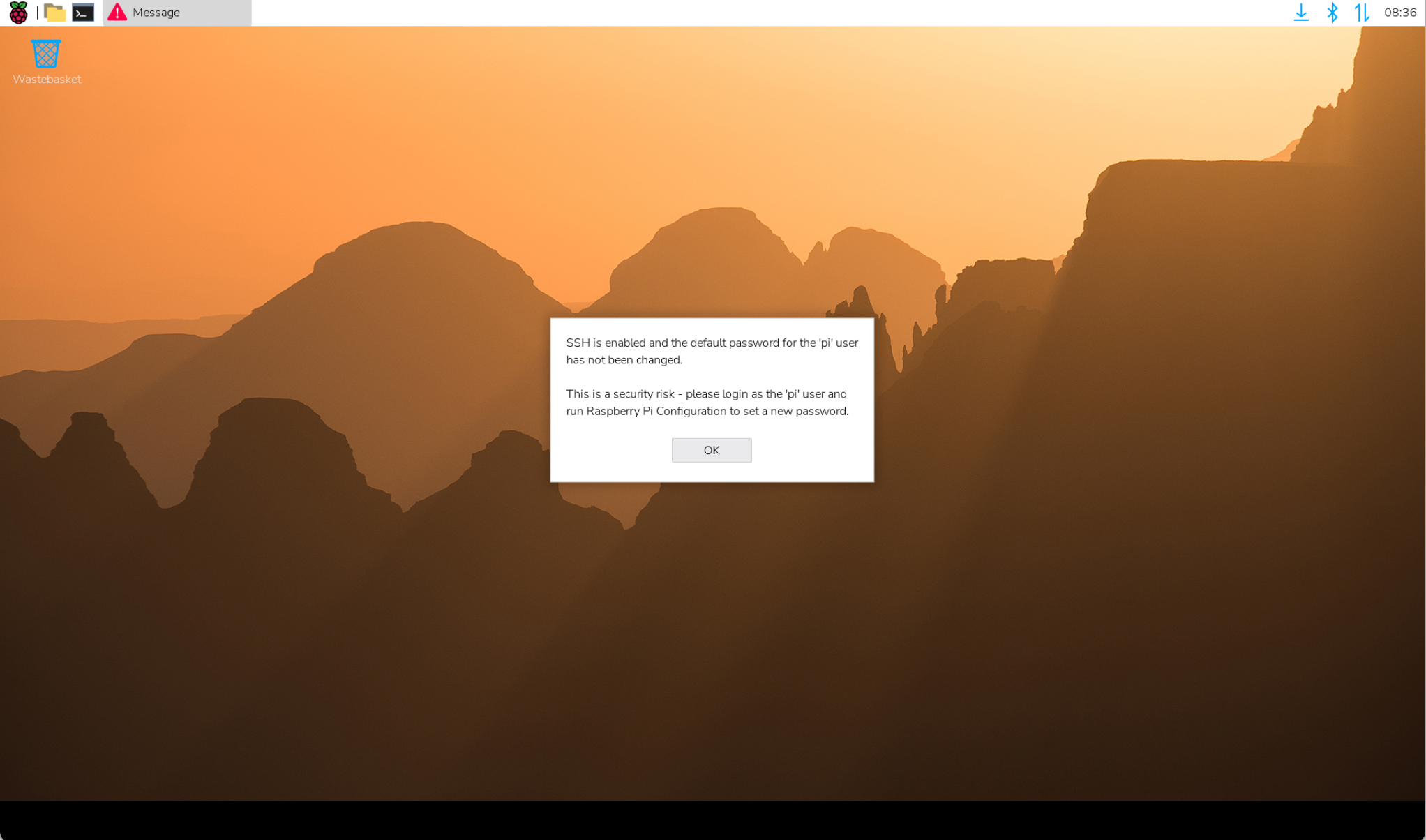
The ED-CLAWBOX device comes with the Desktop edition of the system pre-installed. After startup, it directly boots into the desktop, as shown in the figure below.
3.3 Log In to OpenClaw and Connect to The MiniMax Model
The ED-CLAWBOX has OpenClaw deployed by default. Users can connect to various large language models (LLMs) as needed. The following is a step-by-step guide using the MiniMax model as an example.
TIP
OpenClaw supports connecting to various LLMs. Only the MiniMax model is introduced here as an example.
Preparation:
The ED-CLAWBOX has started normally and is connected to the network via Ethernet or Wi‑Fi.
A Windows PC is available.
Both the Windows PC and the ED-CLAWBOX are connected to the same router, placing their IP addresses on the same subnet.
The API Key for the MiniMax model is obtained.
On the Windows PC's browser, enter the URL: https://platform.minimax.io to access the MiniMax official website.
Apply for an API key as needed.
Steps:
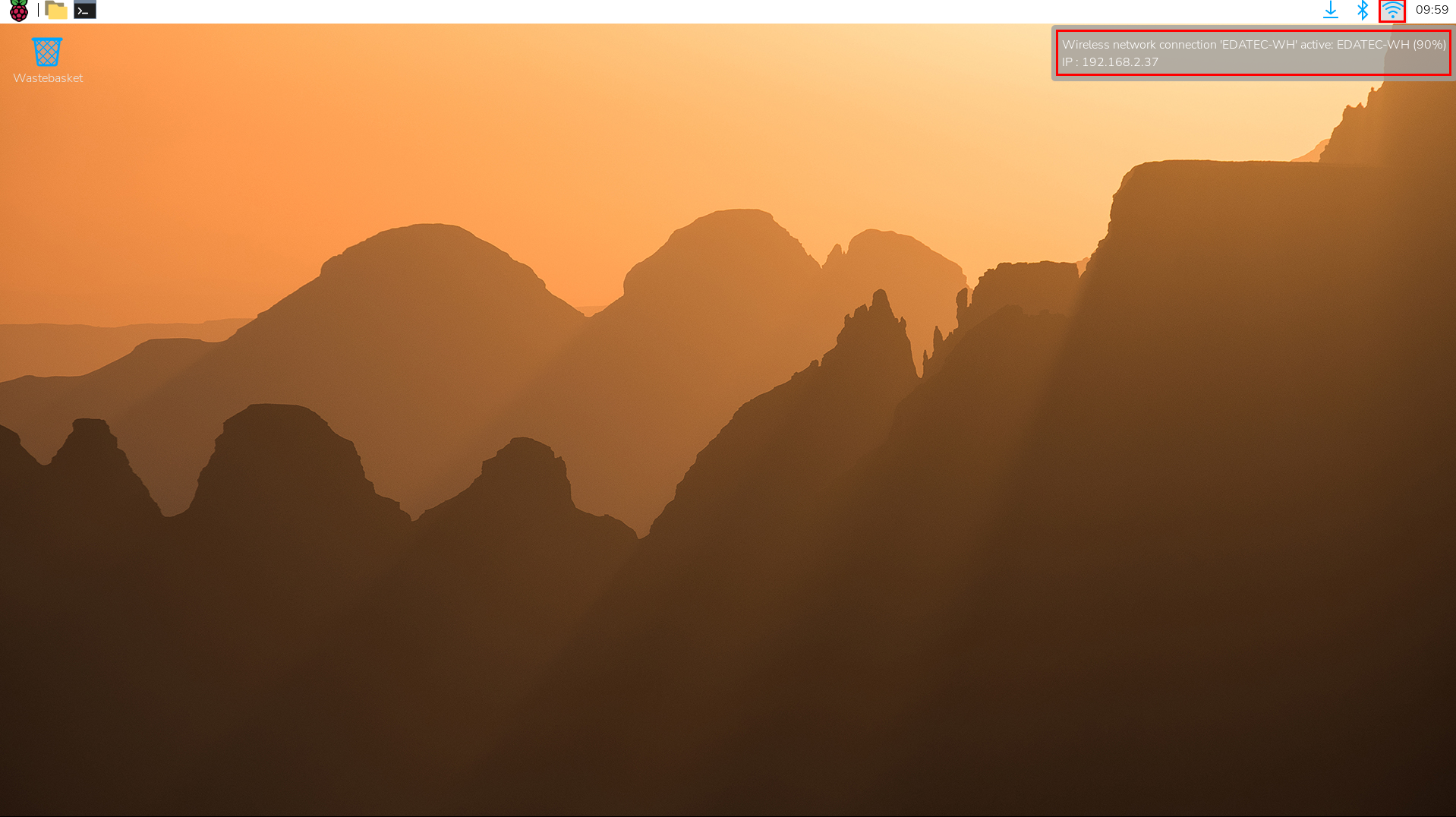
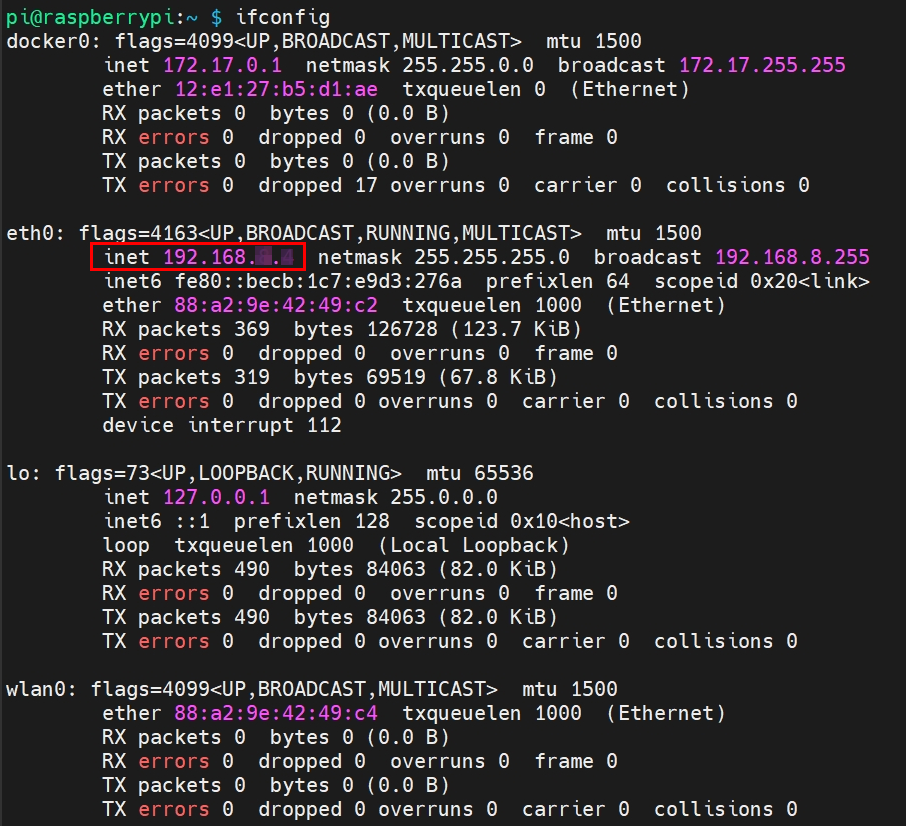
- Hover over the icon at the top-right corner of the desktop to check the device IP address (e.g., 192.168.X.X).
TIP
This device supports CLI-based IP address queries:
Open the command terminal on the ED-CLAWBOX device and execute the following command to query the device's IP address (e.g., 192.168.X.X).
ifconfig
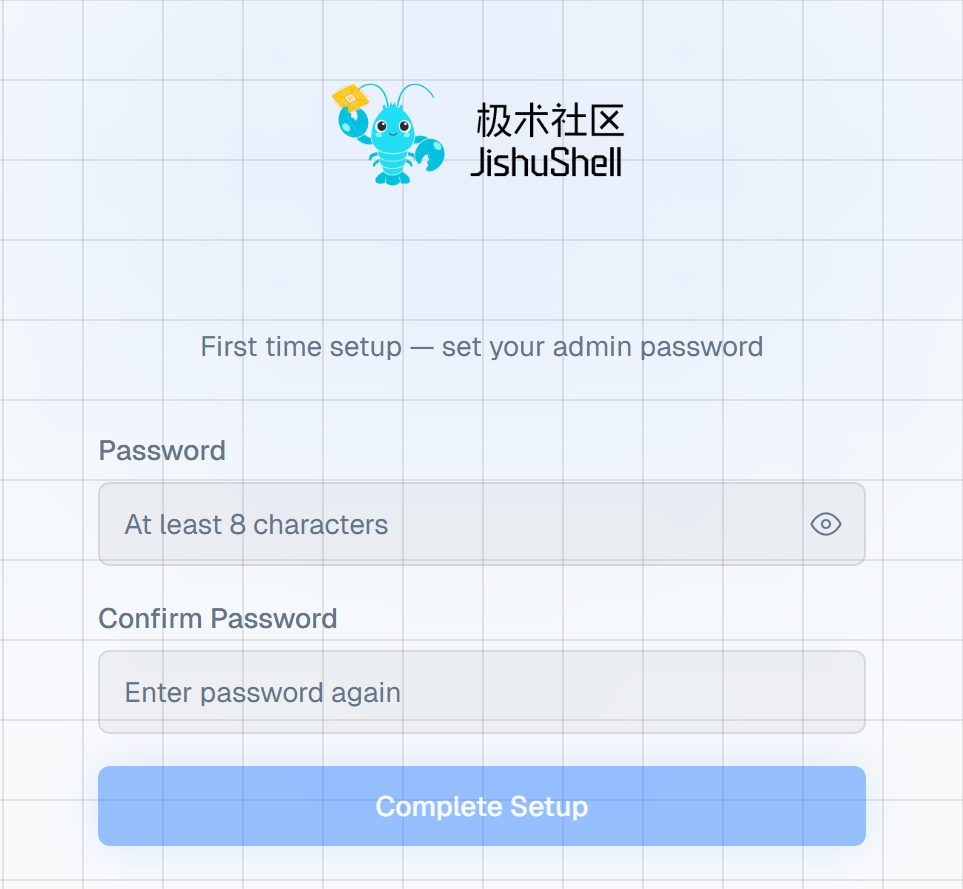
- In the Windows PC's browser, enter the URL: http://192.168.X.X:8090, then press
Enterto access the JishuShell login interface.
TIP
http://192.168.X.X is the ED-CLAWBOX device IP address obtained in Step 1.
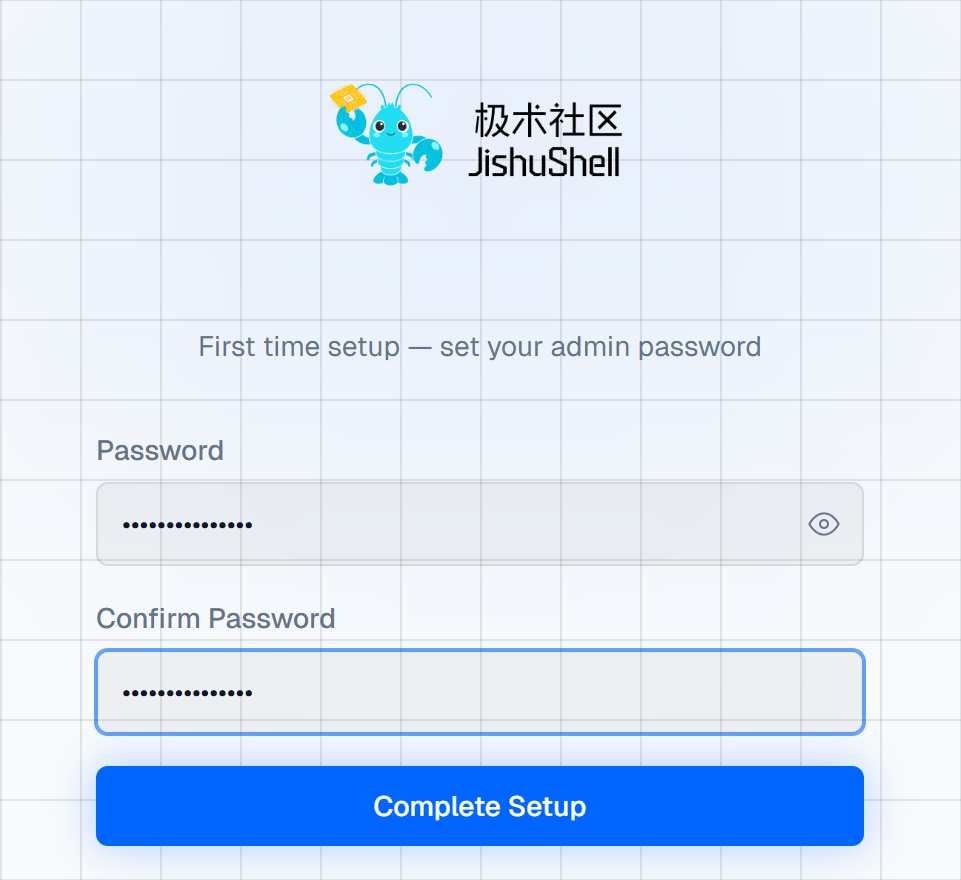
- Set a password as prompted, then click "Complete Setup".
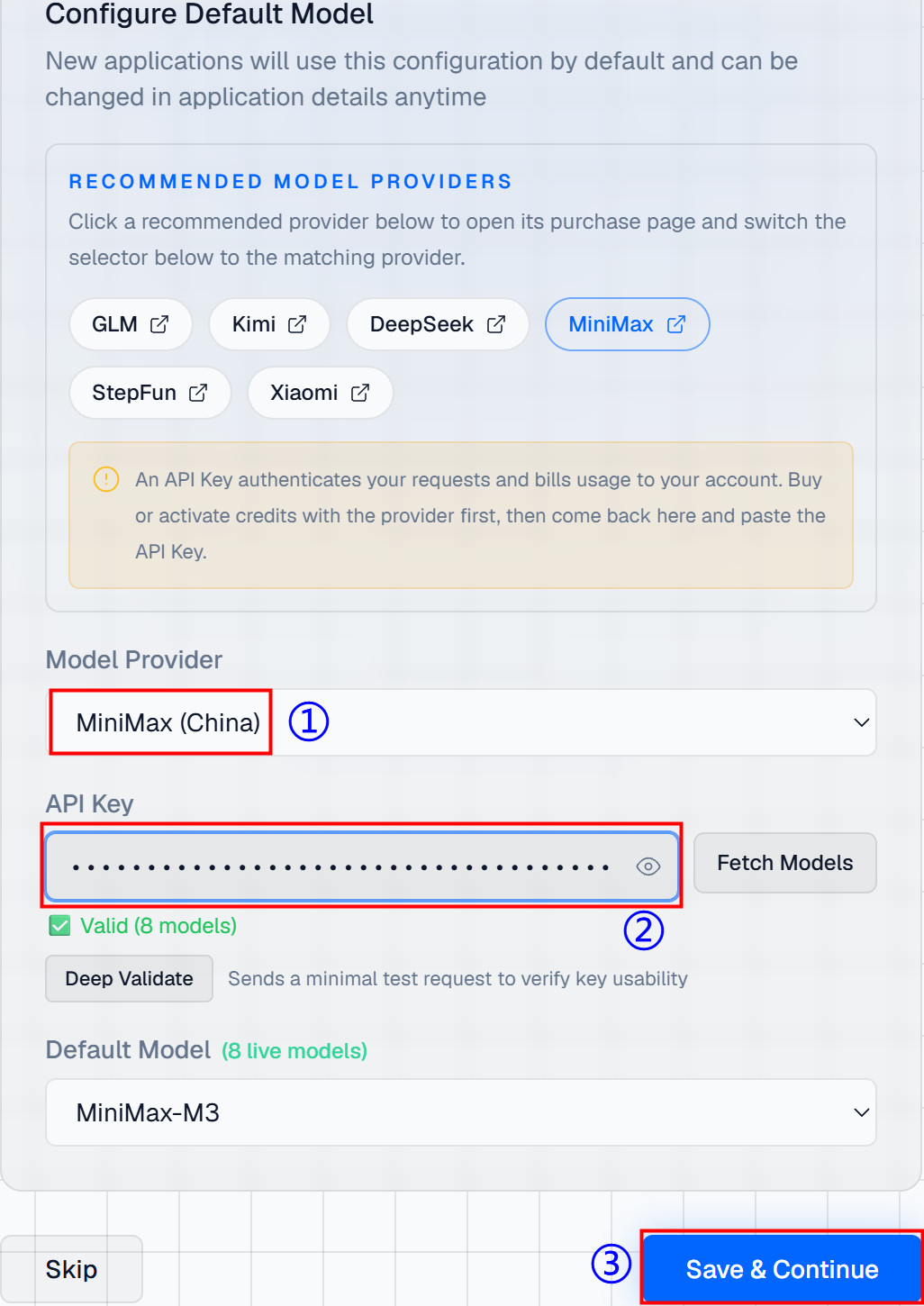
- Select "MiniMax(China)" from the "Model Provider" field. Enter the obtained MiniMax model API key in the "API Key" field, then click "Save & Continue".
TIP
The interface includes "RECNMMENDED MODEL PROVIDERS" information. You can purchase API keys as needed.
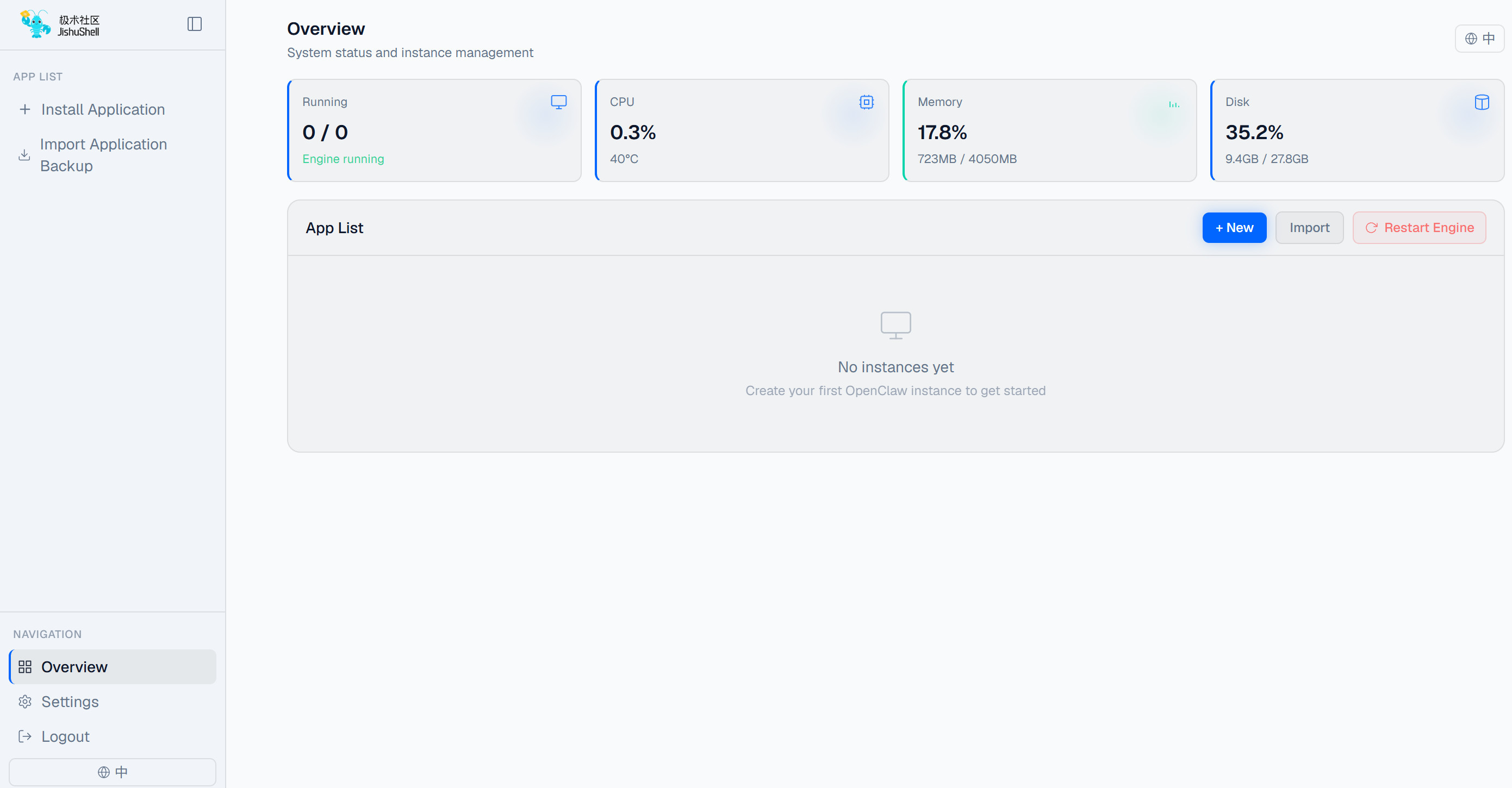
- After configuration, click "Enter Panel" to access the JishuShell configuration interface.
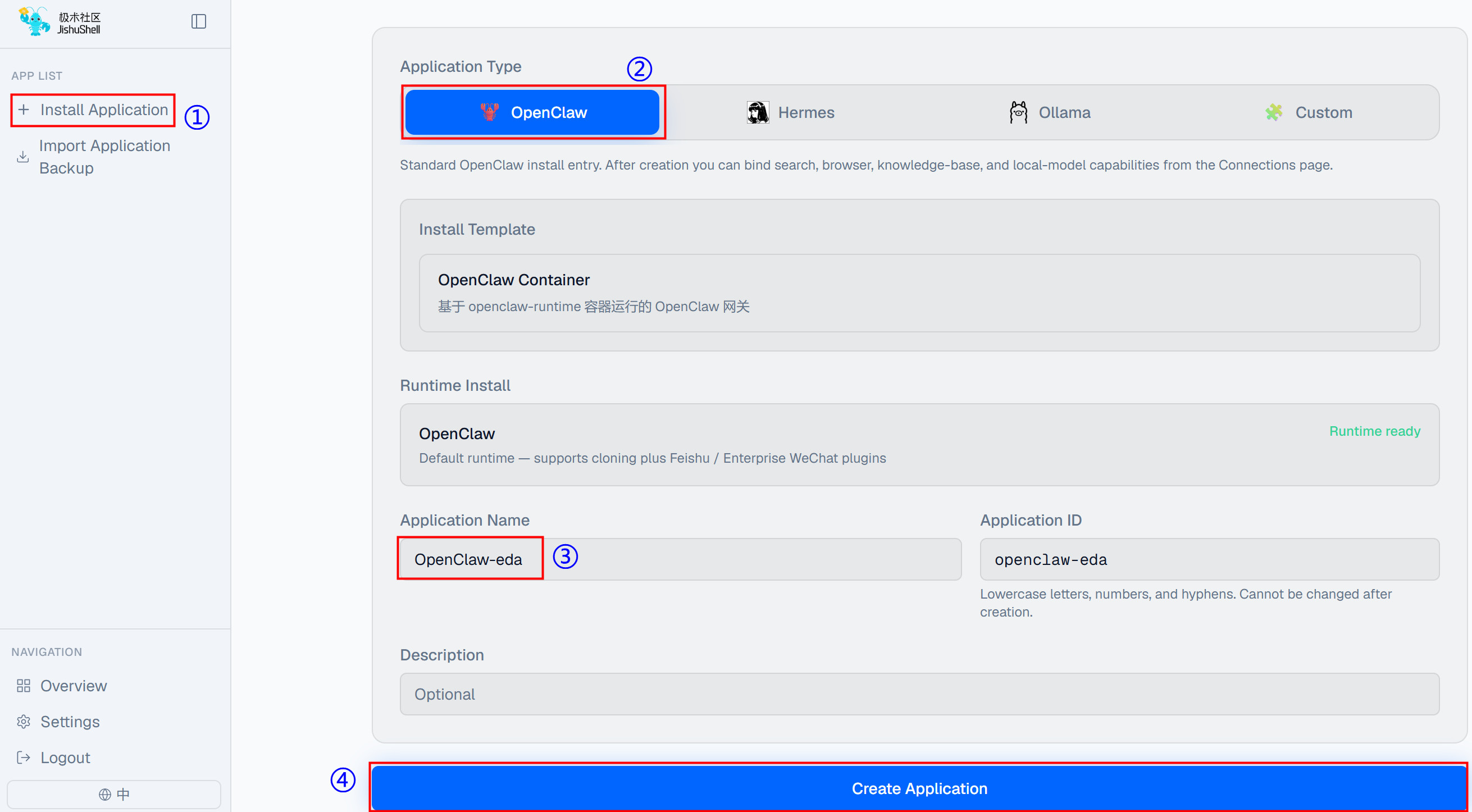
- Click "Install Application", On the right side, select "OpenClaw" under "Application Type", enter an "Application Name", and finally click "Create Application".
- Once created, the application will start automatically. The image below shows the conversation interface after startup.
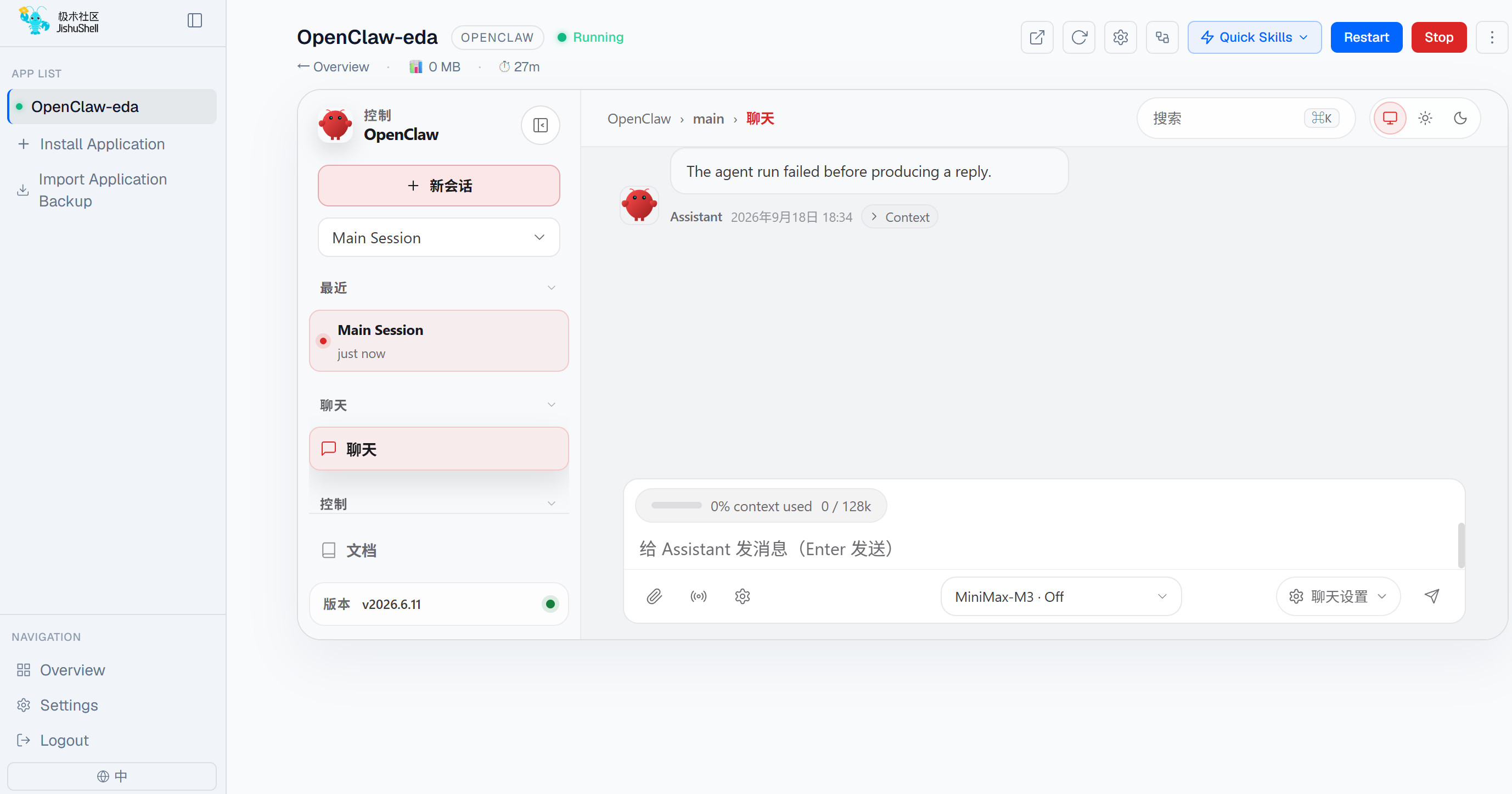
Conduct conversations in the dialog box as needed.
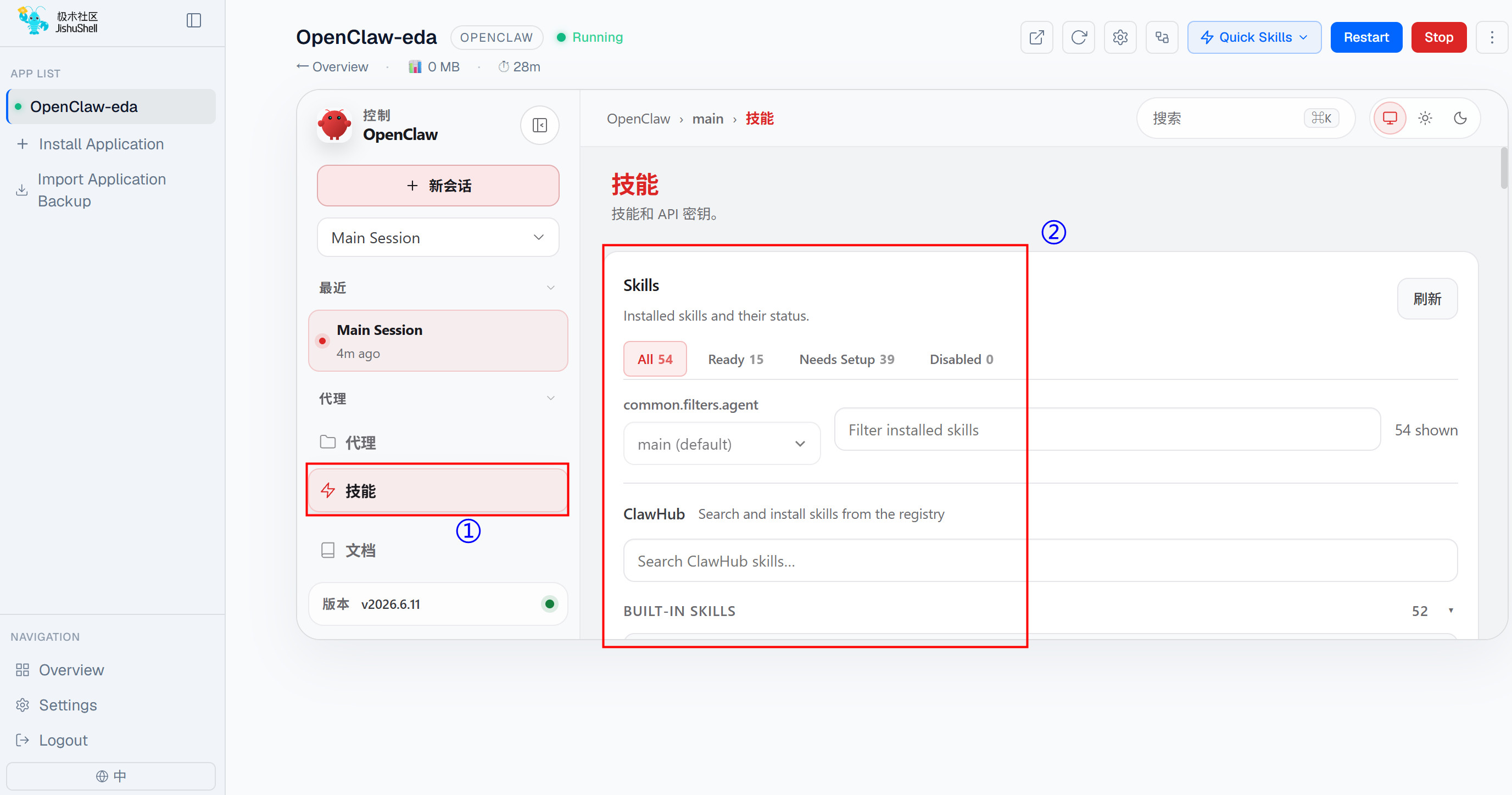
You can install desired skills by selecting the "Skills" tab.
- If you need to add a new model, switch models, or connect to other chat software during use, refer to the following instructions.
Adding a Model and Switching Models (using the DeepSeek model as an example).
Log in to the DeepSeek official website (https://platform.deepseek.com/usage) and obtain an API key.
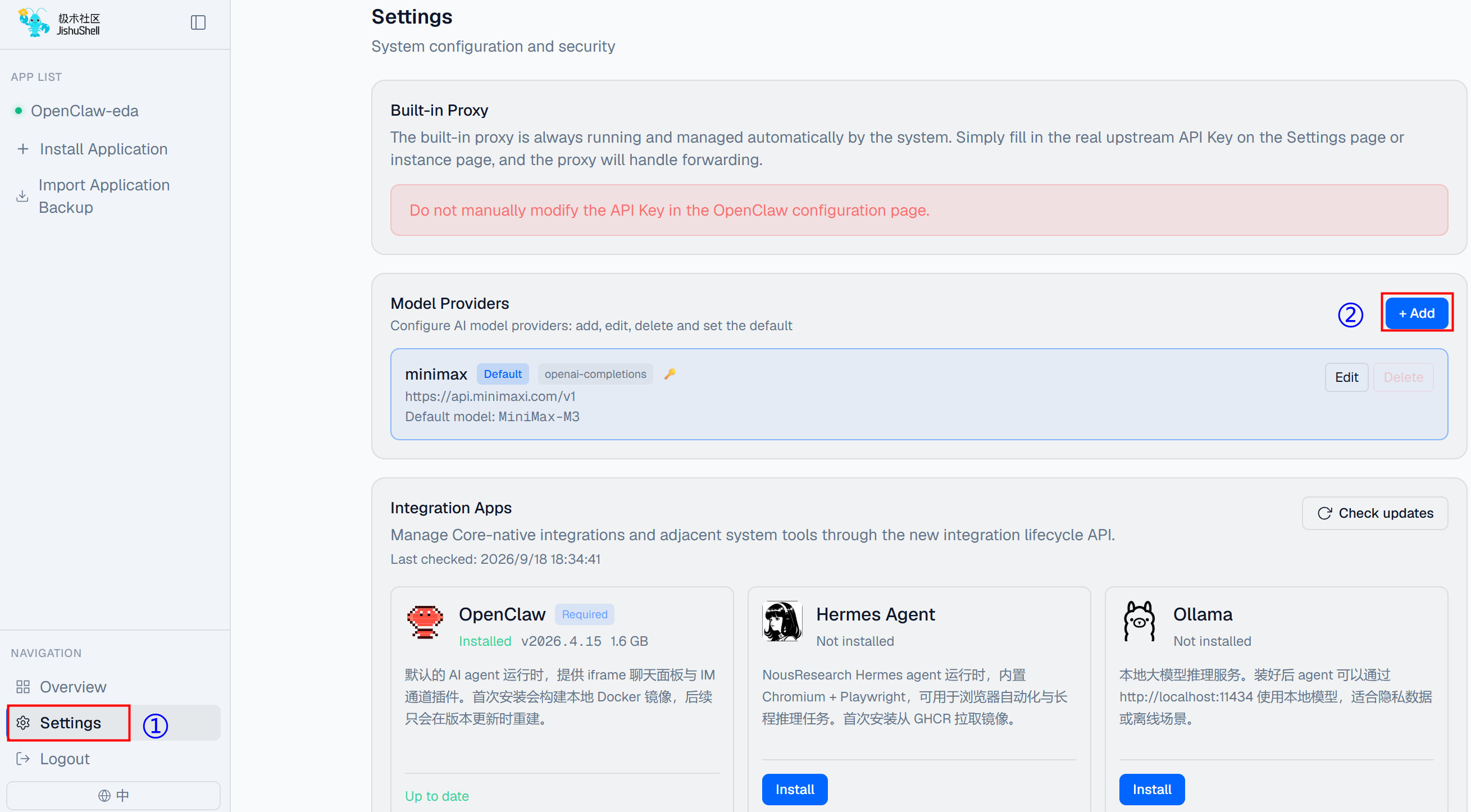
Click "Settings" in the left menu bar, then click "+Add" in the "Model Providers" section.
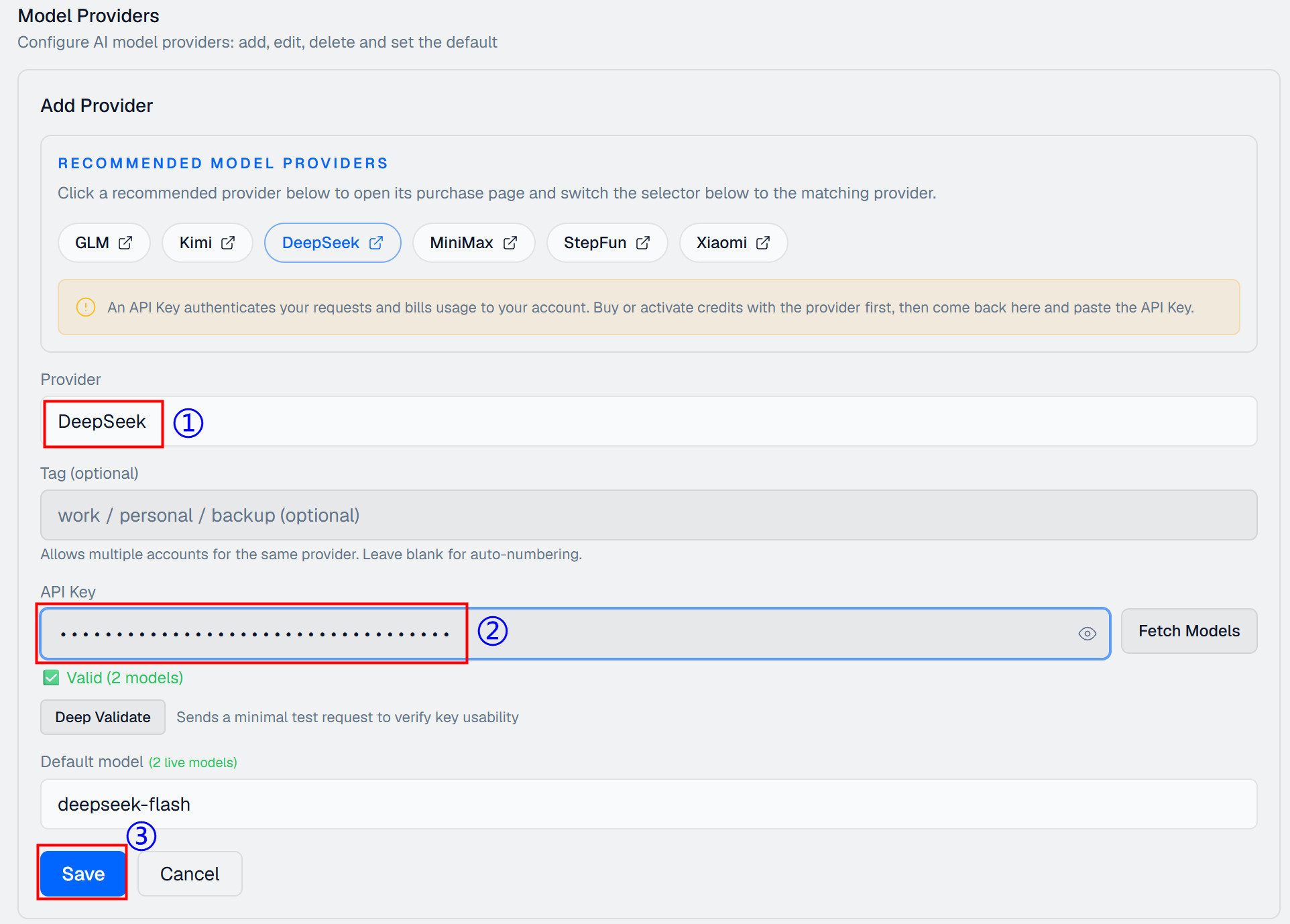
- In the expanded "Add Provider" section, first set the Model Provider to DeepSeek, then enter the obtained API Key, and finally click "Save".
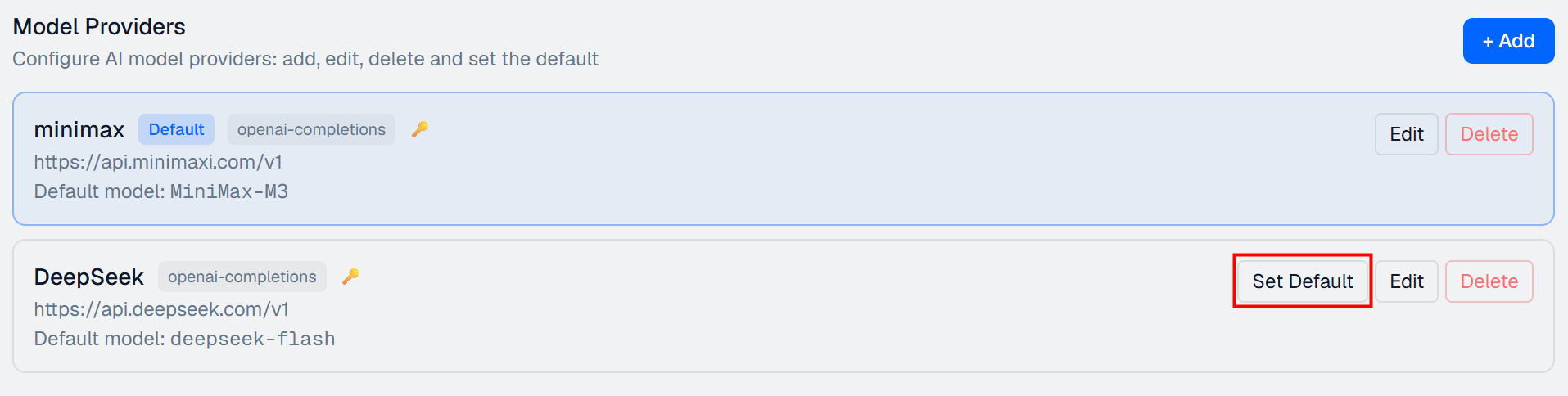
- After successful addition, the interface displays as shown below, with minimax set as the default model. Click "Set Default" on the added DeepSeek model to switch the currently used model to DeepSeek.
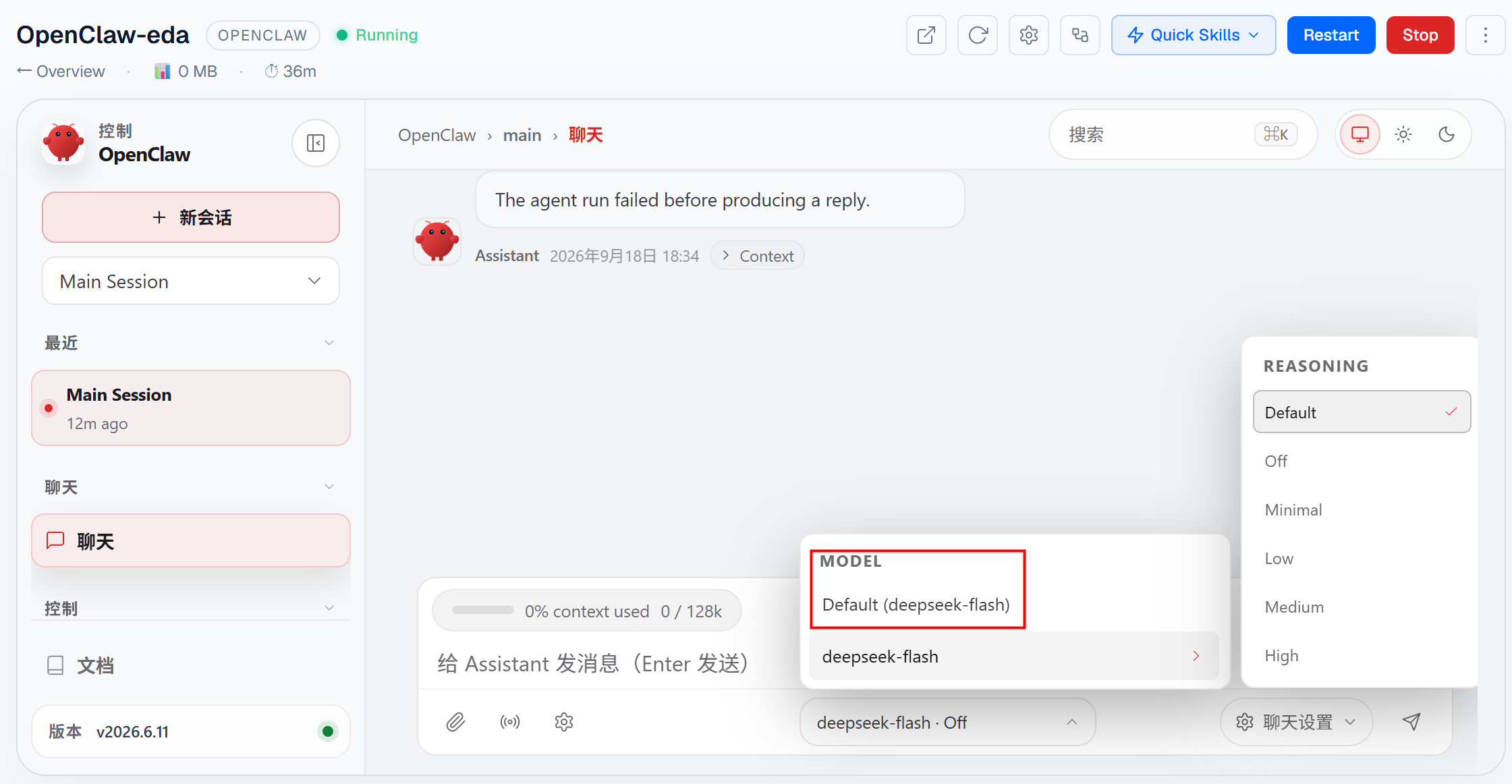
- Return to the application conversation pane. View the switched model in the model display menu at the bottom.
Connecting to Other Chat Software.
- In the upper right menu bar of the instance chat window, click "Quick Skills", then select "Feishu/Lark" or "WeChat".
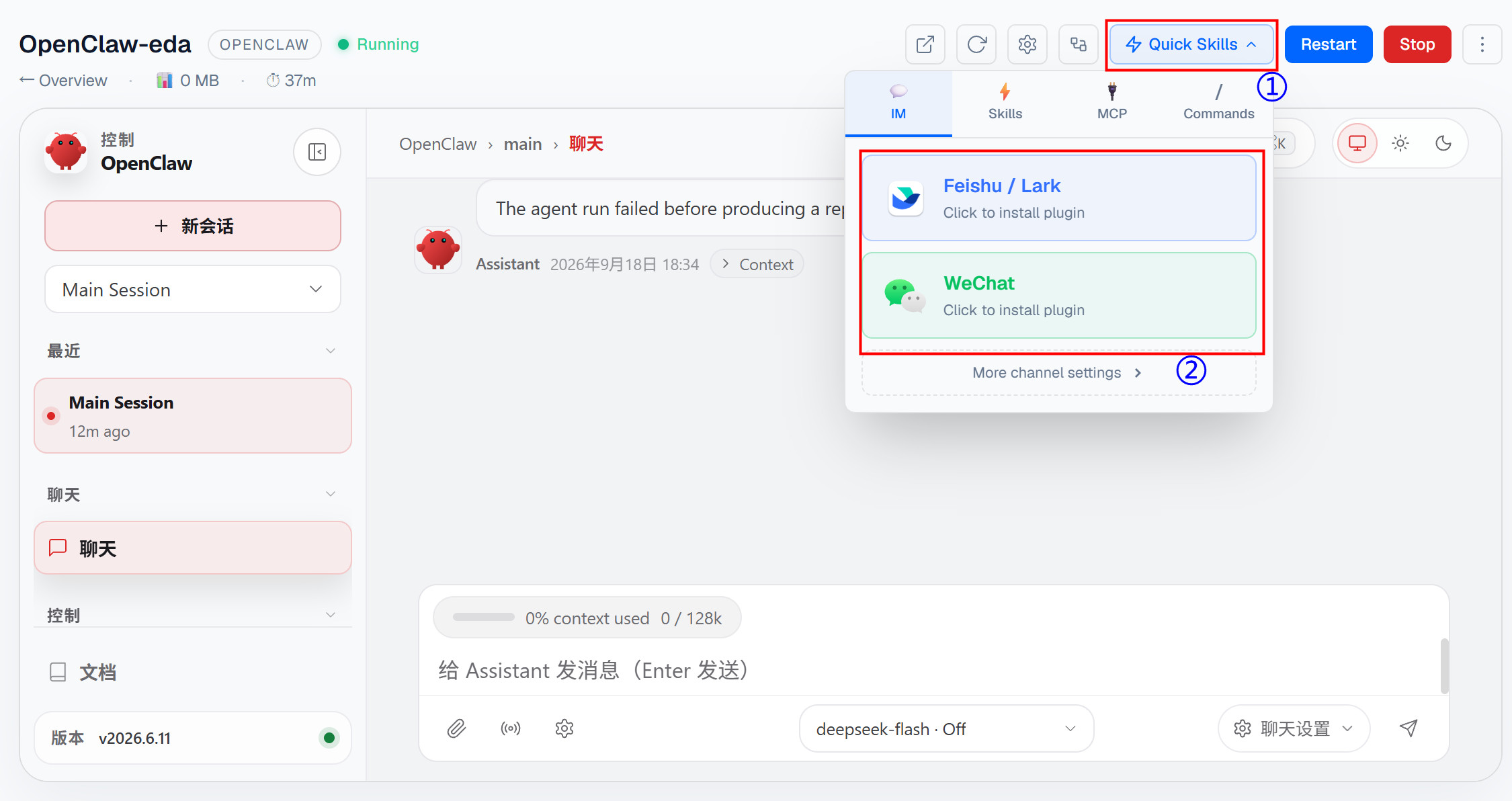
- Follow the prompts to install the corresponding plugin, log in, and configure permissions as needed.
3.4 Installing Other Applications
After entering the JishuShell configuration interface, in addition to installing the OpenClaw application, you can also choose to install local applications such as Hermes, Ollama, Browserless Chromium, SearXNG, and File Browser. The installation methods for various applications are similar. The following uses the installation of Hermes and Browserless Chromium as examples.
TIP
Due to device memory limitations, JishuShell supports running a maximum of 2–3 applications simultaneously. Please plan the number of applications to start accordingly.
3.4.1 Installing Hermes
Describes the steps for installing Hermes.
Preparation:
- The ED-CLAWBOX has been started normally and connected to the network via Ethernet or Wi-Fi.
- You have entered the JishuShell configuration interface.
Steps:
- After entering the JishuShell configuration interface, click "Install Application". On the right side, select "Hermes" under "Application Type", then click "Install Hermes Agent". After the Hermes Agent installation is complete, enter an "Application Name", and finally click "Create Application".
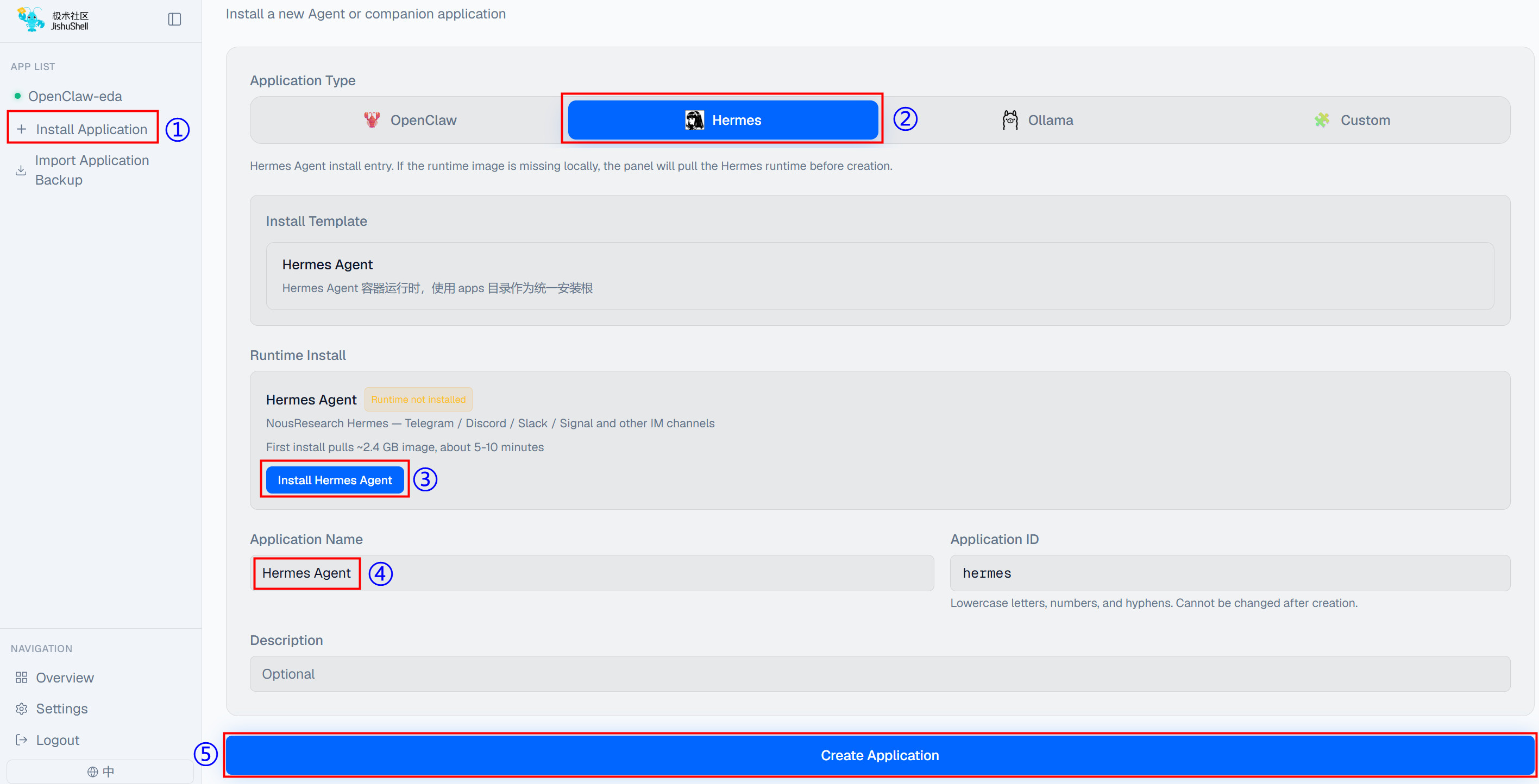
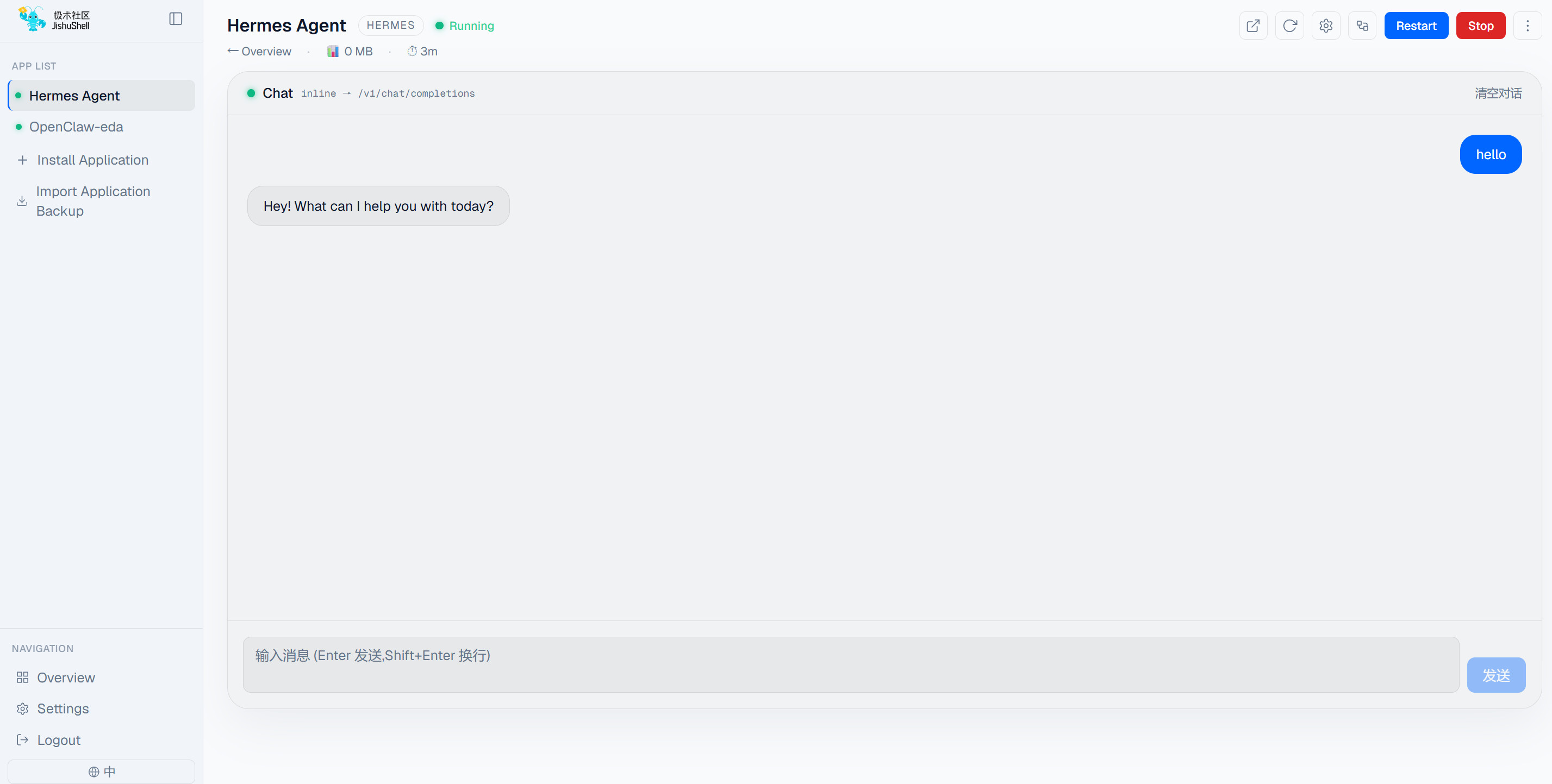
- Once created, the application will start automatically. The image below shows the conversation interface after startup.
3.4.2 Installing Browserless Chromium
Describes the steps for installing Browserless Chromium.
Preparation:
- The ED-CLAWBOX has been started normally and connected to the network via Ethernet or Wi-Fi.
- You have entered the JishuShell configuration interface.
Steps:
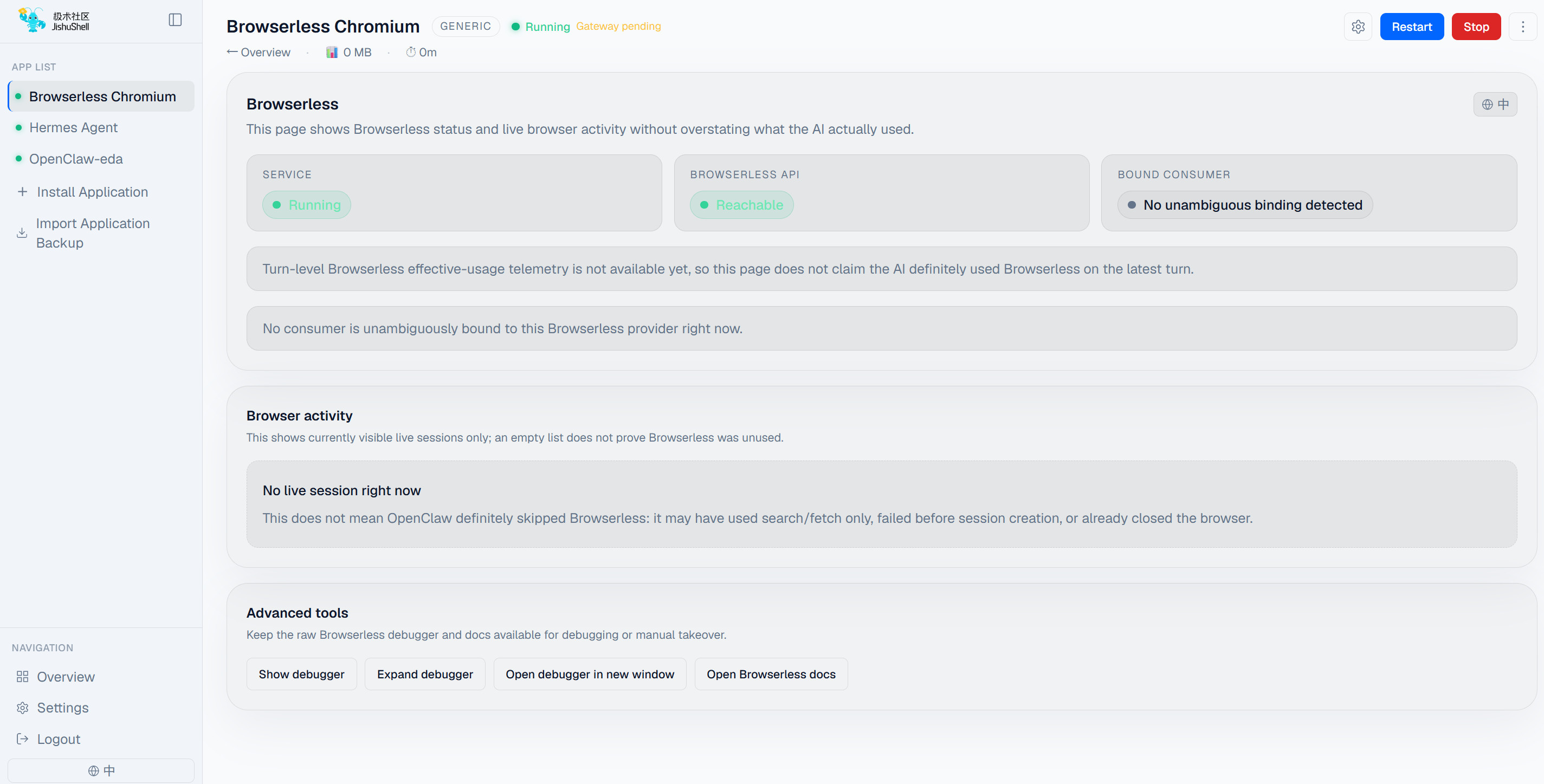
- After entering the JishuShell configuration interface, click "Install Application". On the right side, select "Custom" under "Application Type", then select "Browserless Chromium" from the built-in templates. Enter an "Application Name", and finally click "Create Application".
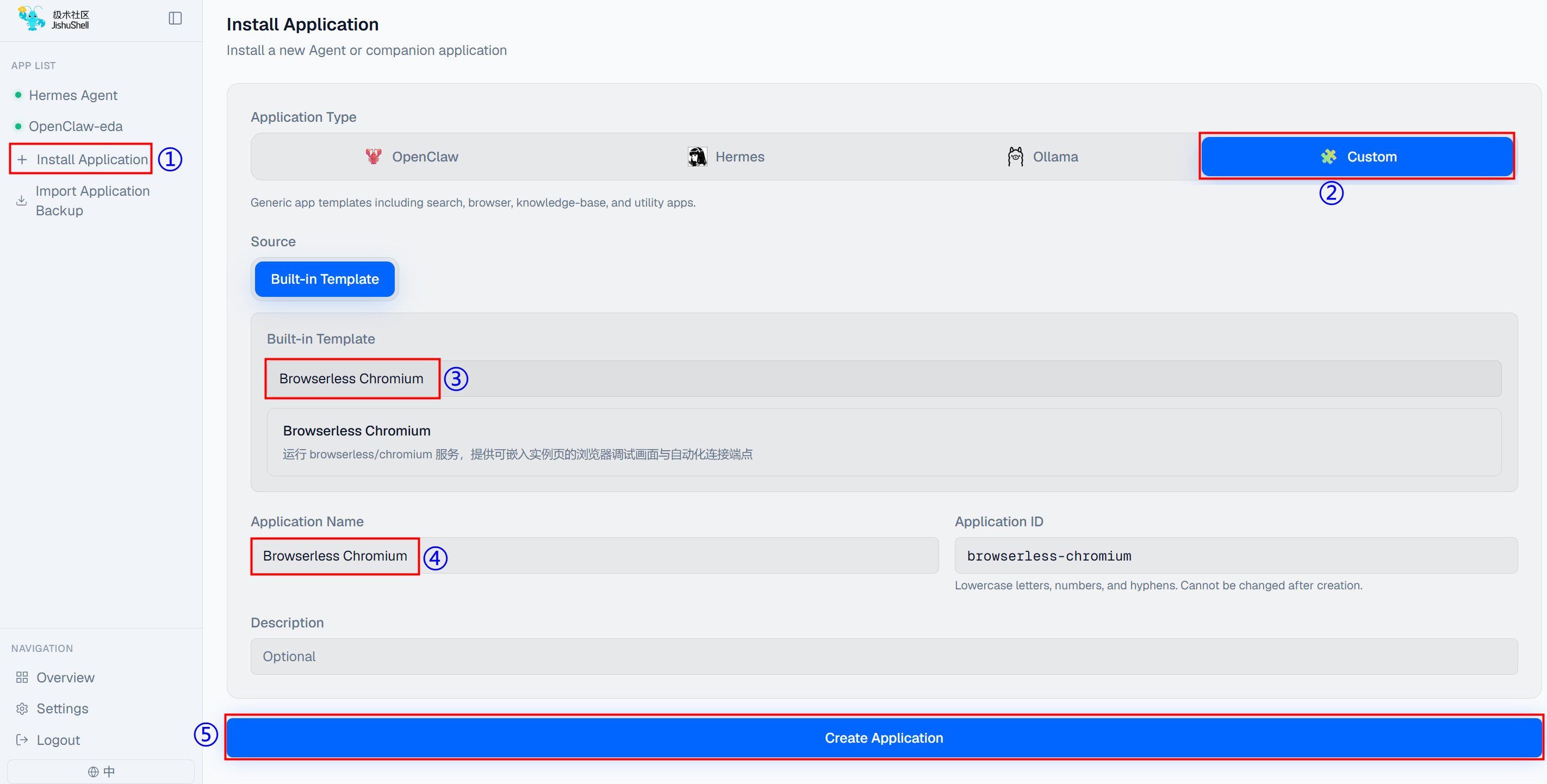
- Once created, the application will start automatically. The image below shows the interface after startup.
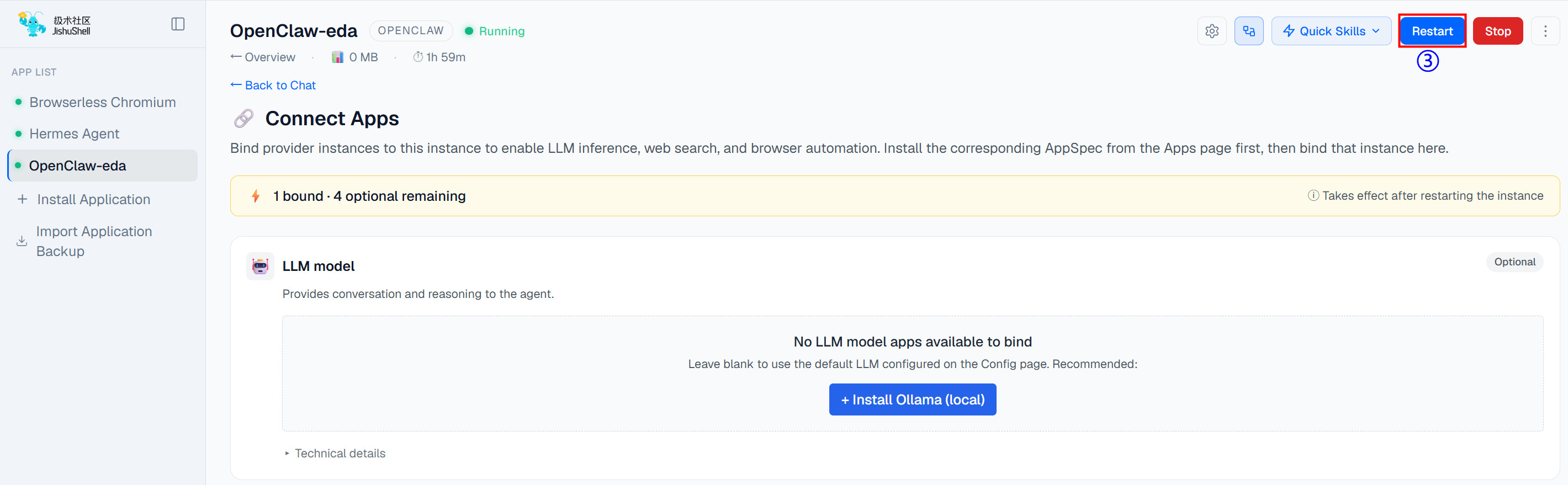
- Click on "OpenClaw" in the application list, then click the
 .
.
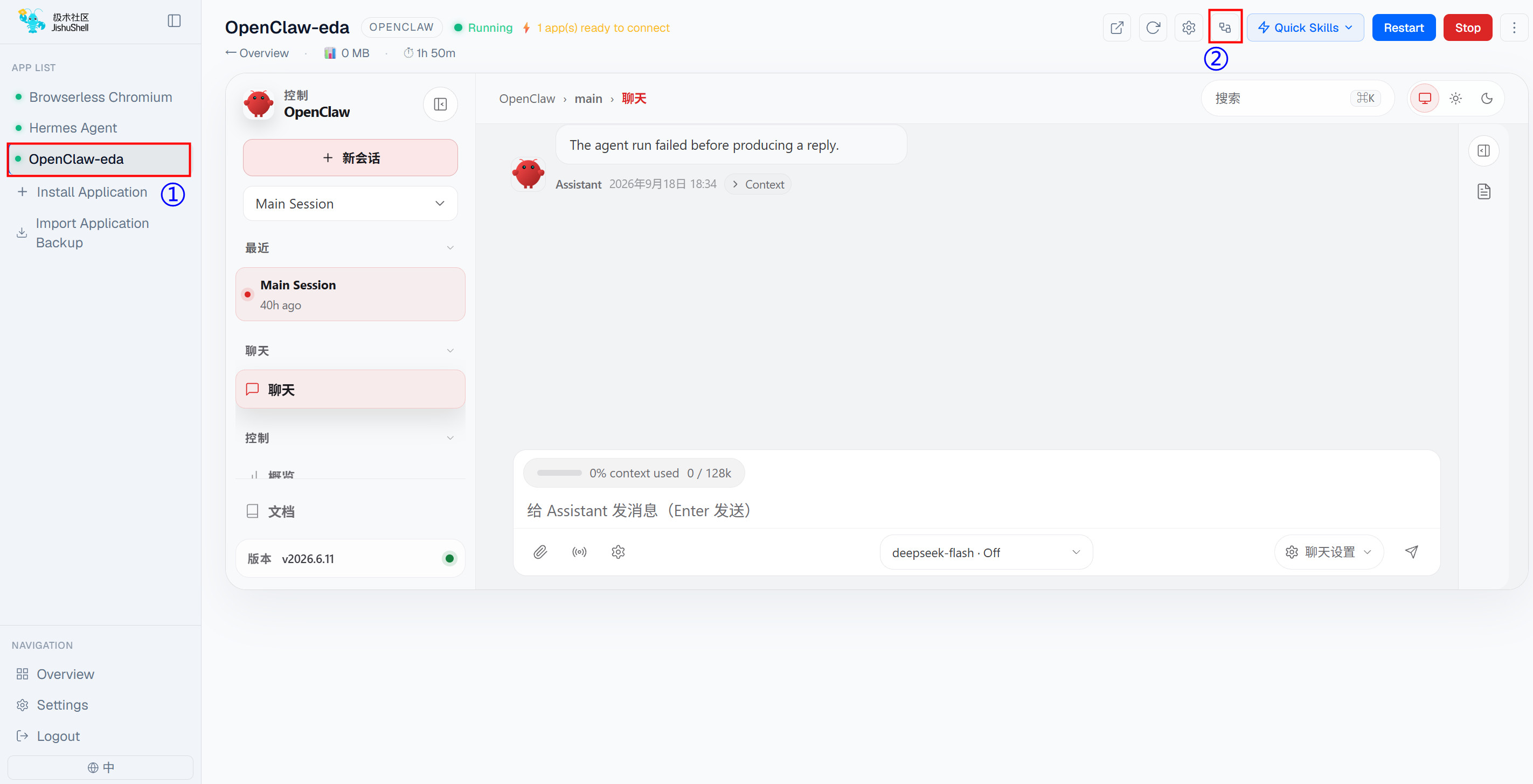
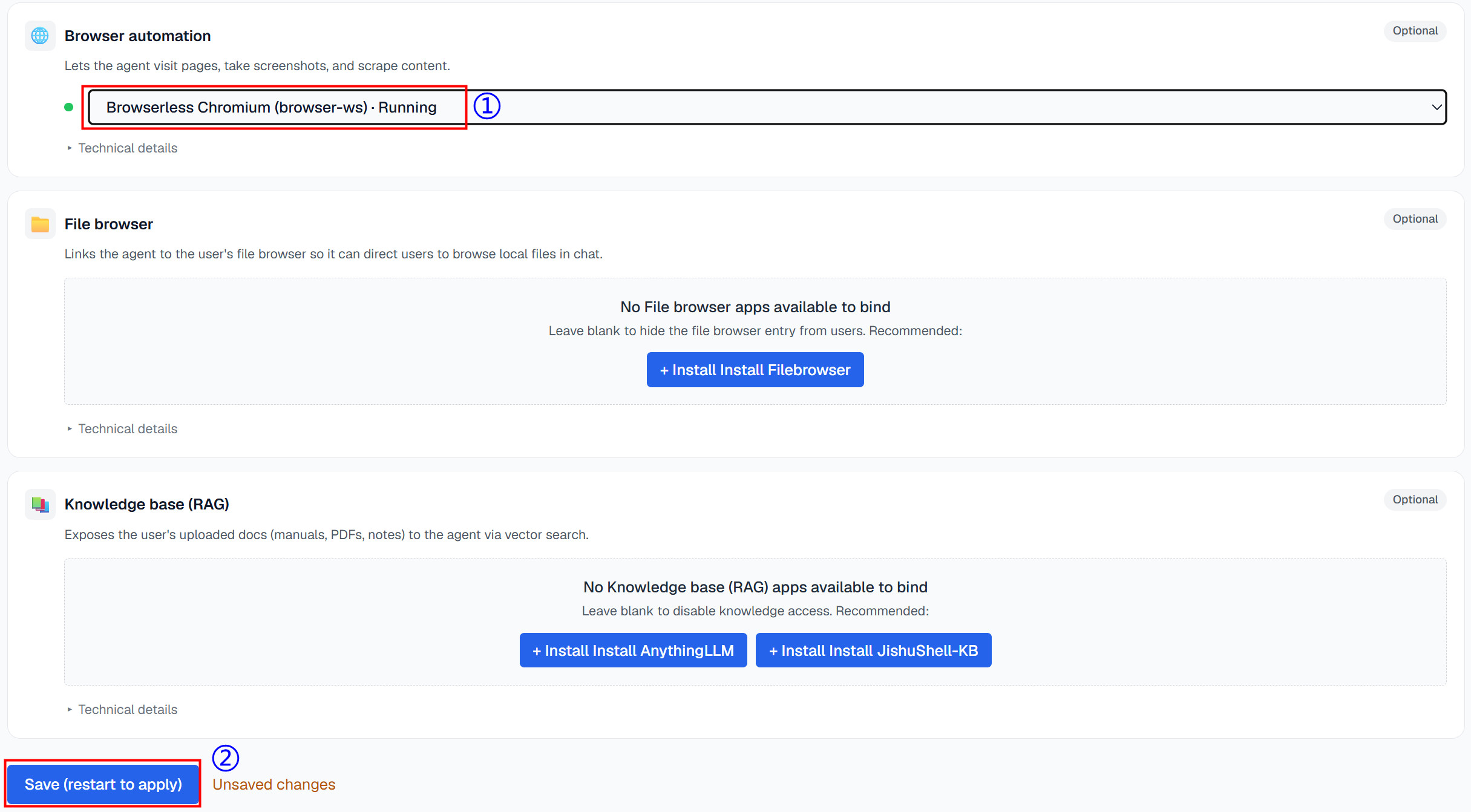
- In the pop-up "Connect Apps" window, select the running Browserless Chromium instance under "Browser automation", then click "Save (restart to apply)". Finally, click "Restart" in the upper right corner to complete the binding of Browserless Chromium within the OpenClaw application.