4 Booting the Device
This chapter introduces how to connect cables and boot the device.
4.1 Connecting Cables
This section describes how to connect cables.
Preparation:
- Accessories such as display, mouse, keyboard and power adapter that can be used normally have been ready.
- A network that can be used normally.
- Get the HDMI cable and network cable that can be used normally.
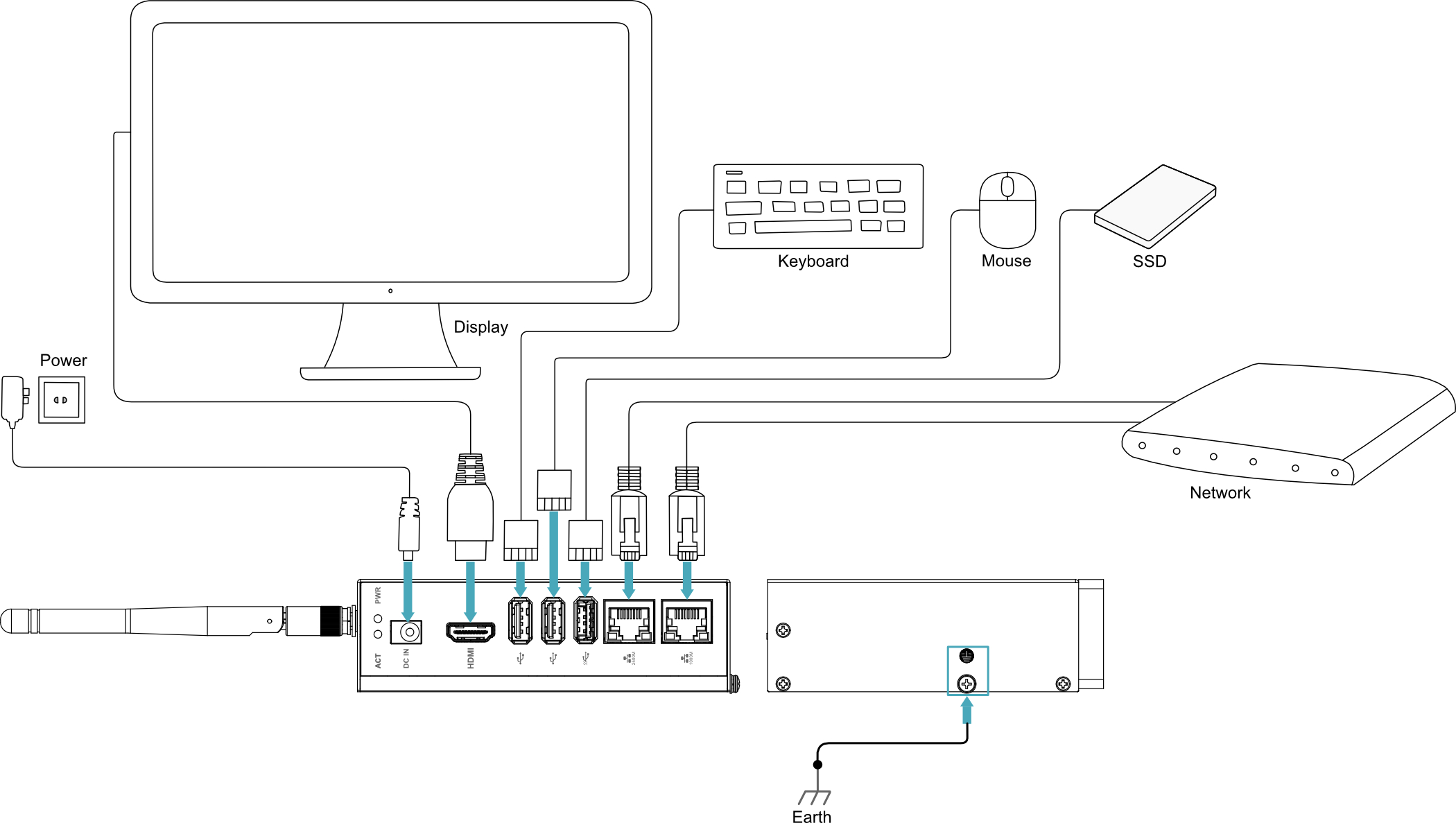
Schematic diagram of connecting cables:
Please refer to 1.6 Interfaces for the pin definition of each interface and the specific method of wiring.
4.2 Booting The System For The First Time
The ED-IPC3400 does not have a power switch. Once connected to a power source, the system will begin to start.
- The red PWR LED illuminates, indicating that the device is receiving power normally.
- The green ACT LED blinks, indicating that the system is starting normally. The Raspberry Pi logo will then appear in the upper left corner of the screen.
TIP
Default username: pi; Default password: raspberry.
4.2.1 Raspberry Pi OS (Desktop)
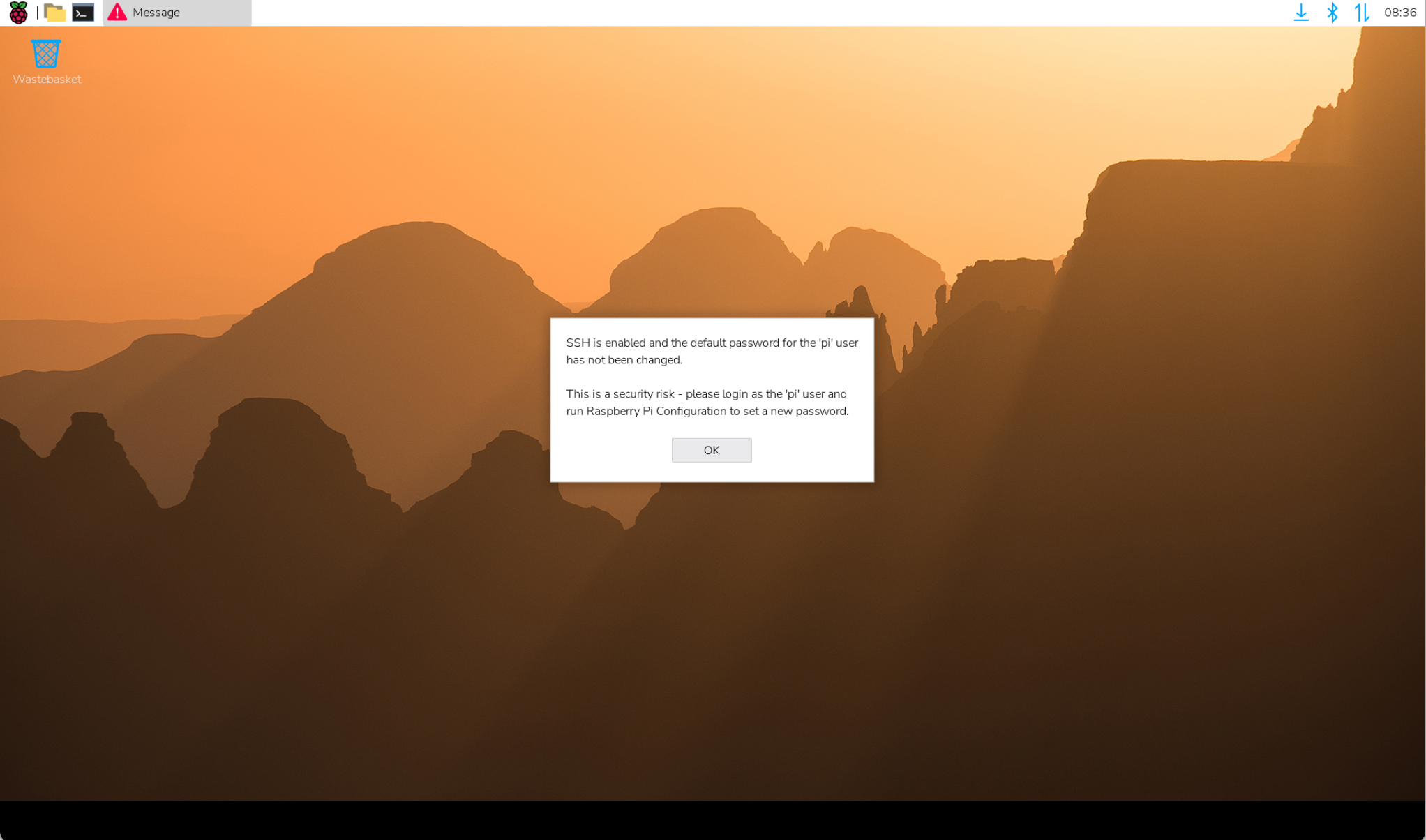
If the product was shipped with the Desktop version of the system pre-installed, the device will boot directly into the desktop environment, as shown in the figure below.
4.2.2 Raspberry Pi OS (Lite)
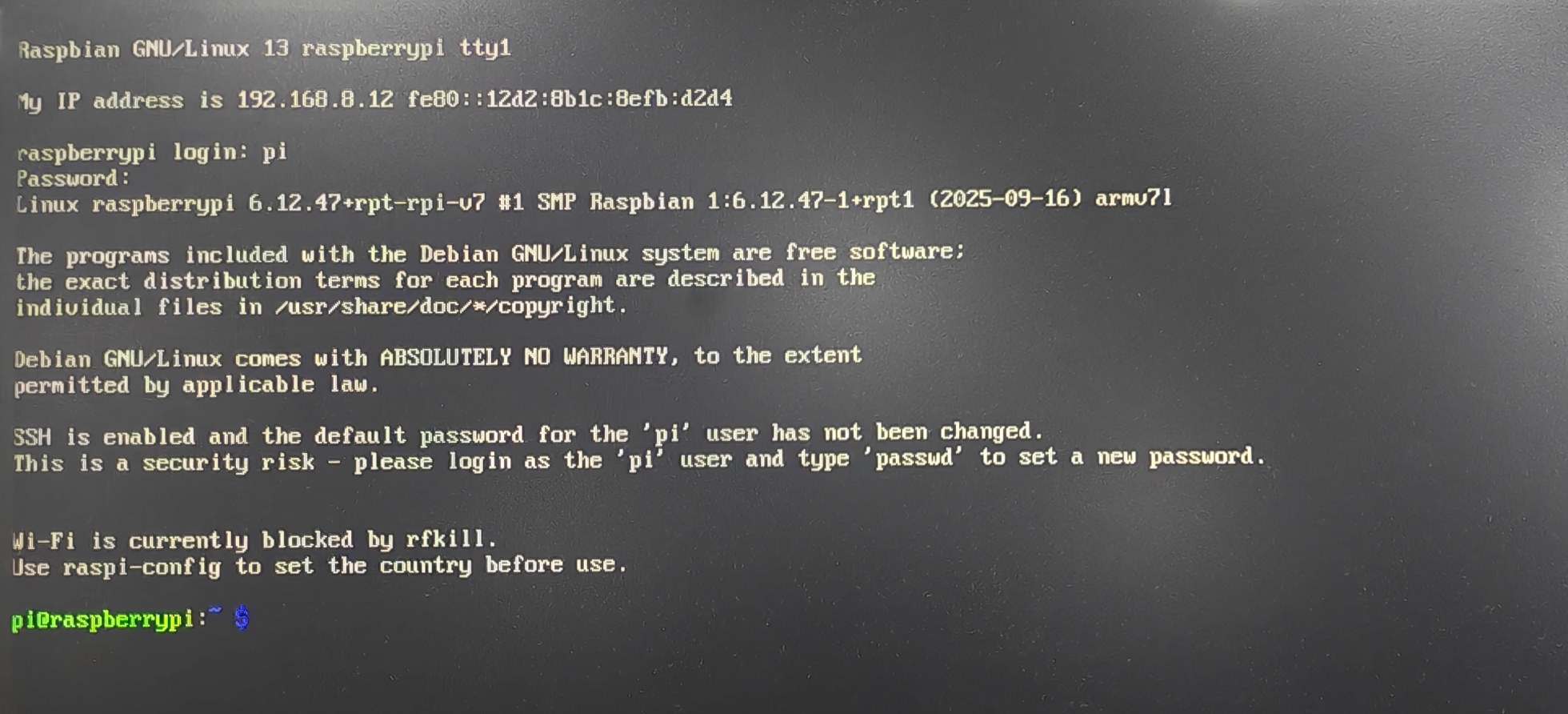
If the product was shipped with the Lite version of the system pre-installed, the device will automatically log in using the default username pi after startup. The default password is raspberry. The following figure indicates that the system has started successfully.