
2 Installing Components (Optional)
This chapter describes how to install optional components.
2.1 Install Antenna
If the purchased ED-IPC3400 includes Wi-Fi functionality, the antenna must be installed before using the device.
Preparation:
Obtain the corresponding antenna from the package box.
Steps:
- Locate the antenna interface position on the side of the device, as indicated in the image below.
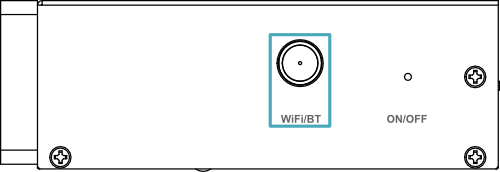
- Align the interfaces on the device and the antenna, then tighten clockwise until secure to prevent loosening.
2.2 Installing a Micro SD Card
If a Micro SD card needs to be installed during product usage, refer to the instructions below.
NOTE
Please turn off the power before inserting or removing the Micro SD card.
TIP
- The system can only boot from a Micro SD card when the ED-IPC3400 uses CM5Lite.
- When the ED-IPC3400 uses CM5 with eMMC, the Micro SD card slot is disabled.
Preparation:
- Obtain the Micro SD card to be used.
- Disconnect the device from its power source.
Steps:
- Use a Phillips screwdriver to unscrew the 3 screws on the DIN rail bracket counterclockwise, and remove the default DIN rail bracket.

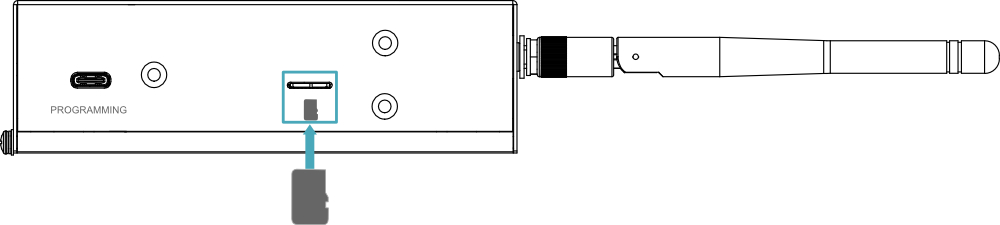
- Locate the Micro SD card slot position on the side of the device, as indicated in the image below.

- Insert the Micro SD card into the slot with the contact pins facing downward. A clicking sound indicates the installation is complete.
- Reattach the DIN rail bracket to the device.