2 Installing/Removing Components
This chapter describes the specific operations for installing/removing components.
2.1 Installing the Antenna
The ED-IPC3020E device includes Wi-Fi functionality. An external antenna must be installed before using the device.
Preparation:
Obtain the Wi-Fi antenna from the packaging box.
Steps:
- Locate the antenna interface position on the side of the device, as indicated in the figure below.
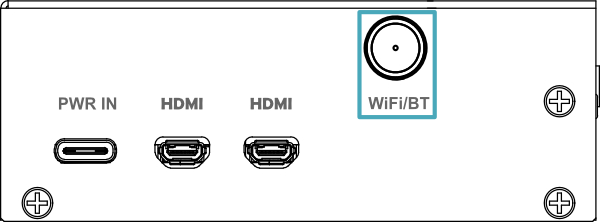
- Align the interfaces on the device and the antenna, then tighten the antenna clockwise until it is securely fastened and will not come loose.
2.2 Removing the Micro SD Card
If you need to remove the Micro SD card during product use, refer to the following instructions.
NOTE
The Micro SD card does not support hot-swapping.
Preparation:
- Prepare a pair of tweezers.
- Disconnect the device from the power supply.
Steps:
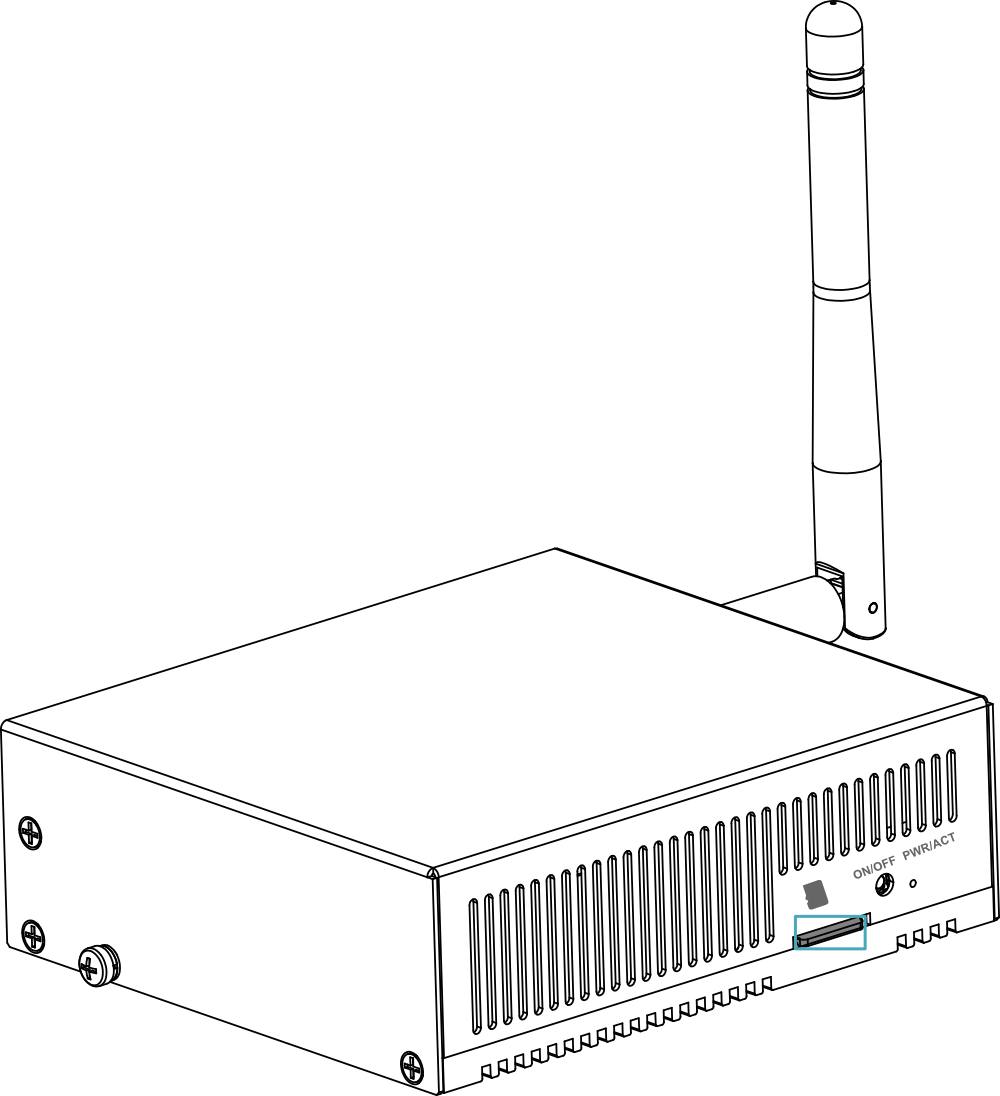
- Locate the position of the Micro SD card, as indicated in the figure below.
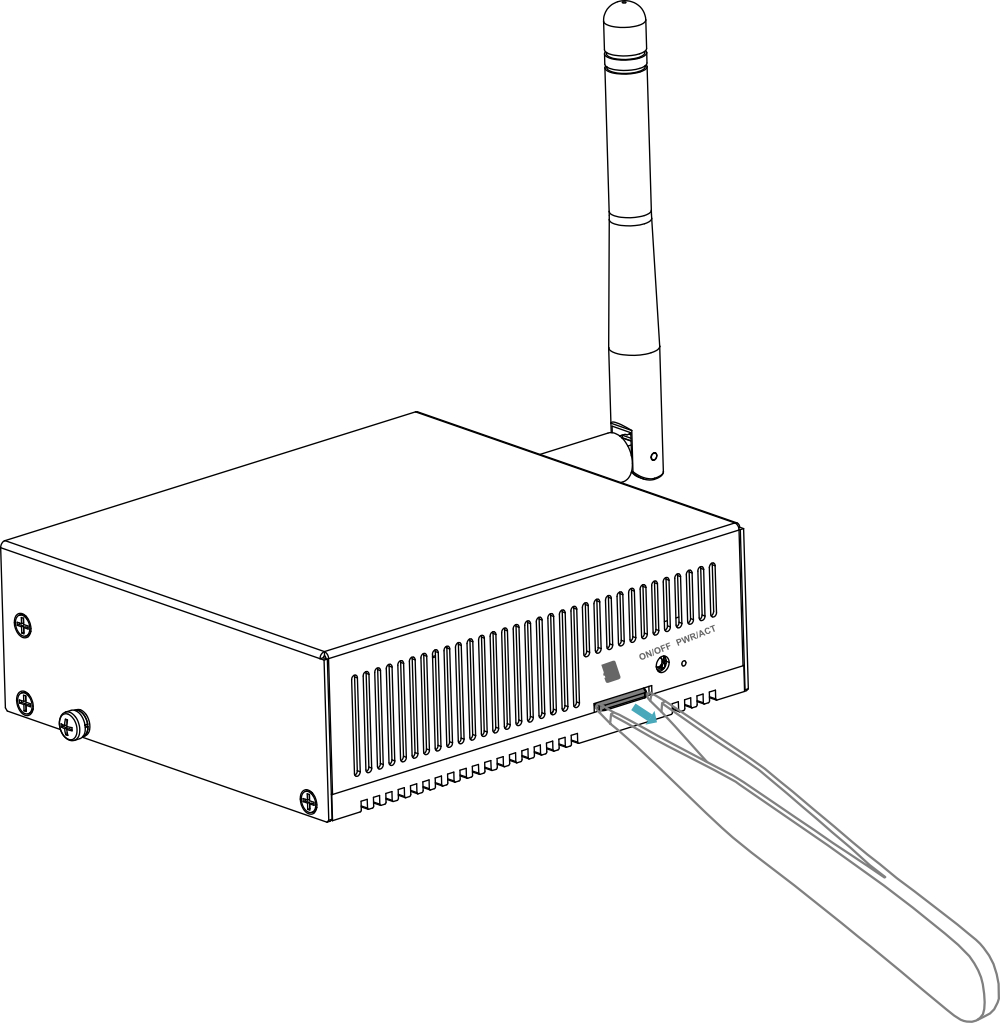
- Use the tweezers to grip the Micro SD card and pull it outward in the direction of the arrow.
2.3 Installing the Micro SD Card
If you need to install a Micro SD card during product use, refer to the following instructions.
NOTE
The Micro SD card does not support hot-swapping.
Preparation:
- Obtain a Micro SD card.
- Disconnect the device from the power supply.
Steps:
- Locate the position of the Micro SD card slot, as indicated in the figure below.
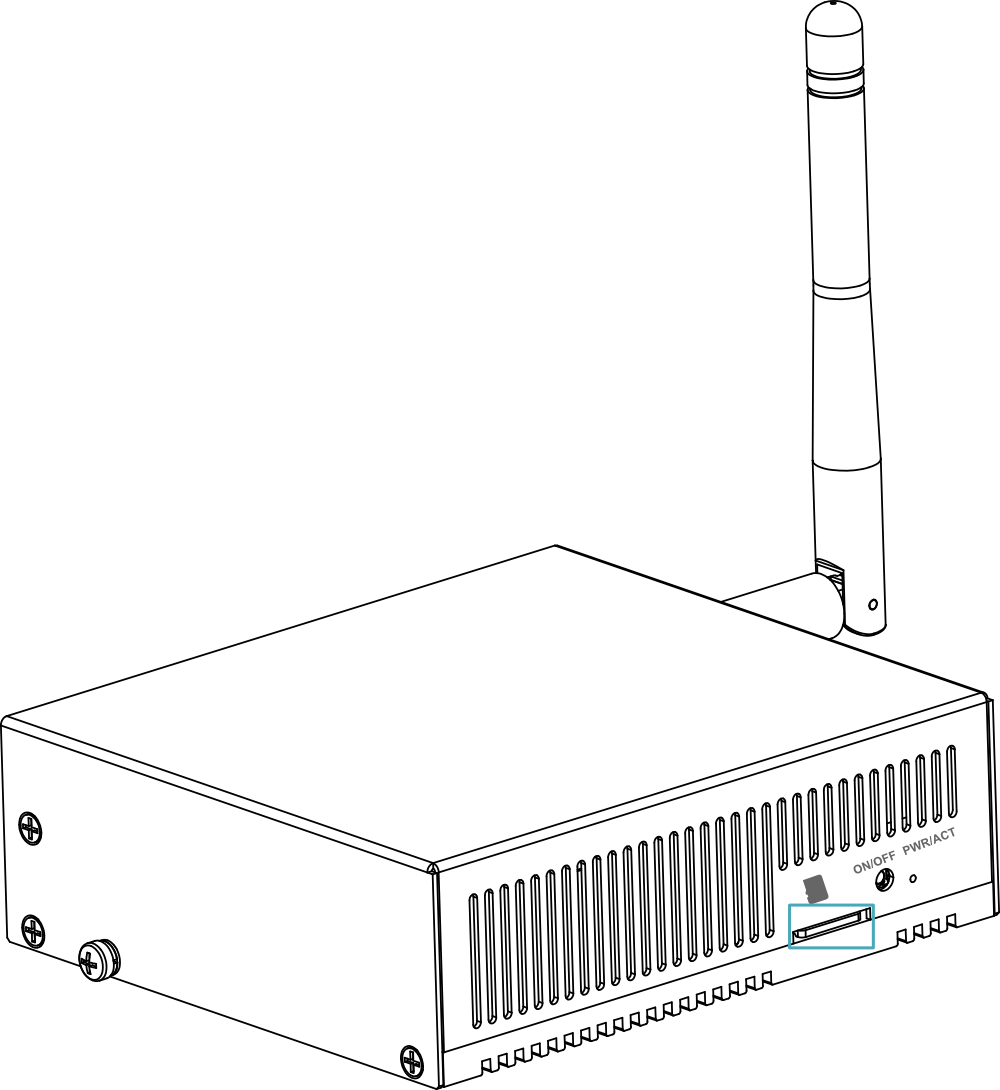
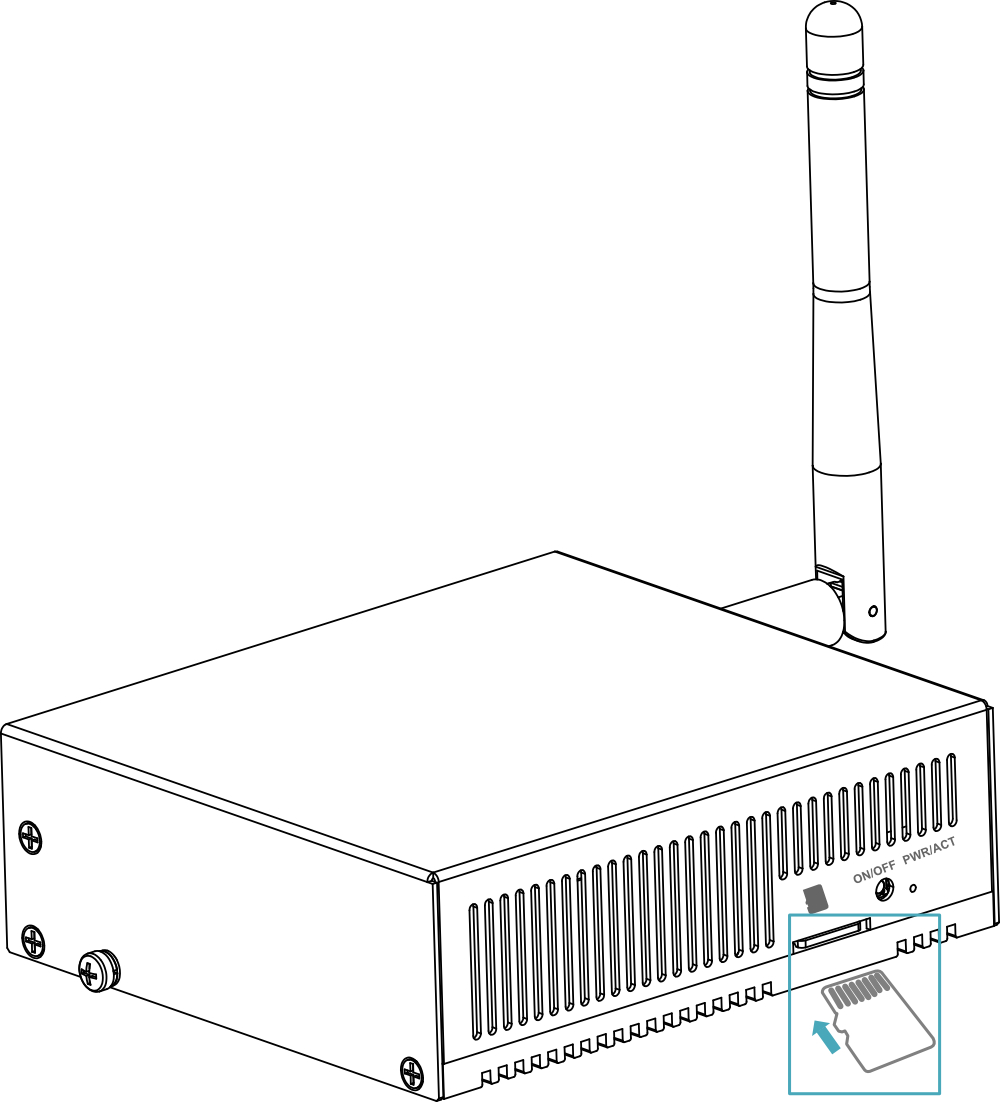
- Insert the Micro SD card into the corresponding slot with the contact surface facing upward, ensuring it is secure and will not come loose.