
2 Installation
The ed-clte is pre-installed by default in the OS of devices with 4G functionality shipped from our factory, and users can use it directly. If a new version of the ed-clte is released and an upgrade is required, please refer to the instructions below for installation.
TIP
- If an older version of the ed-clte is already installed, please manually uninstall it first before installing the new version.
- The package name for older versions was ed-qmi-tool. The package name was changed to ed-clte starting from V2.0.4.
Preparation:
- The 4G module and 4G antenna are properly installed on the device, and a functioning SIM card has been inserted.
- The device has been started normally and connected to the network.
Steps:
Log in to the device and open a terminal window.
Execute the following command to check whether an older version of the ed-clte is installed. The presence of the content shown in the red box in the image below (name: ed-qmi-tool, version 2.0.4 or lower) indicates that an older version is installed.
dpkg -l | grep ed-

- Execute the following command to uninstall the old version of the package.
sudo apt purge ed-qmi- -y
- Execute the following commands sequentially in the terminal to add the
edatec aptsource.
curl -sS https://apt.edatec.cn/pubkey.gpg | sudo gpg --dearmor -o /etc/apt/trusted.gpg.d/edatec-archive-stable.gpg
echo "deb https://apt.edatec.cn/raspbian stable main" | sudo tee /etc/apt/sources.list.d/edatec.list
sudo apt update
NOTE
When copying commands directly, if line breaks appear after pasting, please remove the line breaks and insert a space in their place.

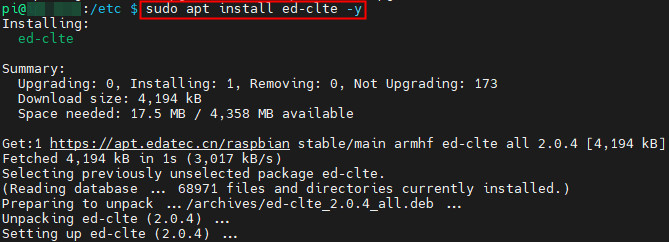
- Execute the following commands sequentially to install the **ed-clte **.
sudo apt install ed-clte -y
- Execute the following command to verify whether the **ed-clte ** has been successfully installed. A successful installation is indicated by the content shown in the red box in the image below.
dpkg -l | grep ed-

- After installation, execute the following commands sequentially to start and enable the network connection service.
sudo systemctl start ed-lte-daemon.service
sudo systemctl enable ed-lte-daemon.service