3 Booting The Device
This chapter details the specific procedures for connecting cables and powering on the device.
3.1 Connecting Cables
This section describes the procedures for connecting cables to the device.
Preparation:
- Obtained fully functional accessories such as a switch, monitor, mouse, keyboard, I/O expansion module, and power adapter.
- Available functional network connection.
- Available functional cables: HDMI cable and Ethernet cable.
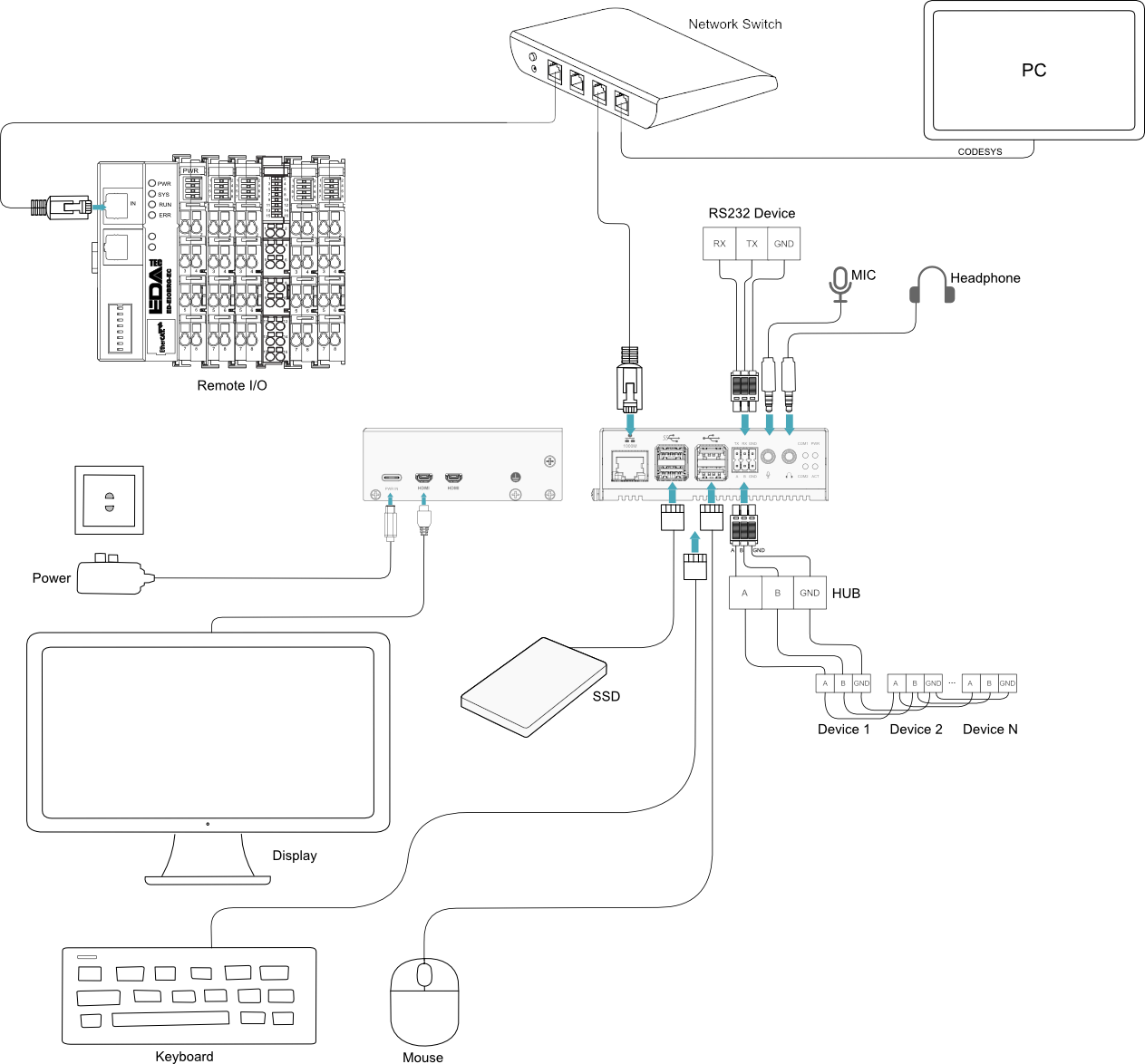
Schematic diagram of connecting cables:
Please refer to 1.8 Interface for the pin definition of each interface and the specific method of wiring.
TIP
Some third-party Micro HDMI cables may have shorter Micro HDMI connectors, which could cause connection issues. It is recommended to use the official Raspberry Pi Micro HDMI to Standard HDMI cable for optimal compatibility.
3.2 Booting The System For The First Time
Once the ED-PAC3020 is connected to power, the system will begin to boot up.
- Red PWR indicator: Lights up to indicate the device is receiving power.
- Green ACT indicator: Blinks to signal normal system startup. The Raspberry Pi logo will then appear in the upper-left corner of the screen.
TIP
Default username is pi, default password is raspberry.
3.2.1 Raspberry Pi OS (Desktop)
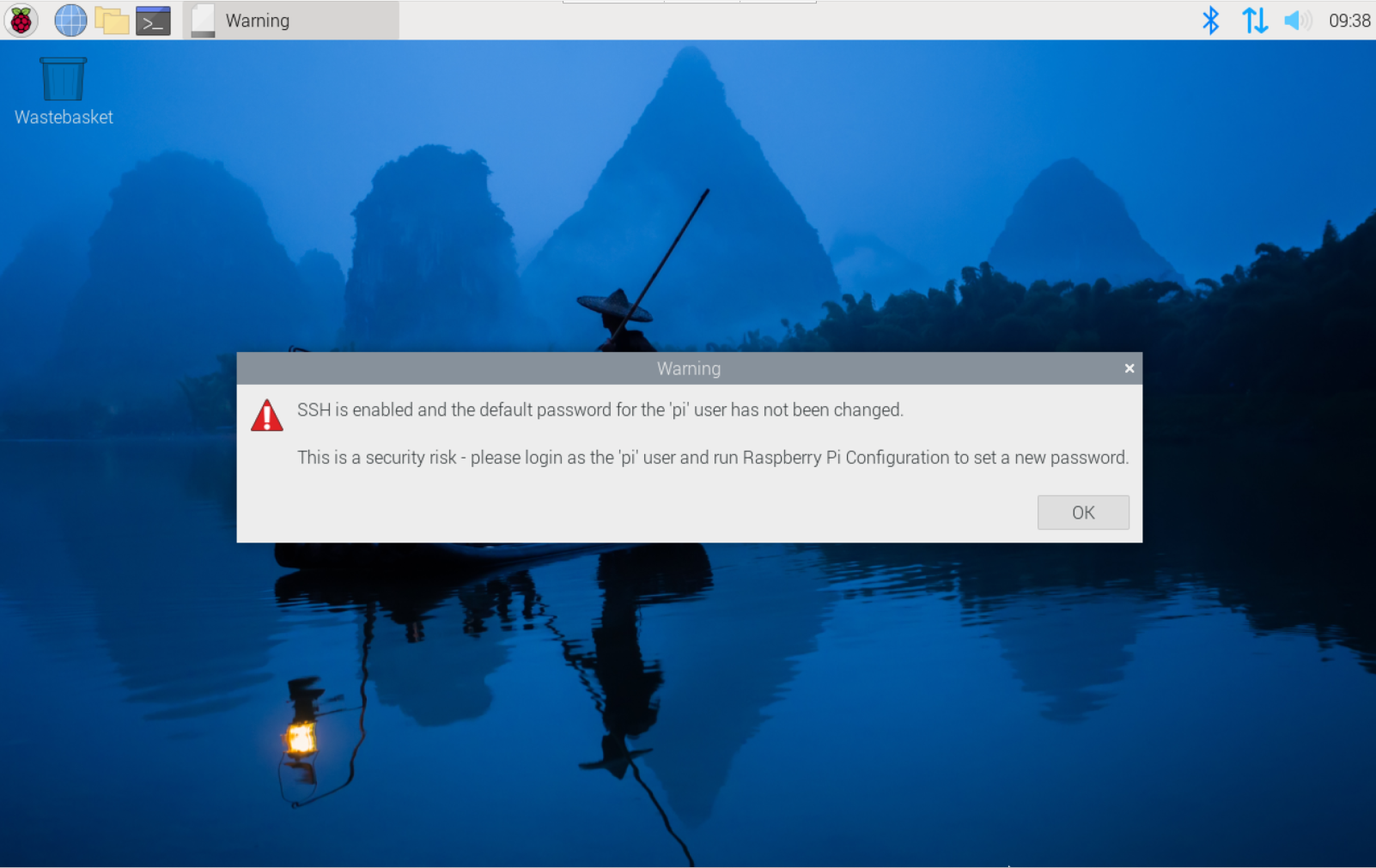
If the device is factory-installed with the Desktop OS, it will boot directly into the desktop interface upon startup, as shown in the figure below.
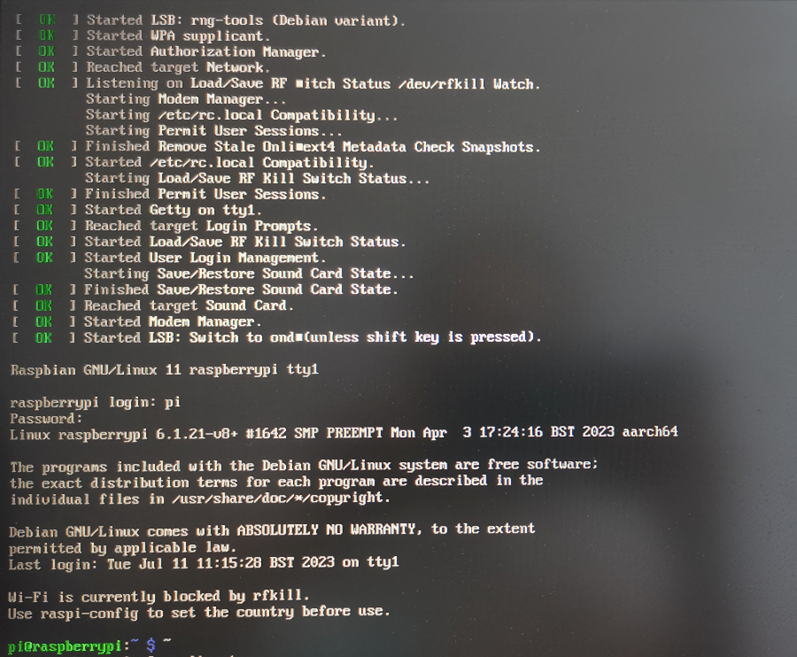
3.2.2 Raspberry Pi OS (Lite)
If the device is factory-installed with the Lite OS, it will automatically log in using the default credentials after startup. The figure below indicates that the system has booted successfully.