
3 Installing Device
This chapter introduces how to install the device.
3.1 DIN-Rail Installation
The ED-IPC3630 device supports DIN rail mounting. The DIN rail bracket is pre-installed and provided as standard. The following steps describe how to mount the device on a DIN rail.
Steps:
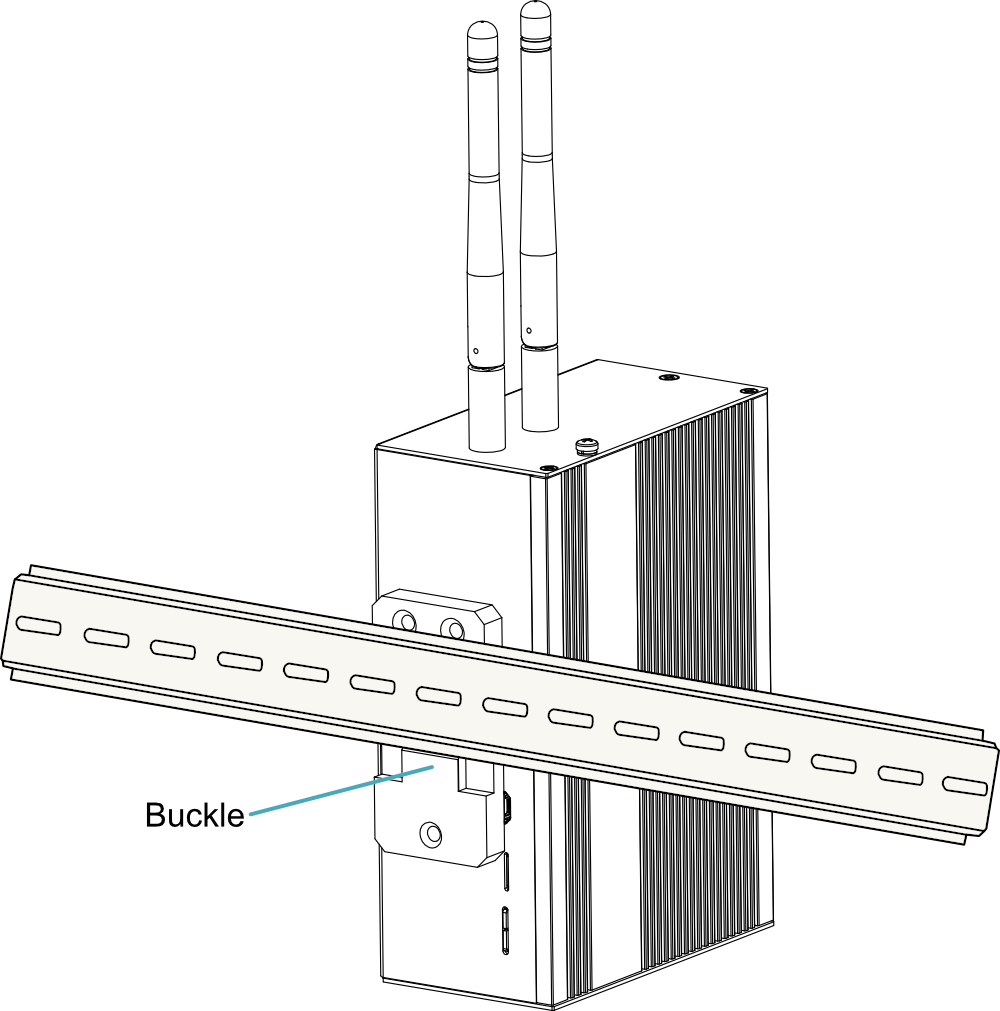
- Face the side of the device with the rail bracket toward the DIN rail, and hook the retractable buckle of the bracket onto the lower edge of the DIN rail from bottom to top.
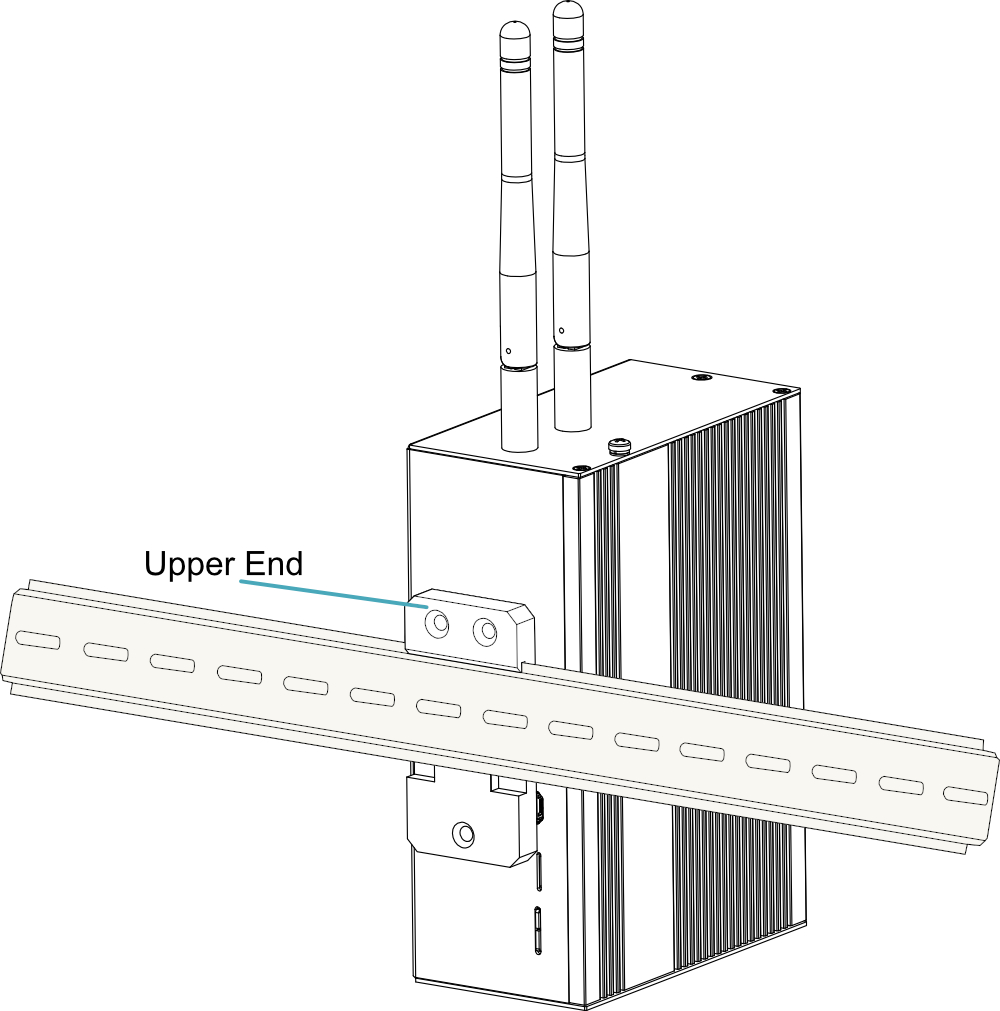
- Hold the device with your hand, press the buckle firmly upward, and ensure the top of the bracket fully snaps onto the upper edge of the DIN rail.
3.2 Wall Mounting
The ED-IPC3630 device support wall-mount installation. A wall-mount bracket is not included as standard upon shipment. Users can purchase the bracket as needed and proceed with wall-mount installation. For details, please refer to ED-BKT-LB.