4 Booting The Device
This chapter details the specific procedures for connecting cables and powering on the device.
4.1 Connecting Cables
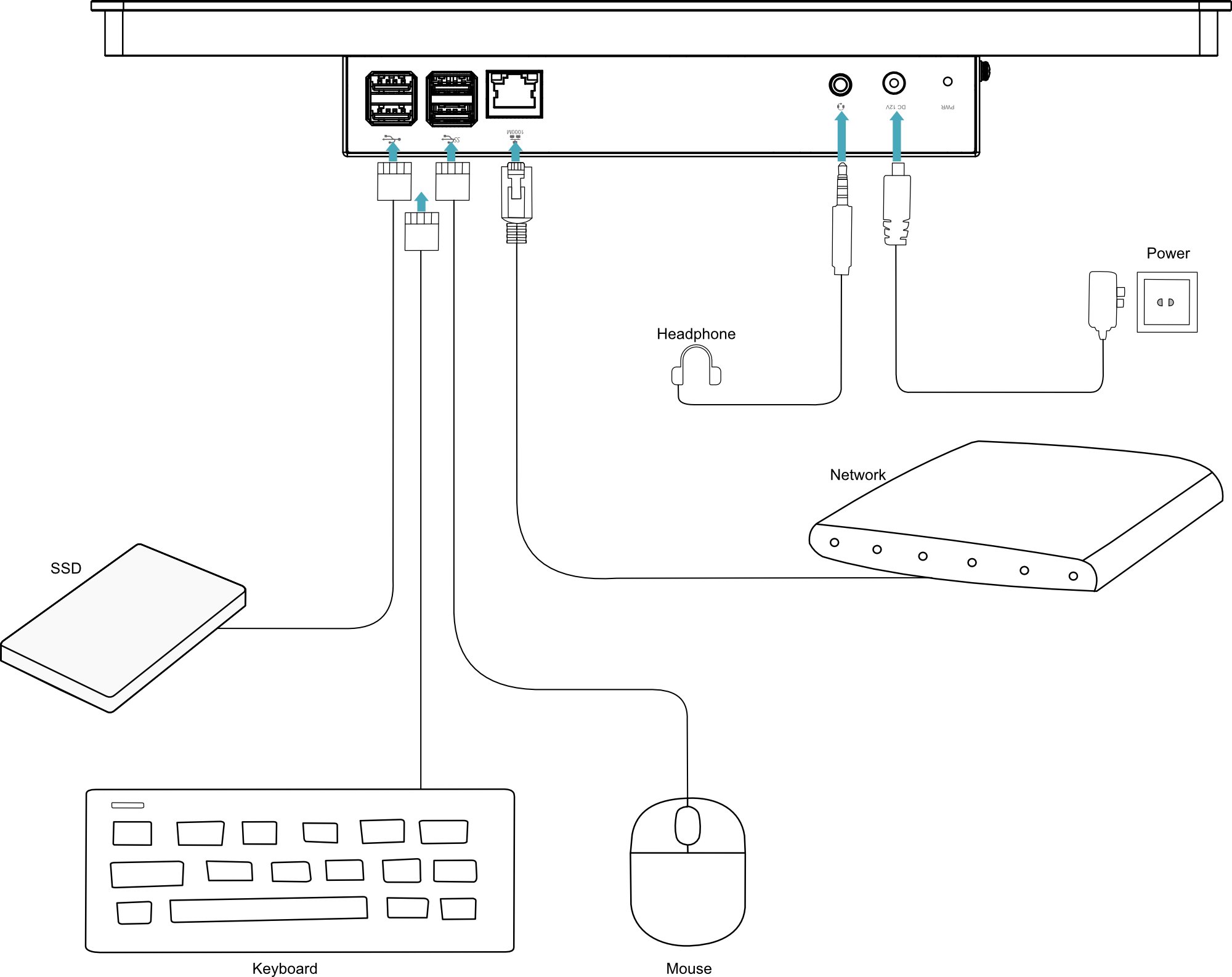
This section describes the procedures for connecting cables to the device.
Preparation:
- Available functional accessories: keyboard, mouse and power adapter.
- Available functional network connection.
- A verified functional Ethernet cable has been obtained.
Schematic diagram of connecting cables:
Please refer to 1.6 Interface for the pin definition of each interface and the specific method of wiring.
4.2 Booting The System For The First Time
After ED-HMI3010-133C is connected to the power supply, the system will start.
WARNING
- When using the device, do not hot-plug or unplug the DC Jack connector during operation. To power off or restart the device, always control it by plugging or unplugging the AC power supply at the adapter end.
- Recommended power-up sequence:
- Plug the DC connector of the power adapter into the device's DC Jack receptacle.
- Plug the 100–240V AC connector into an AC power outlet.
- Recommended power-down sequence (reverse of power-up):
- Unplug the 100–240V AC connector from the AC power outlet.
- Unplug the DC connector from the device's DC Jack receptacle.
- The red PWR indicator is on, indicating that the device has been powered normally.
- The PWR/ACT indicator is blinking, indicating that the system is started normally, and then the logo will appear in the screen.
TIP
Default username is pi, Default password is raspberry.
4.2.1 Raspberry Pi OS (Desktop)
If the device is factory-installed with the Desktop edition operating system, it will directly load the desktop environment upon completing the boot process, as shown in the figure below.

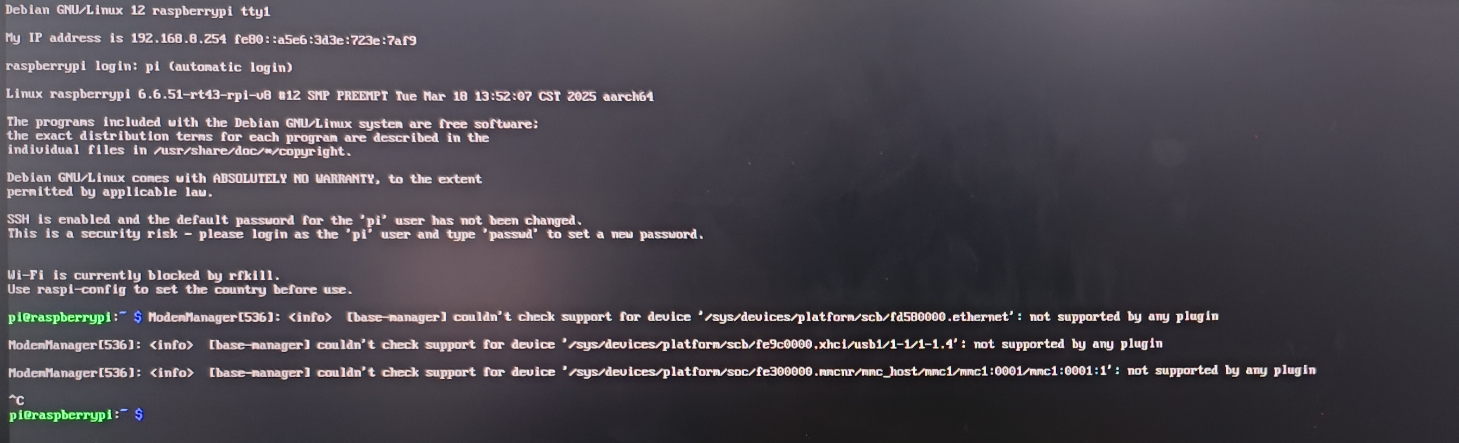
4.2.2 Raspberry Pi OS (Lite)
If the device is factory-installed with the Lite edition operating system, it will automatically log in using the default username pi upon completing the boot process, with the default password being raspberry. The figure below indicates successful system initialization.