2 Installing Components (optional)
This chapter describes how to install optional components.
2.1 Install Antenna
If the selected ED-CM0NANO includes Wi-Fi/BT functionality, a Wi-Fi/BT antenna will be included as standard configuration. The antenna must be installed prior to using the Wi-Fi/BT features.
Preparation:
The antenna has been retrieved from the packaging box.
Steps:
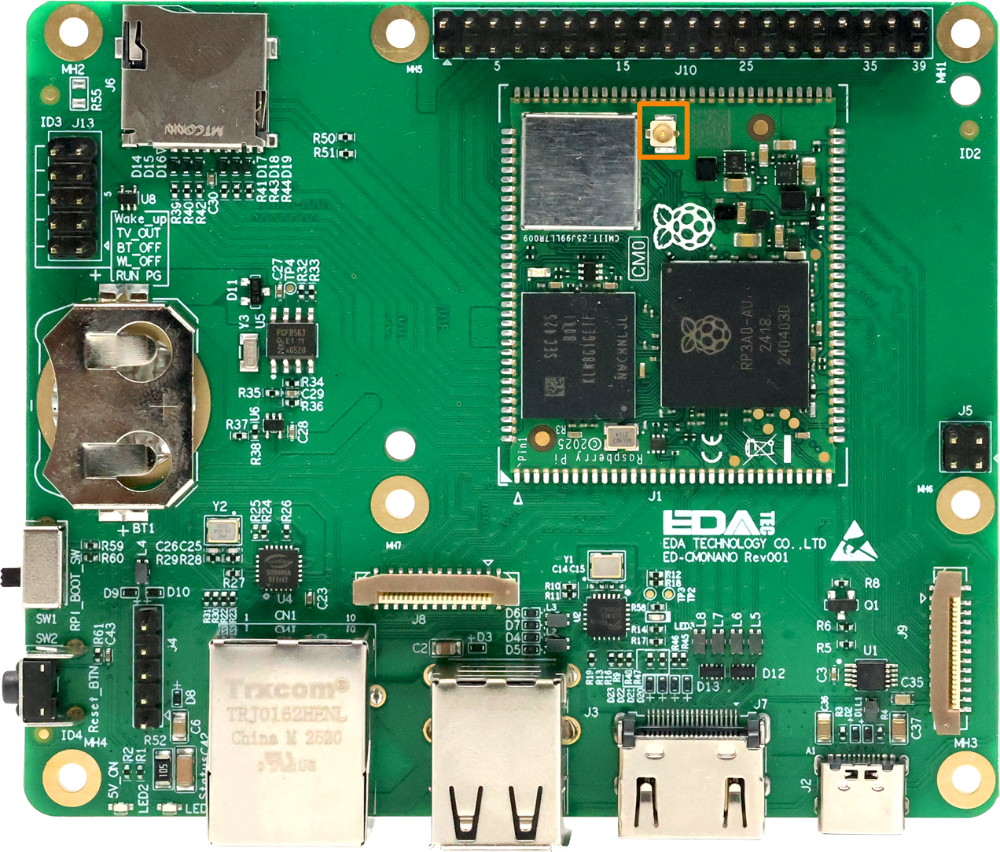
- Locate the antenna interface on the ED-CM0NANO, as clearly indicated in the figure below (IPEX-1 interface).
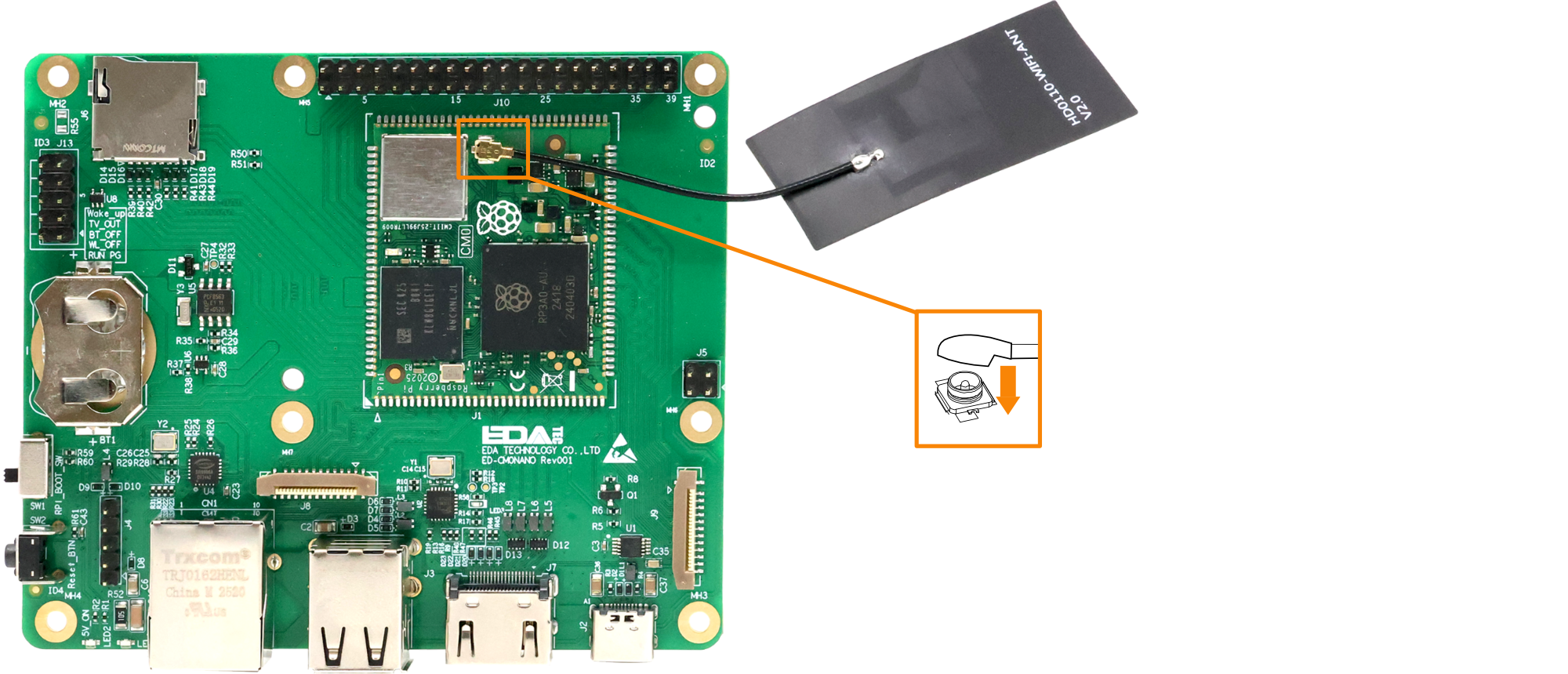
- Align the interfaces on both the ED-CM0NANO and the antenna, then press the antenna downward along the arrow direction until it clicks into place. Verify that the antenna is securely attached.
2.2 Install Micro SD Card
If you need to install the Micro SD card while using the product, you can refer to the following instructions.
WARNING
Please turn off the power before inserting or removing the Micro SD card.
Preparation:
- The Micro SD card to be used has been obtained.
- The power supply to the ED-CM0NANO has been disconnected.
Steps:
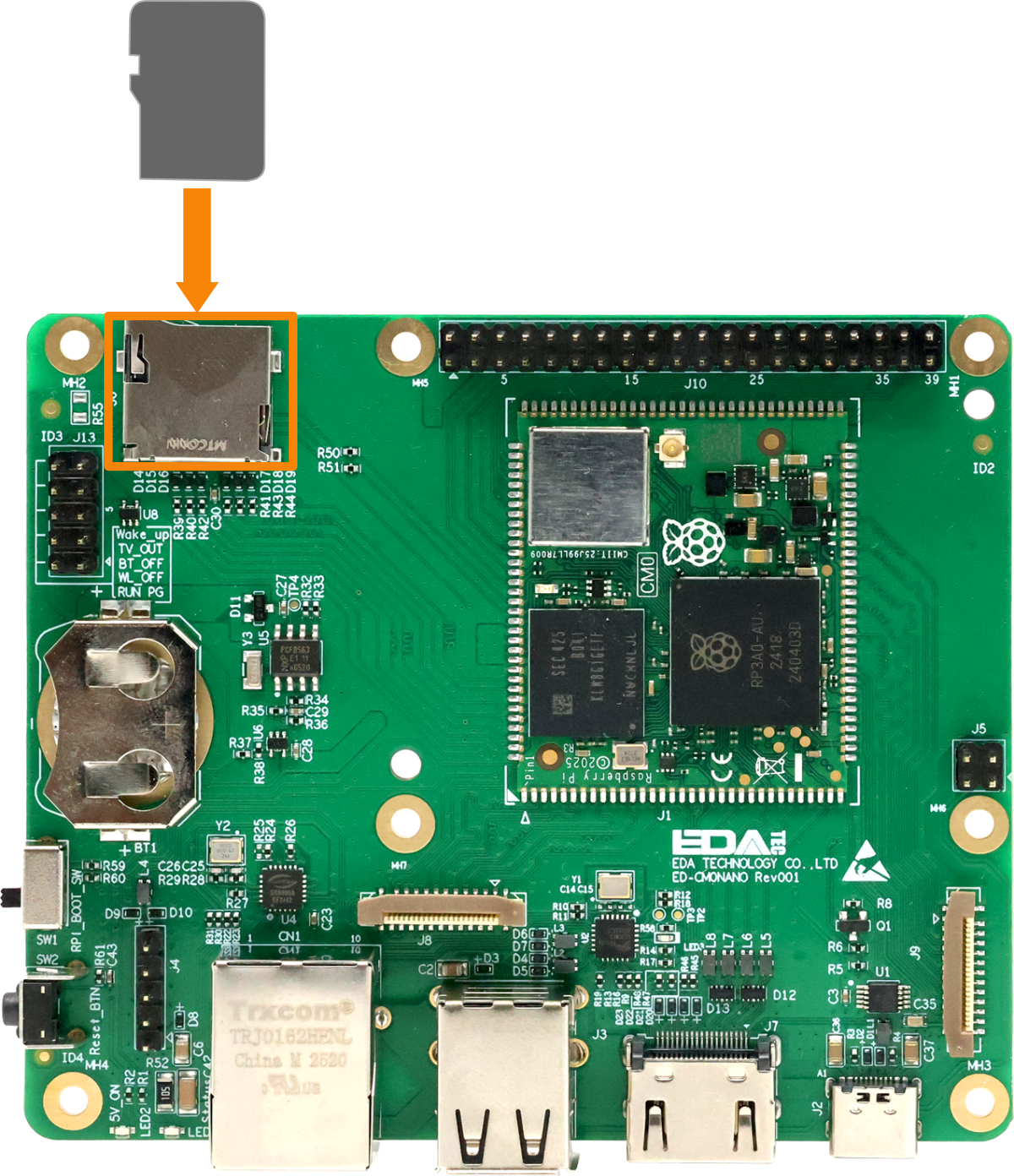
- Locate the Micro SD card slot on the device side, as indicated in the figure below.
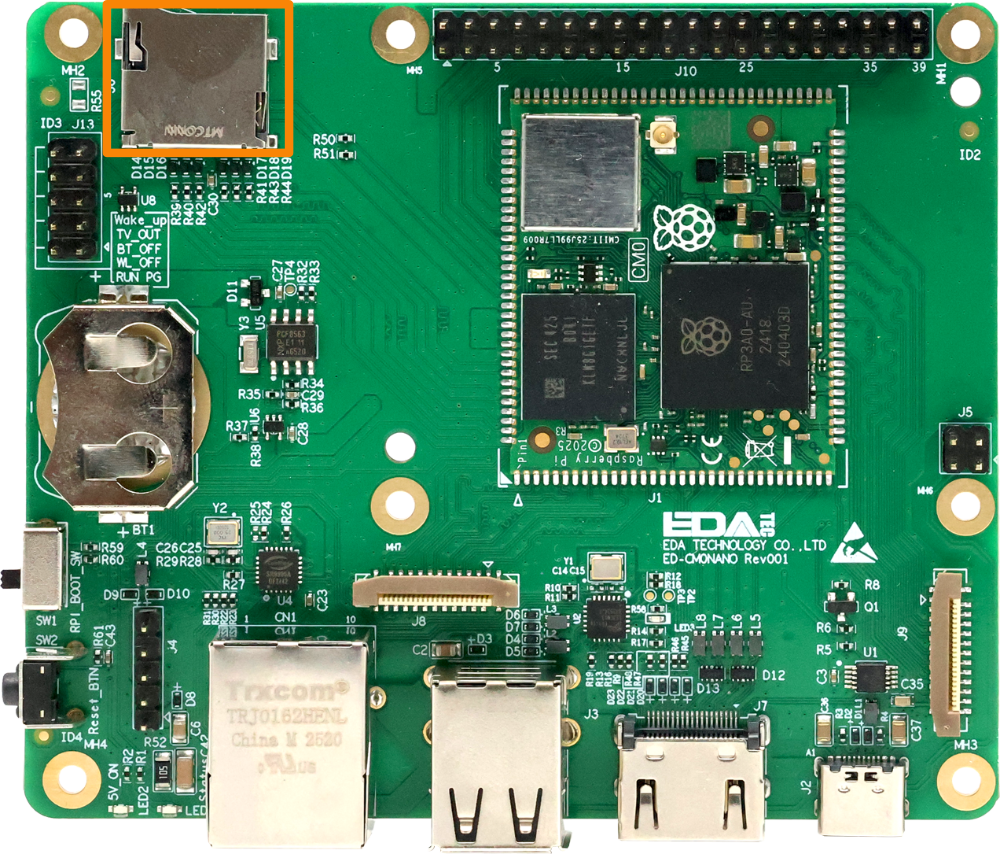
- Insert the Micro SD card with its contact side facing down into the corresponding slot until an audible click confirms successful installation.
2.3 Remove Micro SD card
If you need to remove the SD card during product usage, refer to the following instructions.
WARNING
Please turn off the power before inserting or removing the Micro SD card.
Preparation:
The power supply to the ED-CM0NANO has been disconnected.
Steps:
- Locate the Micro SD card on ED-CM0NANO, as indicated in the figure below.
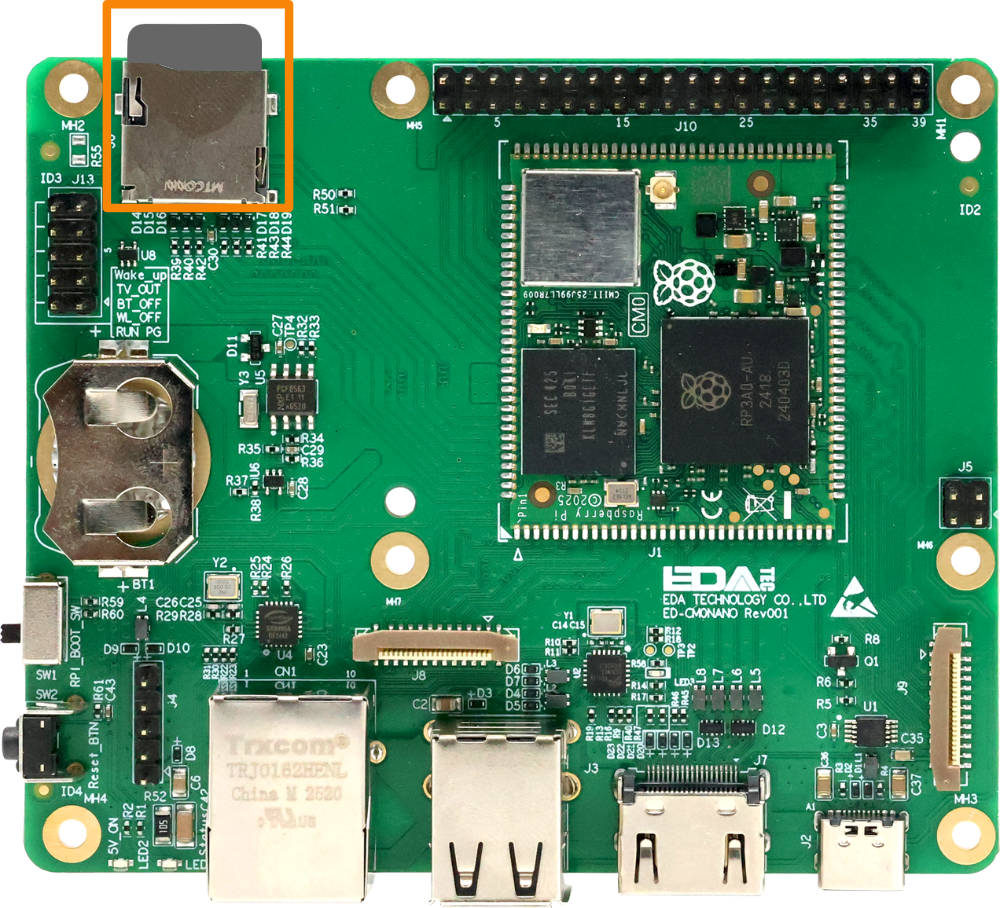
- Press the Micro SD card gently into the slot until it ejects, then remove it.
2.4 Install RTC Battery
The ED-CM0NANO supports the installation of a CR2032 battery as an RTC backup power source. The installation steps will be described below.
WARNING
Do not install the RTC battery while the device is powered on.
Preparation:
- The CR2032 battery has been obtained.
- The power supply to the ED-CM0NANO has been disconnected.
Steps:
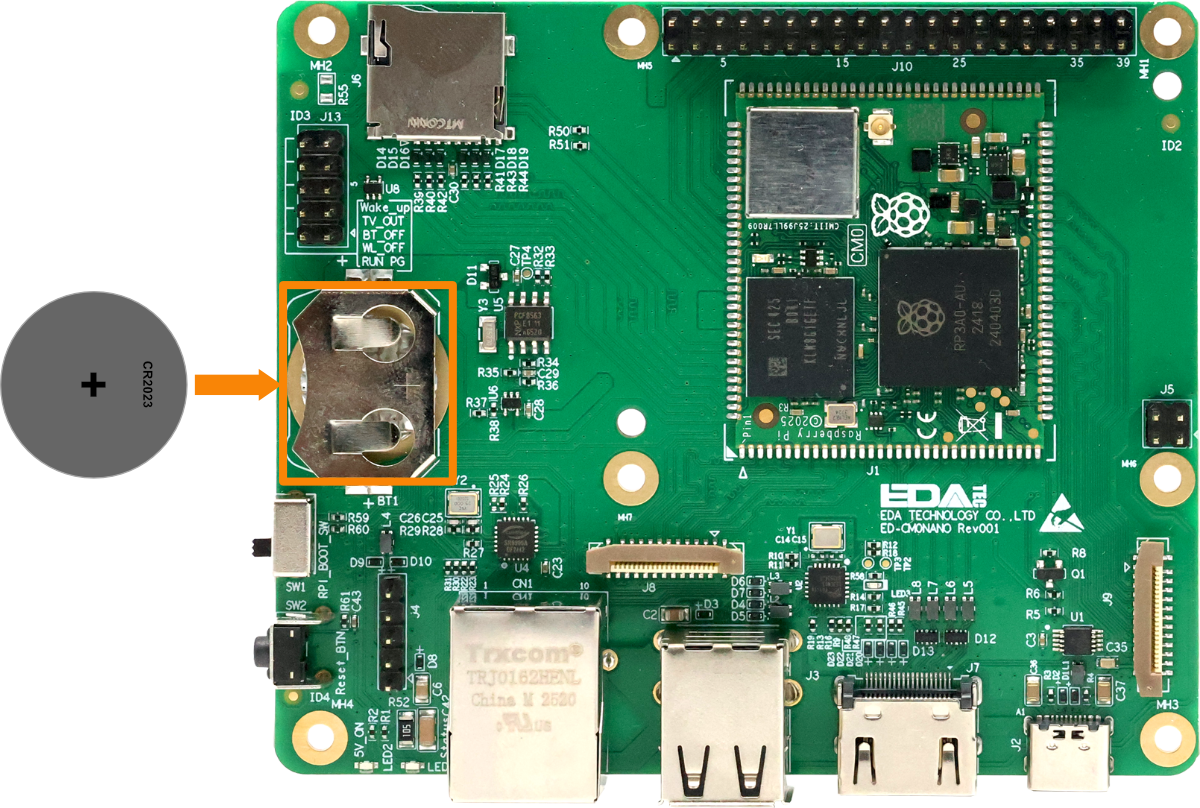
- Locate the RTC battery base, as indicated in the figure below.
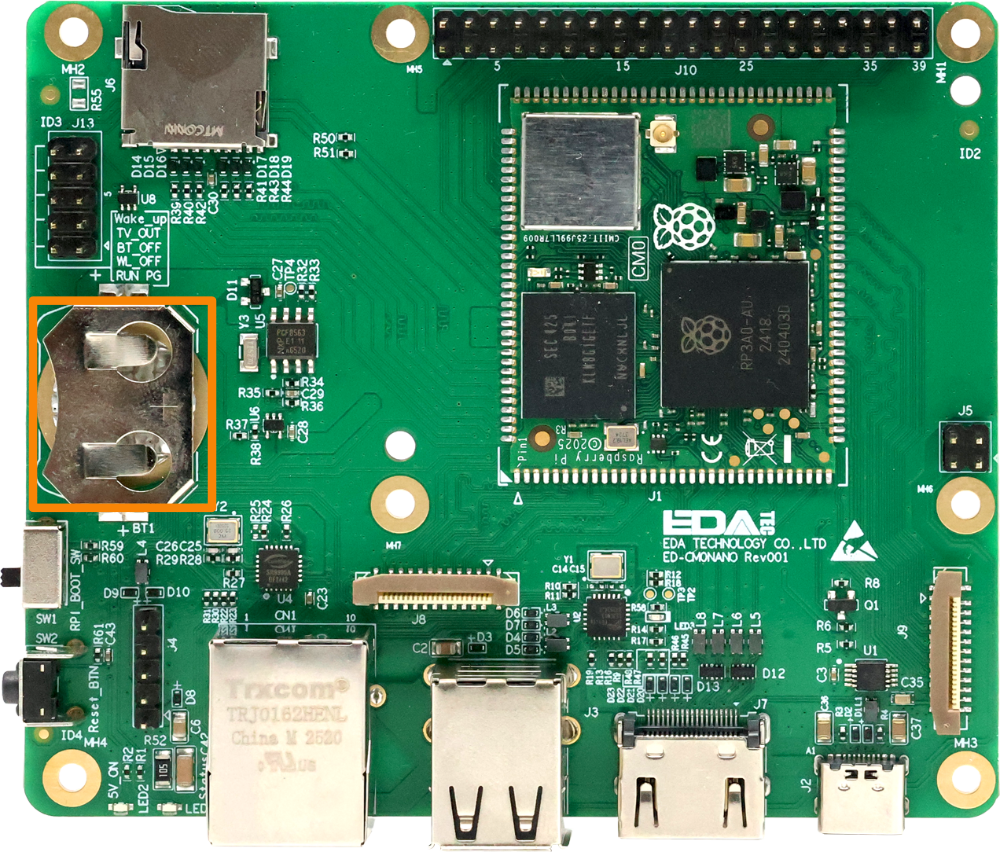
- Insert the CR2032 battery with the positive pole facing upward into the corresponding interface until it is fully seated in the RTC battery base.