
File System Read-Only Repair Guide
1 Overview
Introduces the background and scope of repairing a read-only file system.
1.1 Background
Some users may encounter an empty /etc/fstab file after an abrupt power loss and restart. /etc/fstab defines file systems automatically mounted at boot. When emptied, the file system becomes read-only and fails to mount automatically. Although the system may boot, ED-HMI series devices will display a blank screen. This guide provides detailed repair instructions.
1.2 Applicability
Applies to all ED-IPC and ED-HMI products.
2 Configuration Guide
The following steps use the ED-HMI3120-070C device as an example.
Preparation:
- ED-HMI3120-070C boots successfully but displays a blank screen.
Steps:
- Execute the following command to check if
/etc/fstabis empty.
cat /etc/fstab
- If empty → Proceed to Step 2.
- If not empty → Contact our technical support for troubleshooting.
- Remount the root directory with write permissions.
sudo mount -o remount,rw /
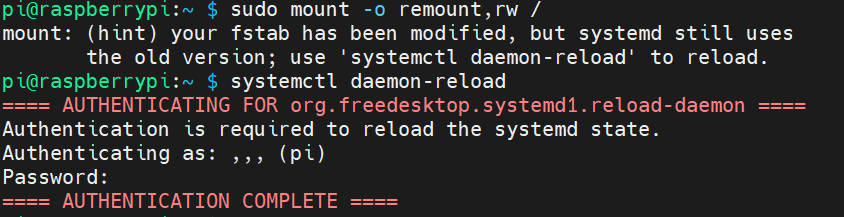
TIP
If prompted, execute systemctl daemon-reload.
- Retrieve the device’s unique PARTUUIDs (partition identifiers).
sudo blkid

- Open
/etc/fstaband replace both existingPARTUUIDentries with those from Step 3.
sudo nano /etc/fstab
Press
Ctrl+Oto save the file, then pressEnter. Finally, pressCtrl+Xto exit the editing mode.Reboot the device:
sudo reboot