
ED-VESA-A
VESA Wall-mounted Bracket
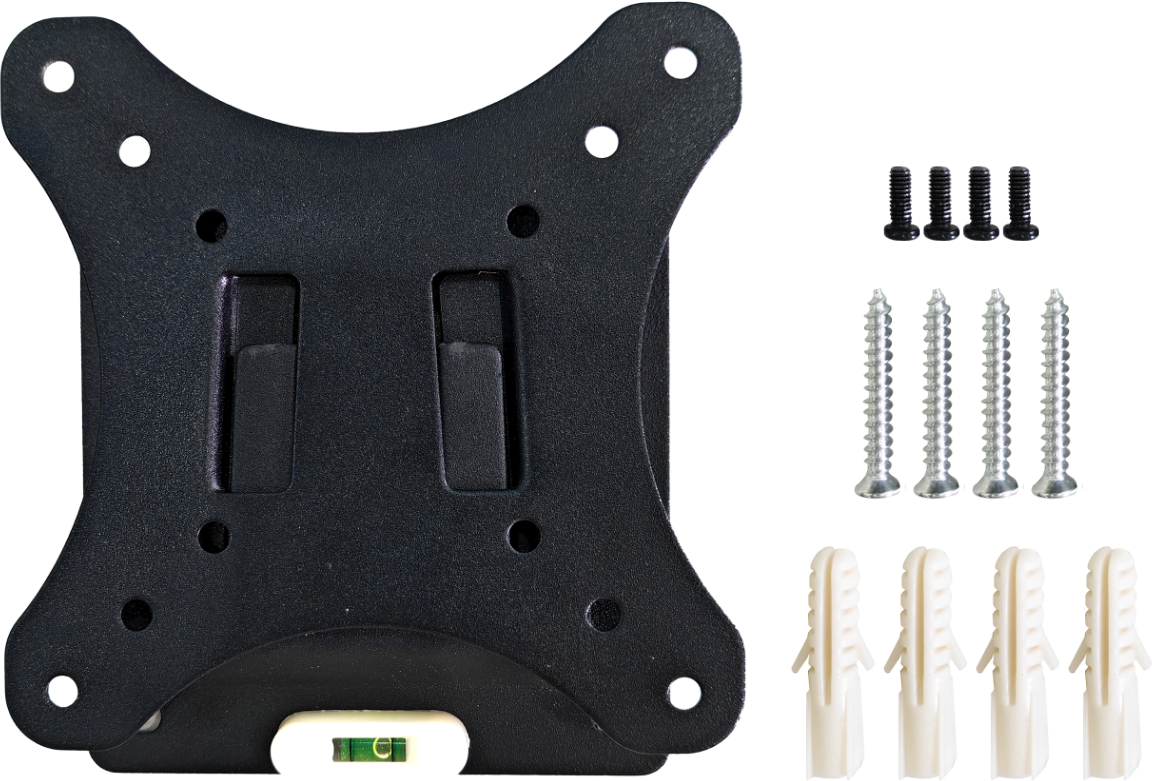
Specifications
| Mechanical Characteristics | |
|---|---|
| Material | Sheet metal |
| Color | Black |
| Weight | About 265g |
| Max Load Capacity | 20kg |
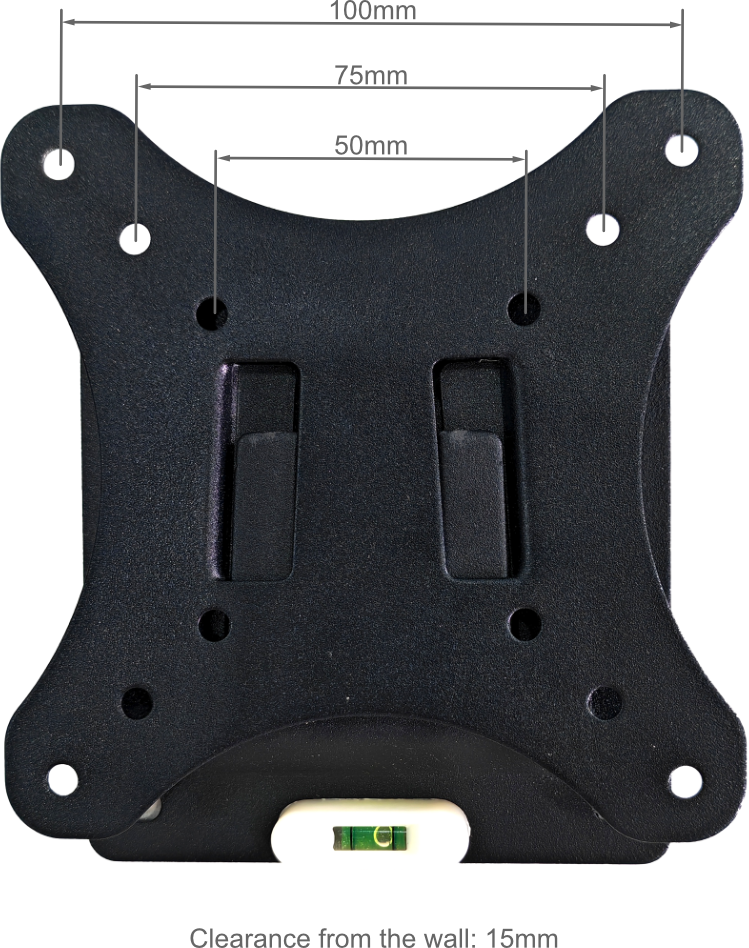
| VESA Hole Pattern | 50mm/75mm/100mm |
| Clearance From The Wall | 15mm |
| Fixing Method | Snap-on design |
| Installation | Wall-mounted |
Dimensions
Ordering Code
| Model | Description |
|---|---|
| ED-VESA-A | VESA Wall Mount Bracket for ED-MONITOR |
Packing List
- 1 x ED-VESA-A (including 4 x M5*30 screws, 4 x M5*40 plastic expansion tubes, and 4 x M4*5 screws)
Installation
Parts List:
| NO. | Name | Quantity (PCS) |
|---|---|---|
| ① | ED-VESA-A | 1 |
| ② | ED-MONITOR (Not provided) | 1 |
Preparation:
You have acquired the tools, including an electric drill, a pencil, a hammer, a screwdriver, and other equipment.
Steps:
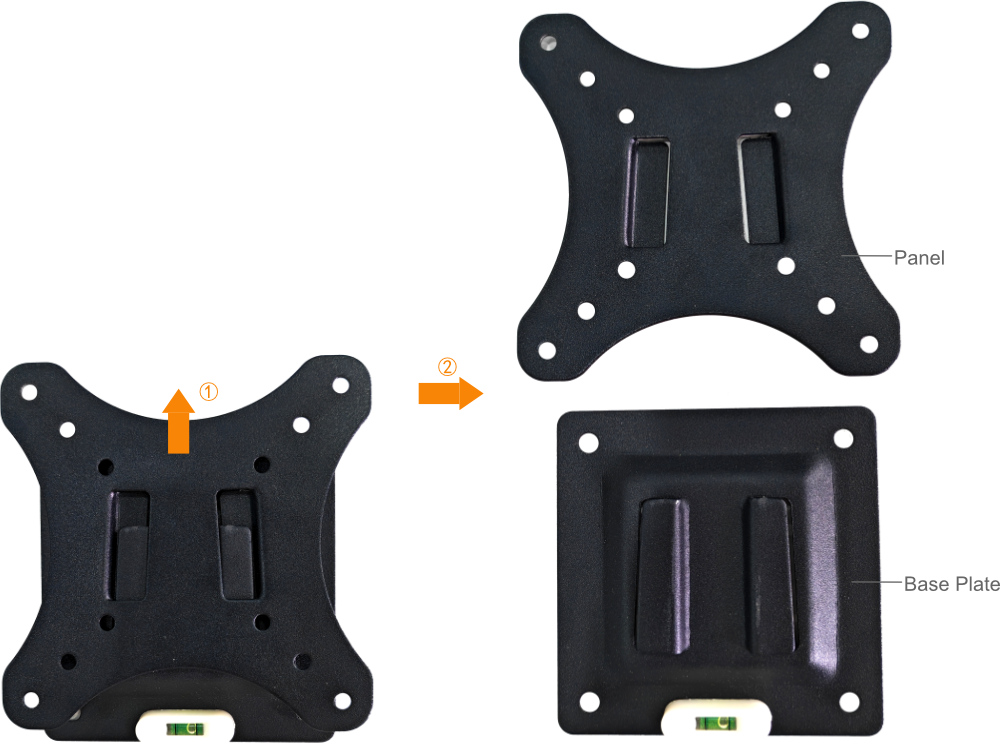
- Separate the bracket’s Base Plate and Panel.
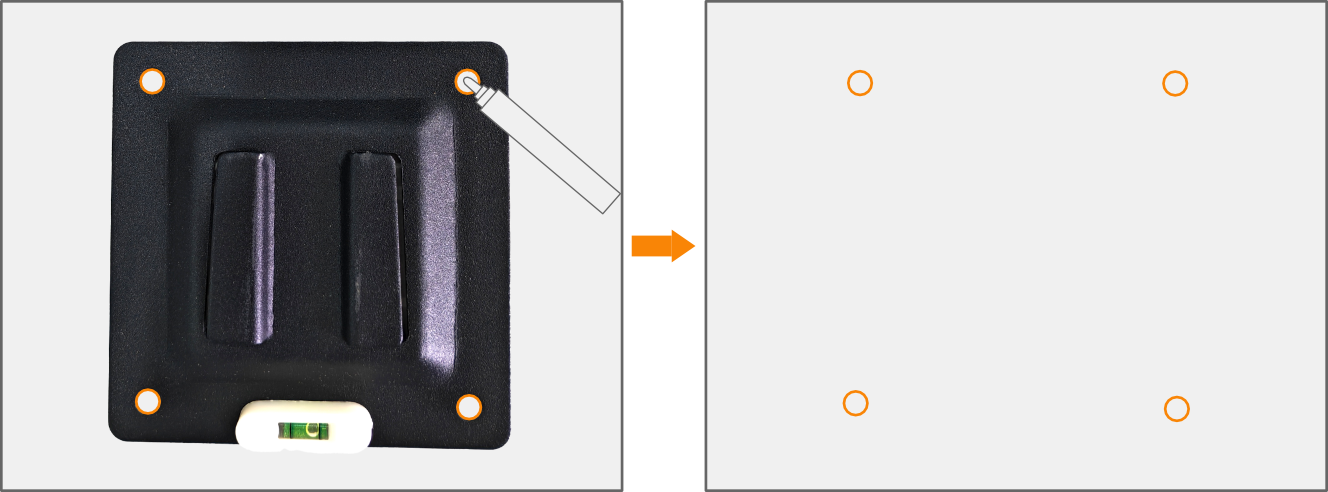
- Mark the wall for drilling:
① Align the Base Plate with the wall.
② Use a pencil to mark the positions of the 4 screw holes on the wall, based on the screw hole spacing of the Base Plate.
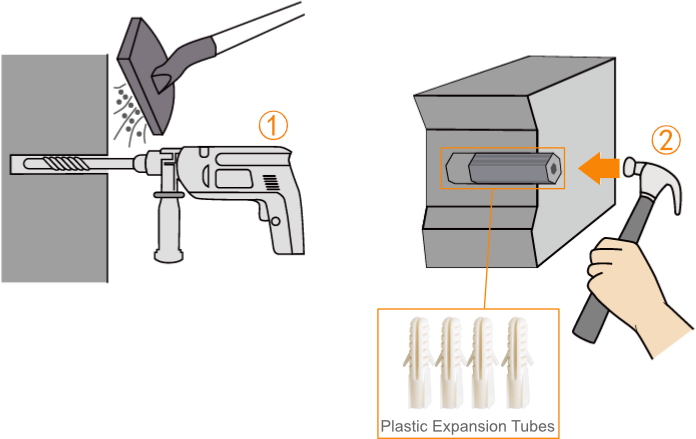
- Drill and install Plastic Expansion Tubes:
① Drill 4 holes at the marked positions using an electric drill.
② Use a hammer to insert the 4 Plastic Expansion Tubes into the holes.
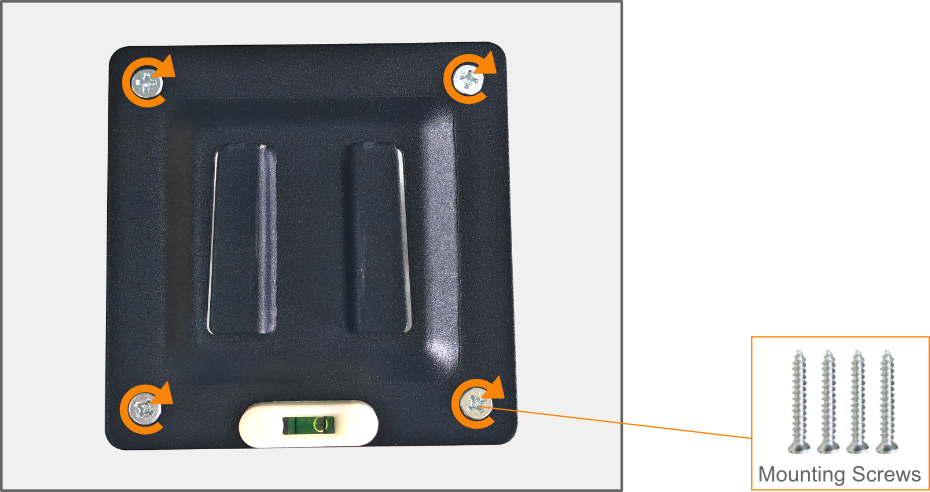
- Secure the Base Plate to the wall:
① Align the 4 screw holes on the Base Plate with the installed Plastic Expansion Tubes.
② Insert the 4 mounting screws (M5*30) and tighten them clockwise with a screwdriver to fix the Base Plate firmly to the wall.
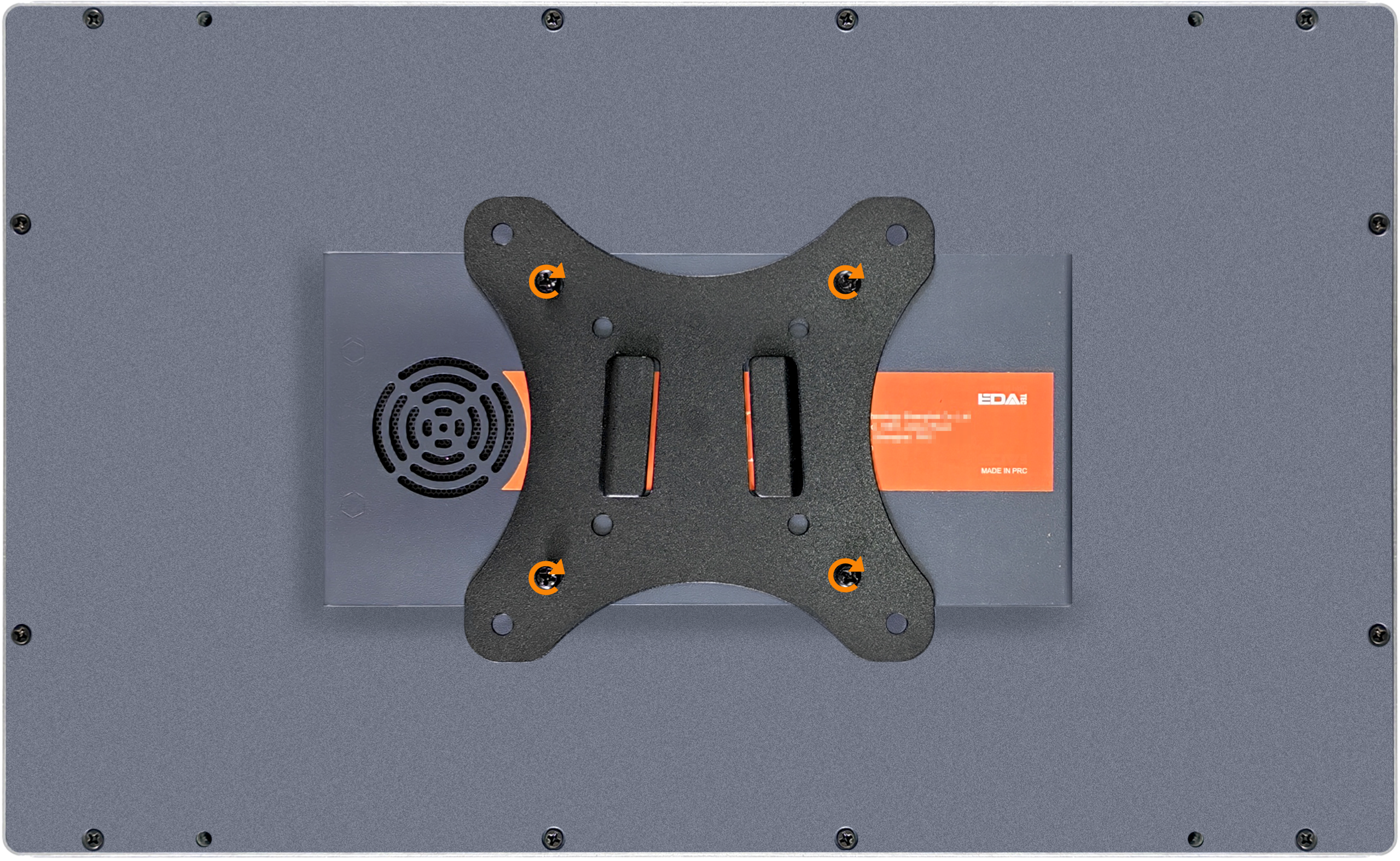
- Attach the bracket Panel to the ED-MONITOR:
① Align the 4 screw holes on the bracket Panel with the 4 VESA mounting holes on the back of the ED-MONITOR.
② Insert 4 mounting screws (M4*5) and tighten them clockwise with a screwdriver to secure the Panel to the back of ED-MONITOR.
TIP
The VESA hole spacing for the ED-MONITOR is 75mm.
- Mount the monitor onto the Base Plate:
① Lift the ED-MONITOR (with the bracket panel attached) and align the snap-on slots on the bracket Panel with the Base Plate.
② Press firmly to lock the Panel into the Base Plate installed on the wall.