2 Installing/removing Components (optional)
This chapter introduces how to install/remove components.
2.1 Pull Out Micro SD Card
If you need to remove the SD card while using the product, you can refer to the following instructions.
WARNING
Please turn off the power before inserting or removing the Micro SD card.
Preparation:
- A pair of tweezers is ready.
- The device has been disconnected from power.
Steps:
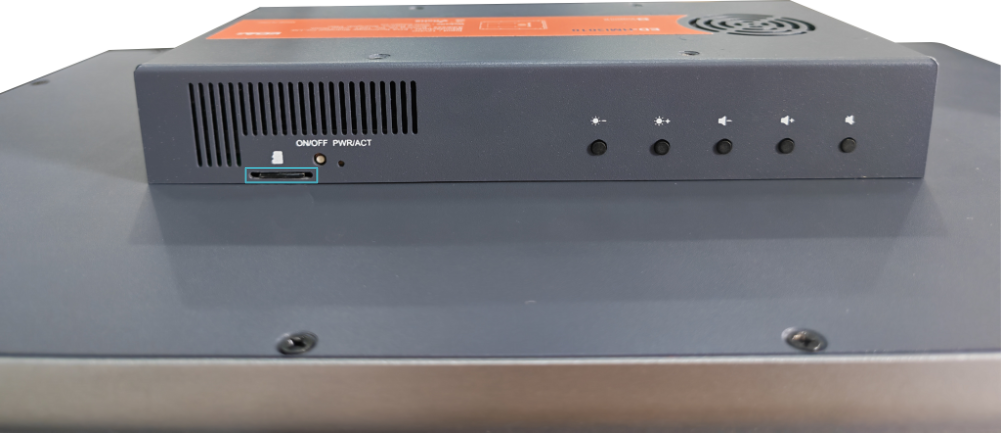
- Identify the location of the Micro SD card as indicated in the figure below.
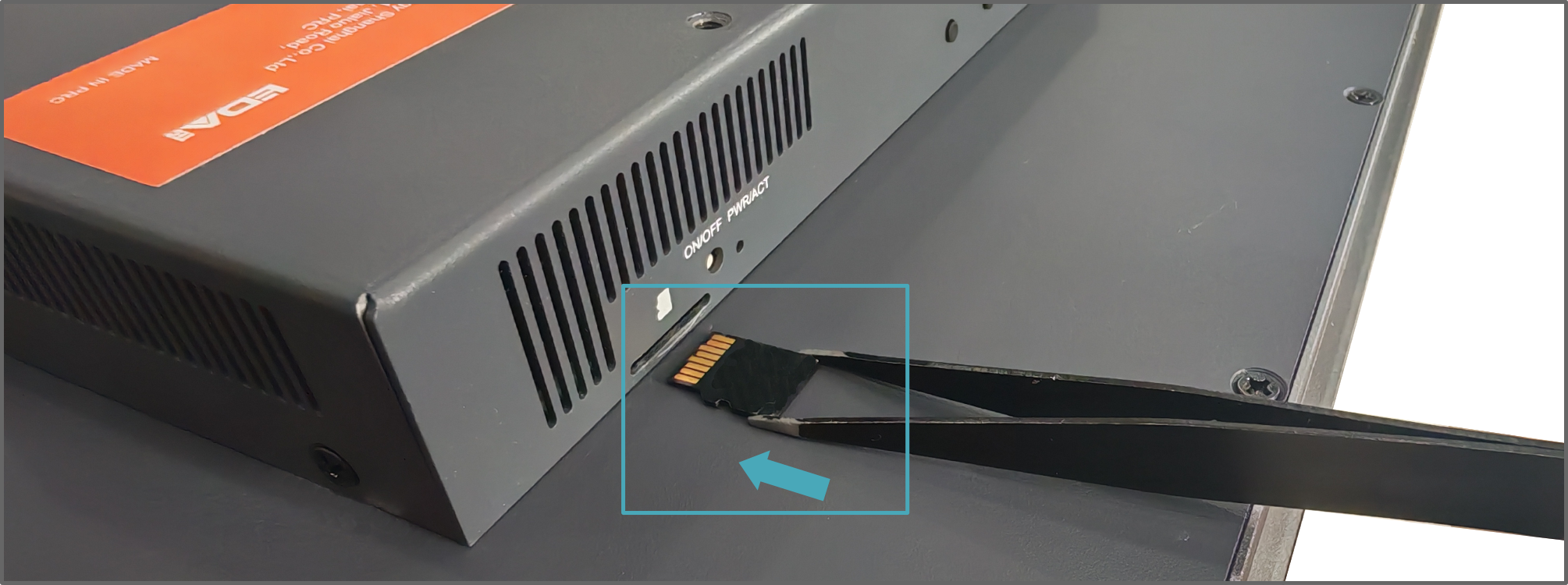
- Using tweezers, grip the SD card and pull it outward along the arrow direction.
2.2 Insert Micro SD Card
If you need to insert the SD card while using the product, you can refer to the following instructions.
WARNING
Please turn off the power before inserting or removing the Micro SD card.
Preparation:
- Micro SD card is ready.
- A pair of tweezers is ready.
- The device has been disconnected from power.
Steps:
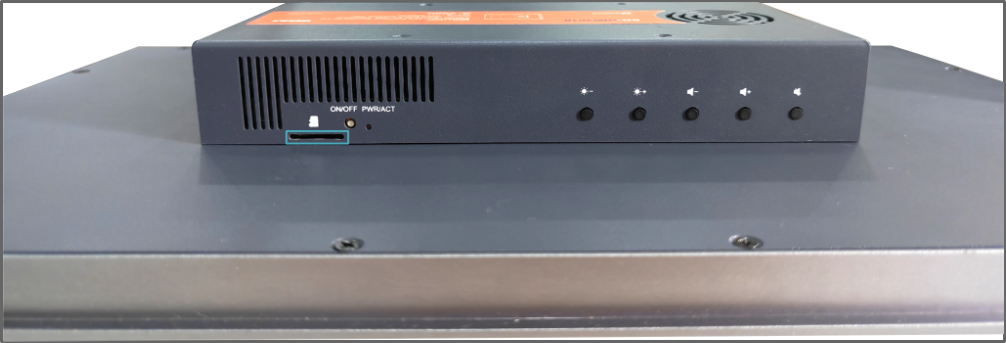
- Identify the location of the Micro SD card slot as indicated in the figure below.
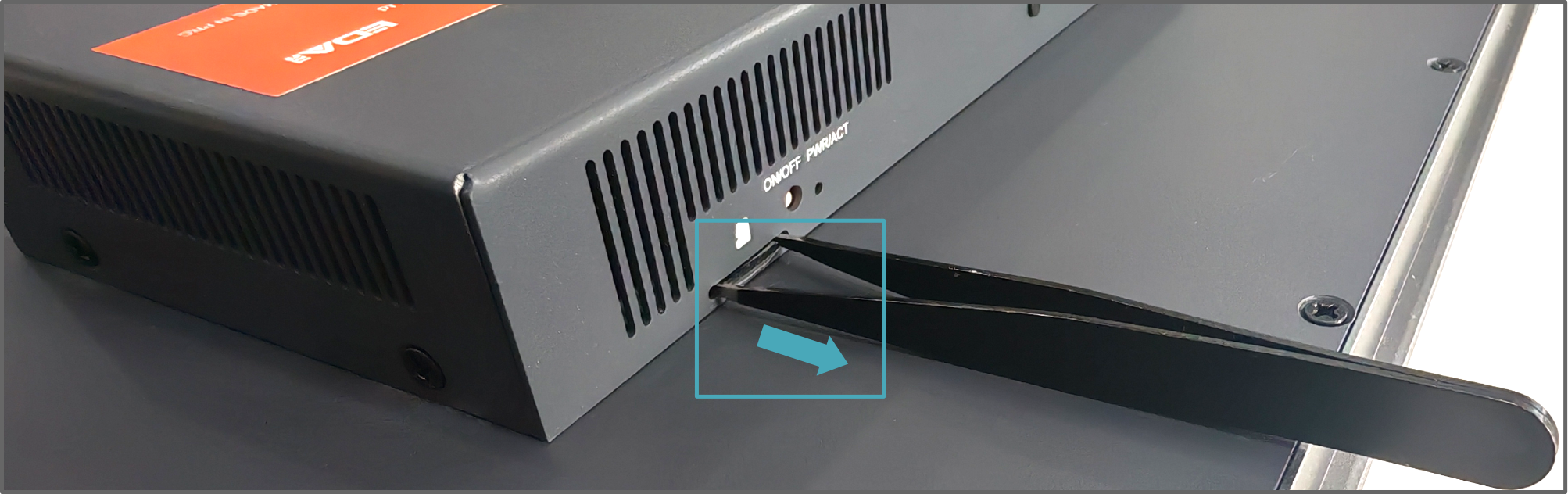
- Position the SD card with contact pads facing upward, grip it with tweezers, and insert into the corresponding slot along the arrow direction until securely locked in place.