- 8-channel digital input or 16-channel digital input, equipped with the LED for an operation check
- Input type support PNP or NPN
- Opto-coupler isolated input
- Plug-in construction, DIN-rail installation
- PT removable terminal block for screwless wiring
- Support cascading up to 32 modules without additional power supply
|
| Input |
|---|
| Input Type | PNP | NPN |
| Number of input signal channels | 8 | 16 | 8 | 16 |
| Power Dissipation | 25mA | 35mA | 25mA | 35mA |
| Rated Input Voltage | 24V DC (±25%) | 0V DC (±3%) |
| Input Logic 1 Signal | 15V~30V | -3V~3V |
| Input Logic 0 Signal | -3V~3V | 15V~30V |
| Input Filter | Configurable from 1ms to 10ms, the default is 3ms |
| Isolation Voltage | AC 500V |
| Isolation Type | Opto-coupler Isolation |
| Software |
|---|
| Fieldbus | EtherCAT |
| EtherCAT Master Software Platform | CODESYS |
| Mechanical Characteristics |
|---|
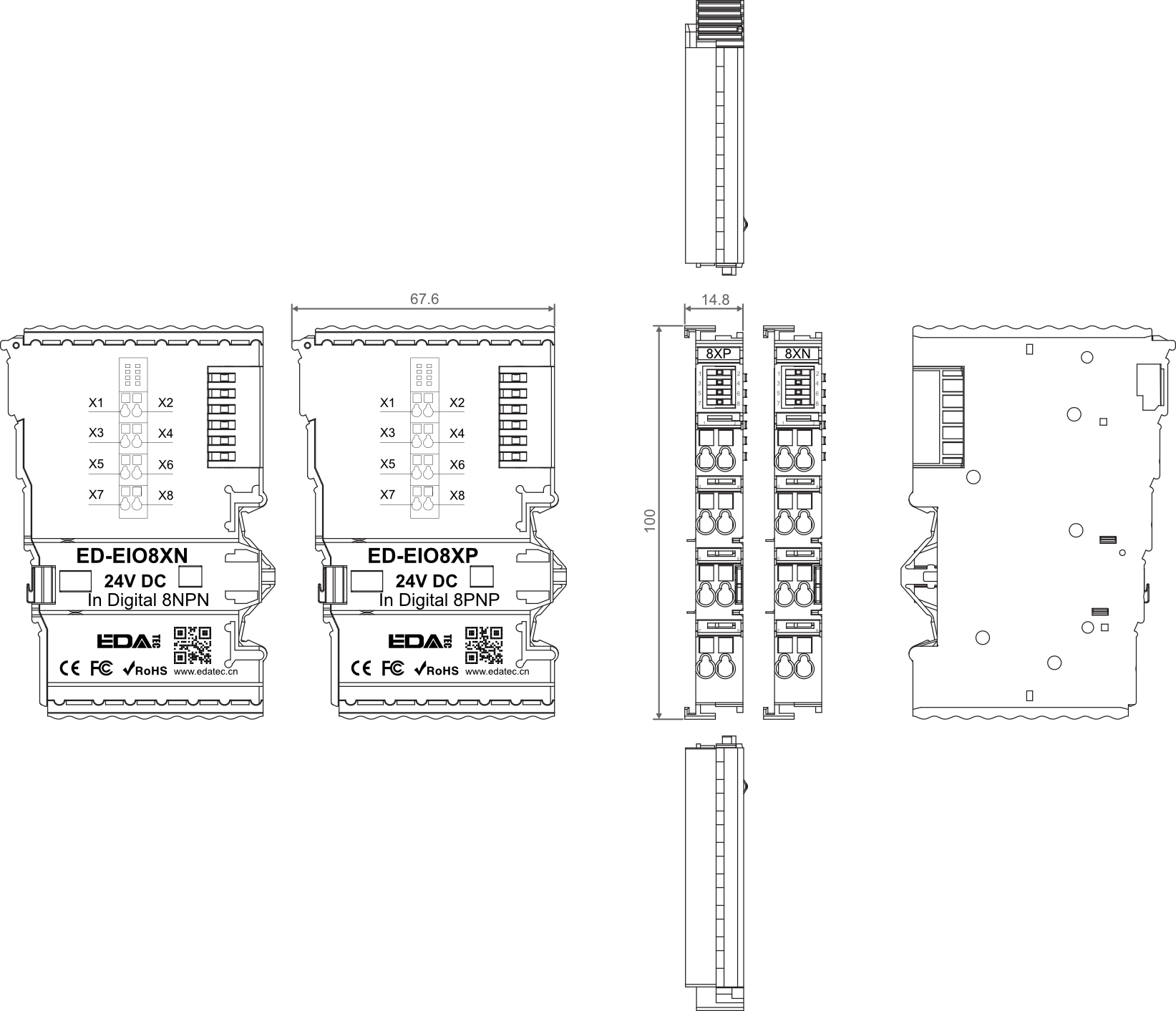
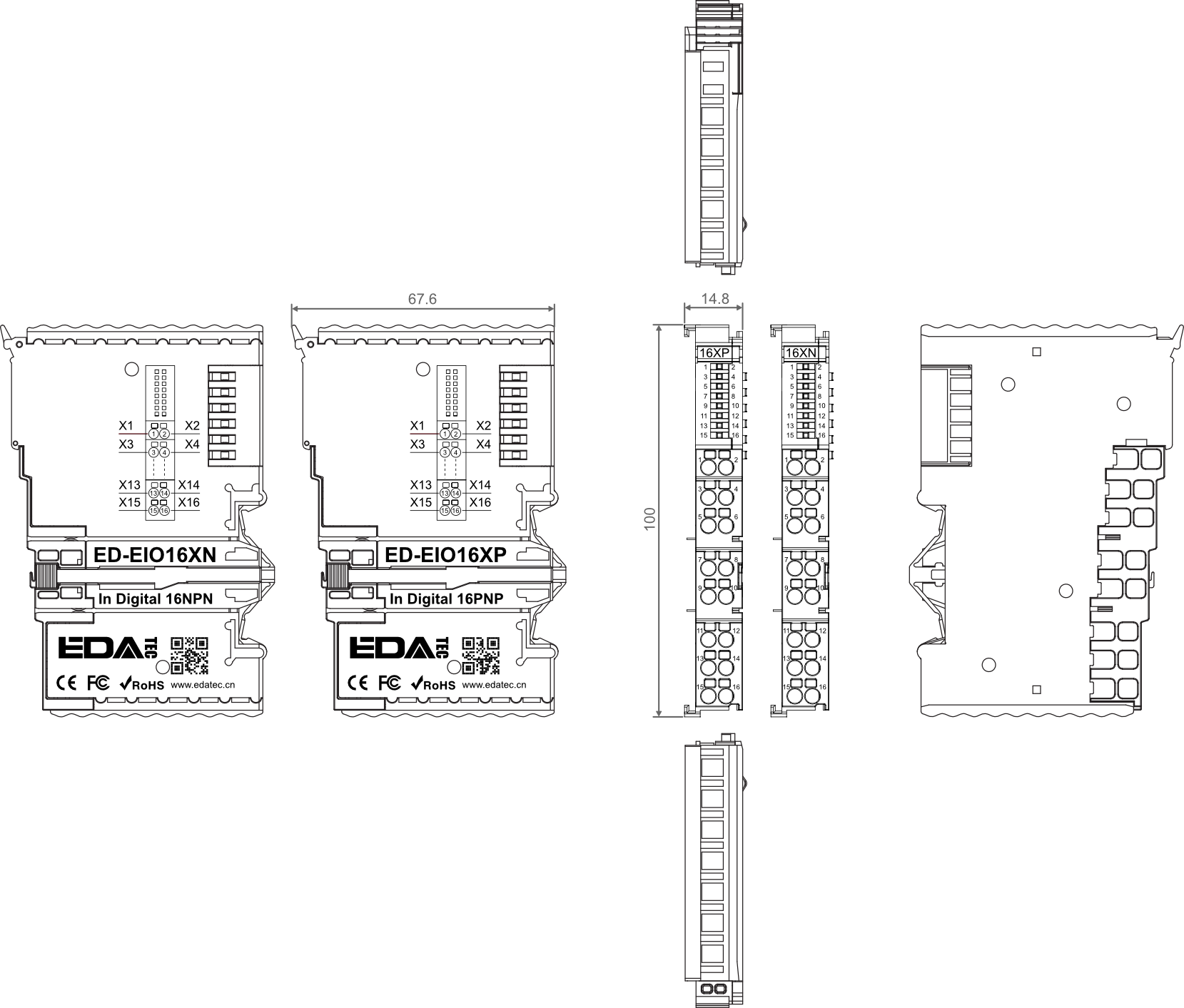
| Dimensions | 100mm x 67.6mm x 14.8 mm |
| Weight | About 51g |
| Wiring Specifications | 0.2mm² ~ 1.5mm² |
| Wiring Method | Screwless |
| Installation | DIN-rail installation |
| Environmental & Regulatory |
|---|
| Operating Temperature | -10℃ ~ 55℃ |
| Storage Temperature | -20℃ ~ 85℃ |
| Ambient Humidity | 5% ~ 95% (non-condensing) |
| Air Pressure | ≥ 795 hPa (altitude ≤ 2000 m), compliant with IEC 61131-2 |
| Overvoltage Categories | I |
| Certifications | CE, RoHS |
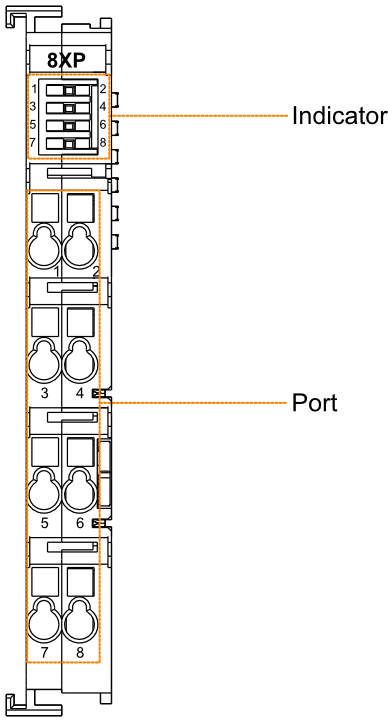
8-channel digital input module (PNP):
| Indicator |
|---|
| led No. | Input | Color | Description |
| 1~8 | X1~X8 | Green | 8 Indicators correspond to X1~X8, which are independent of each other. The states of indicators are on and off. - on: A high level signal received
- off: No input signal
|
| Port |
|---|
| Pin No. | Input | Pin No. | Input |
| 1 | X1 | 2 | X2 |
| 3 | X3 | 4 | X4 |
| 5 | X5 | 6 | X6 |
| 7 | X7 | 8 | X8 |
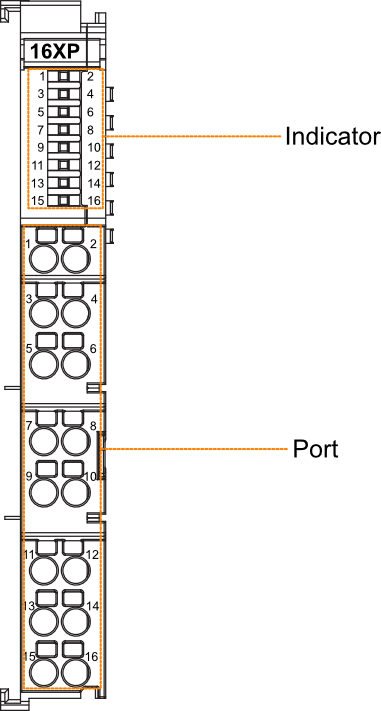
16-channel digital input module (PNP):
| Indicator |
|---|
| led No. | Input | Color | Description |
| 1~16 | X1~X16 | Green | 16 Indicators correspond to X1~X16, which are independent of each other. The states of indicators are on and off. - on: A high level signal received
- off: No input signal
|
| Port |
|---|
| Pin No. | Input | Pin No. | Input |
| 1 | X1 | 2 | X2 |
| 3 | X3 | 4 | X4 |
| 5 | X5 | 6 | X6 |
| 7 | X7 | 8 | X8 |
| 9 | X9 | 10 | X10 |
| 11 | X11 | 12 | X12 |
| 13 | X13 | 14 | X14 |
| 15 | X15 | 16 | X16 |
8-channel digital input module (NPN):
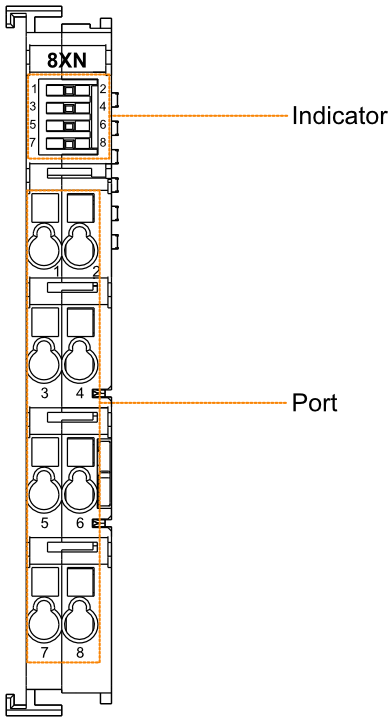
| Indicator |
|---|
| led No. | Input | Color | Description |
| 1~8 | X1~X8 | Green | 8 Indicators correspond to X1~X8, which are independent of each other. The states of indicators are on and off. - on: A low level signal received
- off: No input signal
|
| Port |
|---|
| Pin No. | Input | Pin No. | Input |
| 1 | X1 | 2 | X2 |
| 3 | X3 | 4 | X4 |
| 5 | X5 | 6 | X6 |
| 7 | X7 | 8 | X8 |
16-channel digital input module (NPN):
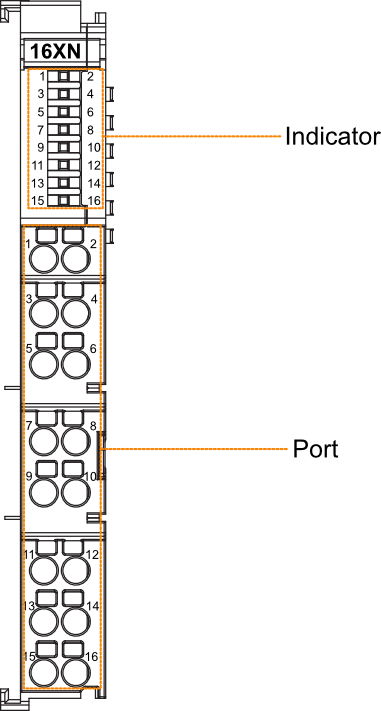
| Indicator |
|---|
| led No. | Input | Color | Description |
| 1~16 | X1~X16 | Green | 16 Indicators correspond to X1~X16, which are independent of each other. The states of indicators are on and off. - on: A low level signal received
- off: No input signal
|
| Port |
|---|
| Pin No. | Input | Pin No. | Input |
| 1 | X1 | 2 | X2 |
| 3 | X3 | 4 | X4 |
| 5 | X5 | 6 | X6 |
| 7 | X7 | 8 | X8 |
| 9 | X9 | 10 | X10 |
| 11 | X11 | 12 | X12 |
| 13 | X13 | 14 | X14 |
| 15 | X15 | 16 | X16 |
Unit: mm
8-channel digital input module:
16-channel digital input module:
| Model | Description |
|---|
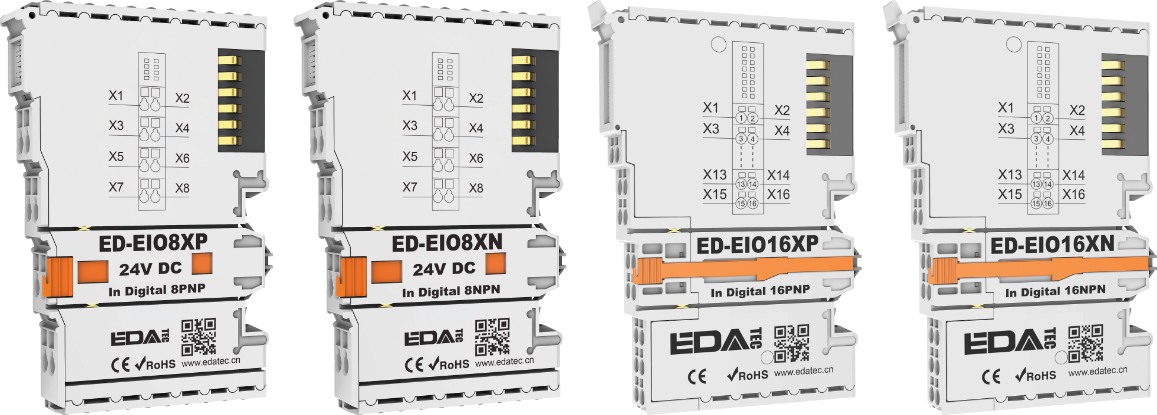
| ED-EIO8XP | 8-channel digital input module (PNP) |
| ED-EIO8XN | 8-channel digital input module (NPN) |
| ED-EIO16XP | 16-channel digital input module (PNP) |
| ED-EIO16XN | 16-channel digital input module (NPN) |
| Model | Description |
|---|
| ED-PLC2010 | EtherCAT Master based on CODESYS |
| ED-EIOBRG-EC | EtherCAT Coupler |
- 1 x EtherCAT Digital Input Module
TIP
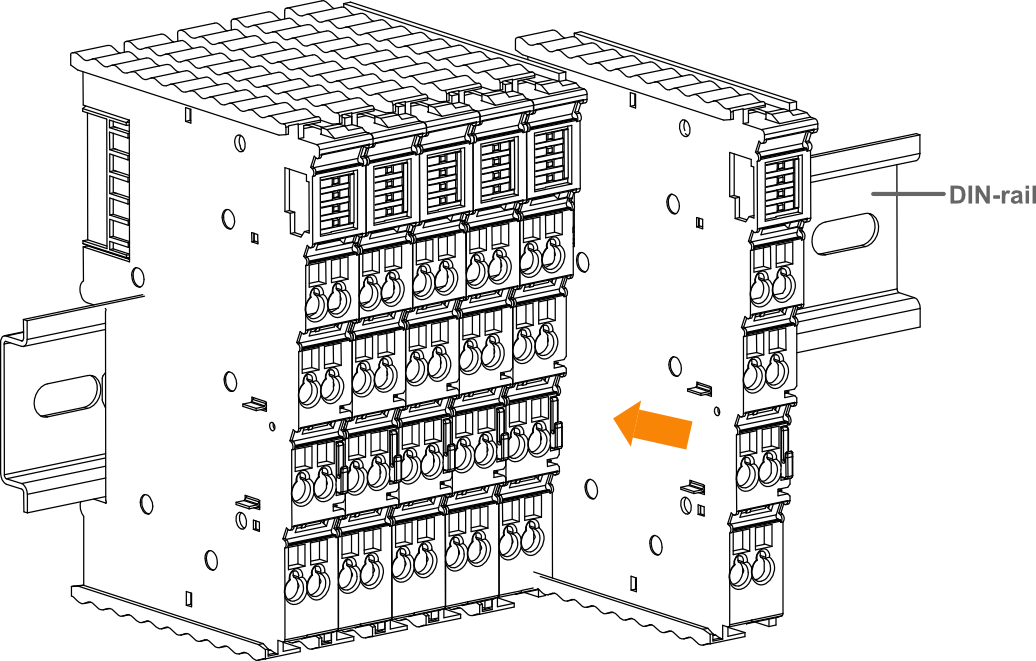
- DIN-rail is not included in the box, the following is intended as an installation illustration only.
- Before you start installing, please turn off the power to the module.
- If you encounter a situation where the module cannot be installed, please do not force the installation to avoid damaging the module.
Steps
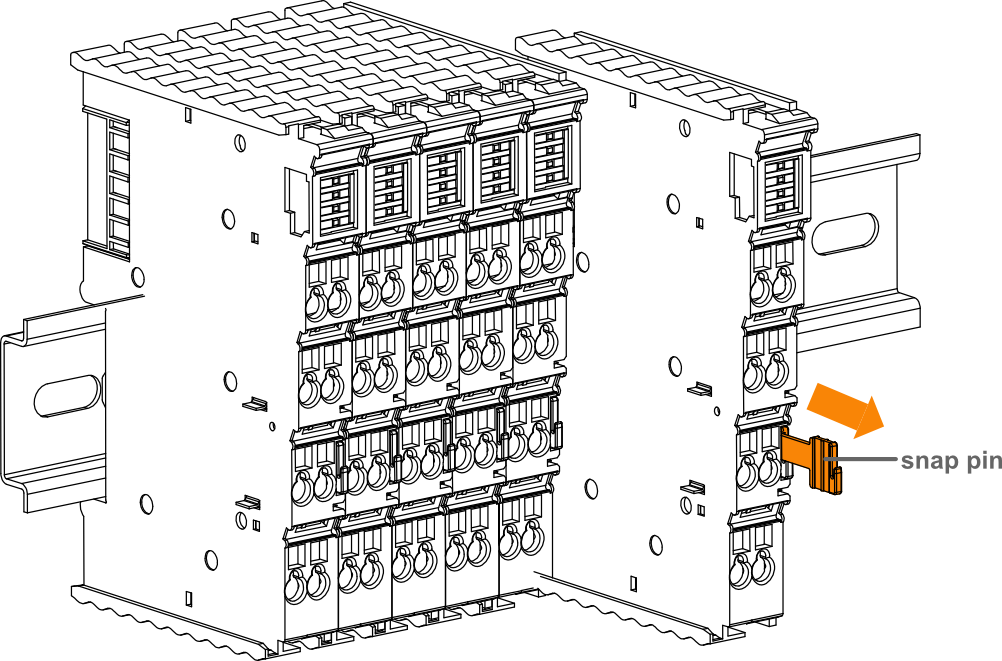
The following is an example of the installation of an 8-terminal module only.
- Align the notches in the I/O module.
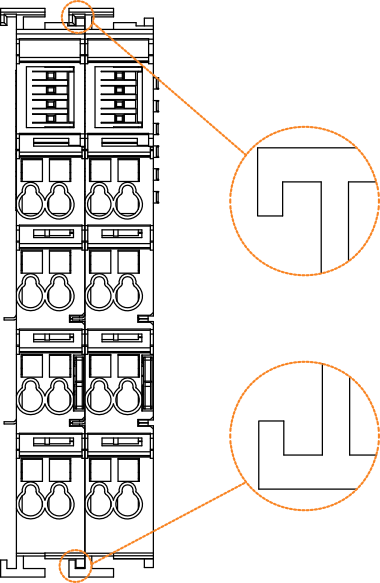
- Secure the I/O module to the DIN-rail by pushing the I/O module in the direction of the arrow onto the DIN snap pin.
TIP
- Before you start installing, please turn off the power and disconnect the cable to the module.
- If you encounter a situation where the module cannot be installed, please do not force the installation to avoid damaging the module.
Steps
The following is an example of the dismantling of an 8-terminal module only.
- Hold the snap pin of the I/O module by hand and then pull it out in the direction of the arrow to disengage the module from the DIN-rail.