2 Installing Device
This chapter introduces how to install the device.
2.1 EtherCAT Coupler Installation and Dismantling
The EtherCAT coupler supports mounting on DIN rails.
2.1.1 Installing
TIP
The ED-EIOBRG-EC unit is shipped from the factory without the DIN rail included in the box, and the following is intended as an installation illustration only.
Switch off the power to the unit before starting the installation.
Steps:
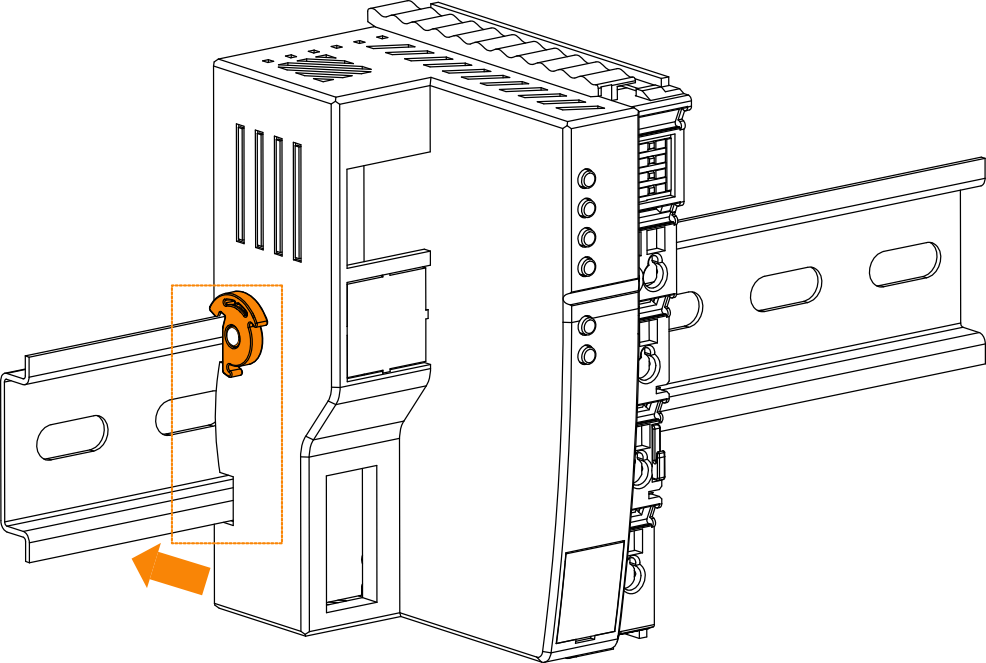
Slip the notch on the back of the EtherCAT coupler over the DIN rail, press it down and push in the DIN snap pin to secure the EtherCAT coupler to the DIN rail.
2.1.2 Dismantling
Switch off the power to the unit and disconnect the cables from the unit before you start dismantling it.
Steps:
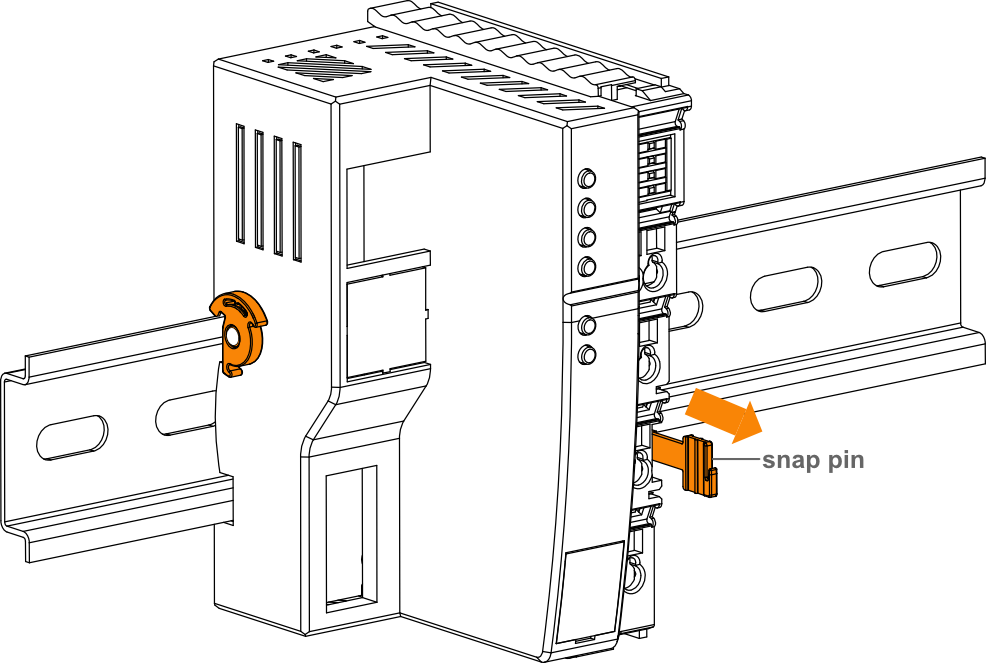
Hold the coupler's snap pin by hand and then pull it out in the direction of the arrow to disengage the coupler from the DIN rail.
2.2 I/O module installation and Dismantling
The I/O modules support mounting on DIN rails.
2.2.1 Installing
TIP
The I/O module devices are shipped with DIN rails not included in the box, and the following is intended as a mounting illustration only.
Before starting the installation, please switch off the power supply of the device.
If you encounter a situation where the module cannot be installed, please do not force the installation to avoid damaging the module.
Steps:
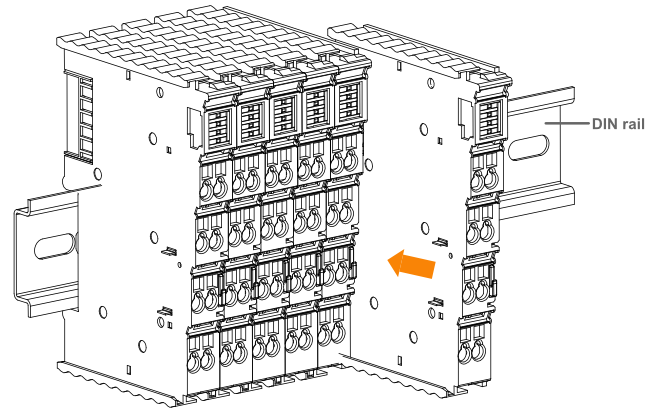
The following is an example of the installation of an 8-terminal module only.
- Align the notches in the I/O module.
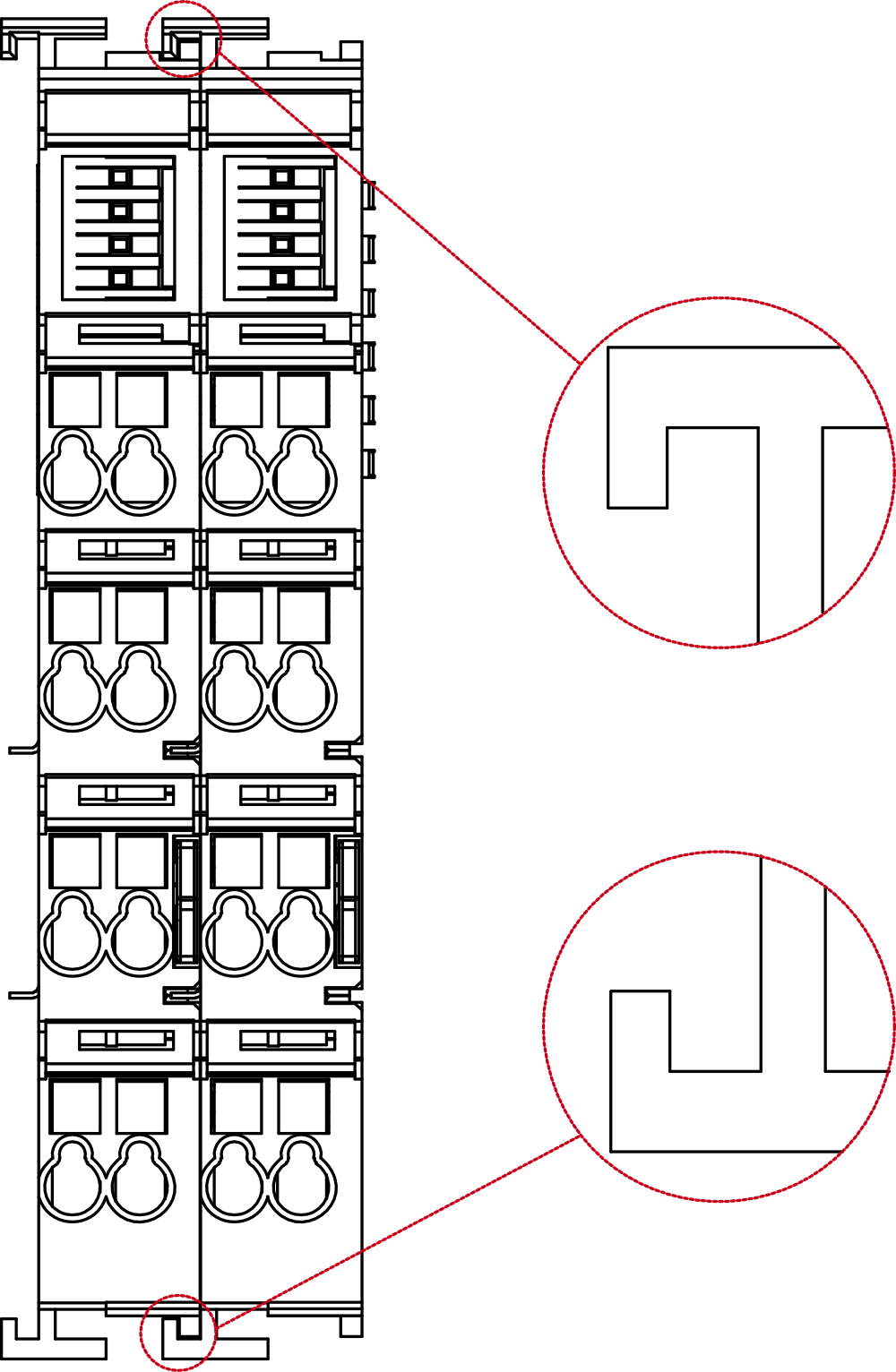
- Secure the I/O module to the DIN rail by pushing the I/O module in the direction of the arrow onto the DIN snap pin.
2.2.2 Dismantling
Before starting the removal, please switch off the power of the device and disconnect the cables from the module.
If you encounter a situation where the module cannot be removed, please do not force to carry out the removal to avoid damaging the module.
Steps:
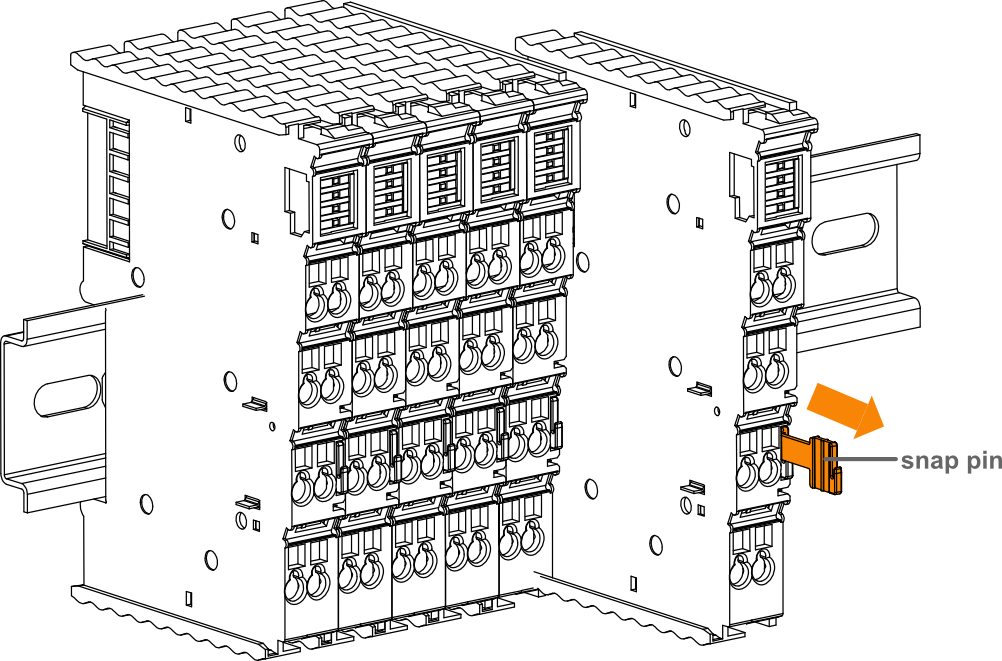
The following is an example of the dismantling of an 8-terminal module only.
Hold the snap pin of the I/O module by hand and then pull it out in the direction of the arrow to disengage the module from the DIN rail.
2.3 EtherCAT Terminal Cover Mount
A Bus End Cover is required on the right side of I/O module at the end of each EtherCAT bus station.
TIP
Before you start installing, please turn off the power to the system.
Steps:
- Align the notches in the I/O module and the Bus End Cover.
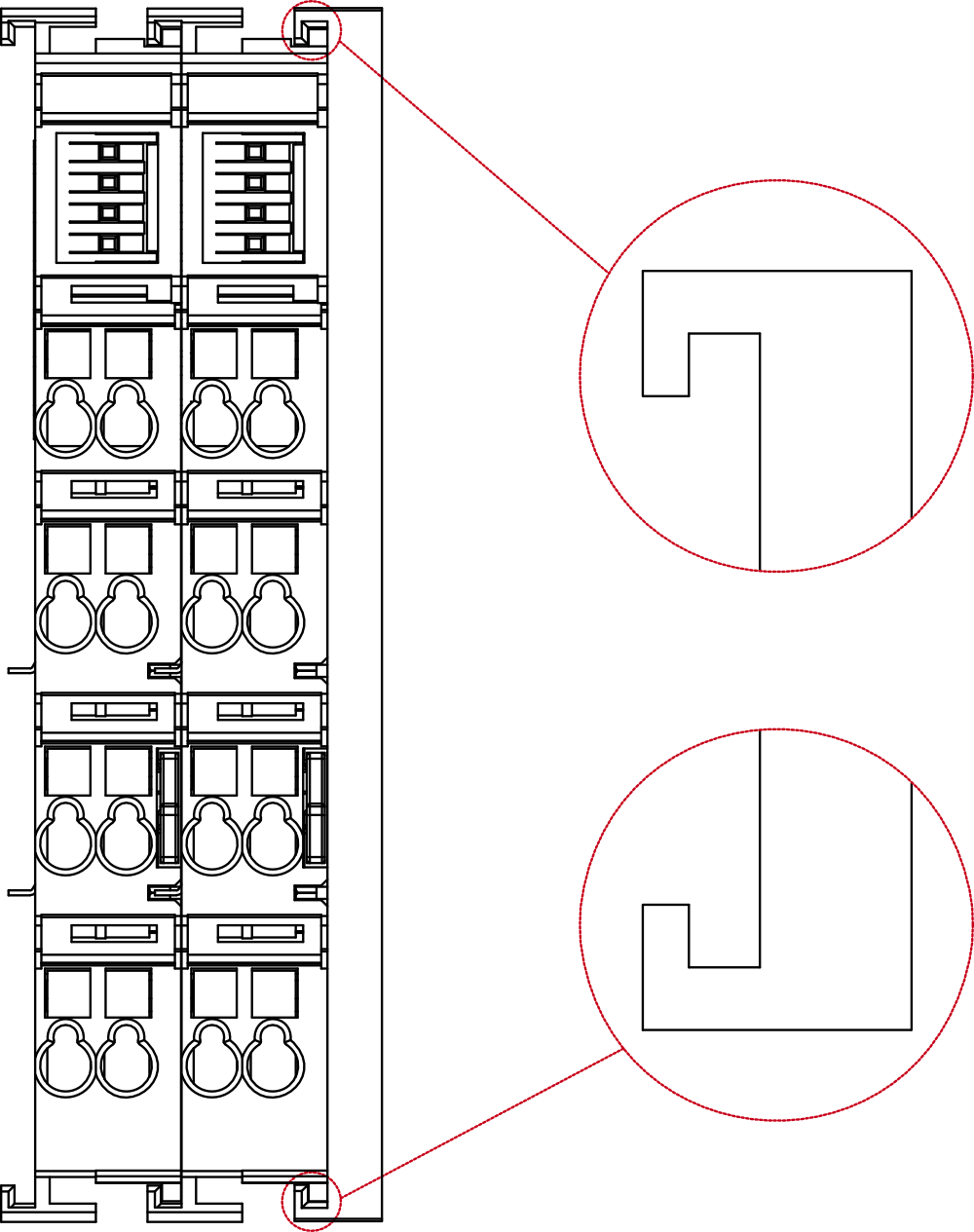
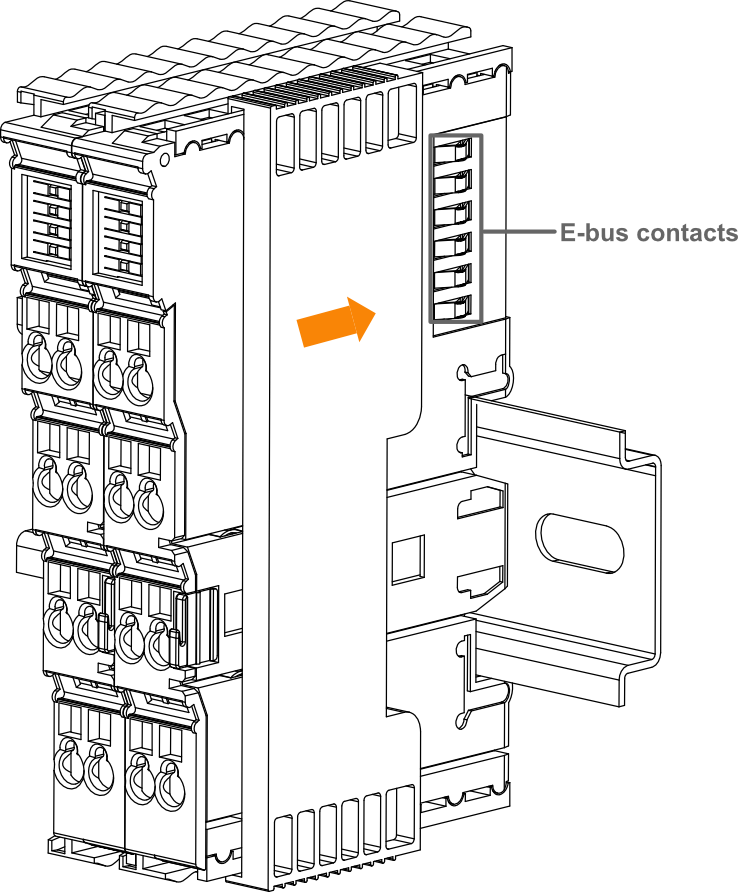
- Push the Bus End Cover onto the DIN-rail the the direction of the arrow, so that it covers the E-bus contacts of the I/O module and fits it over the DIN-rail.